



teket Introduces Instant Invoice Receipt Generation for Digital Ticket Purchases
Revolutionizing Ticket Management with teket's New Feature
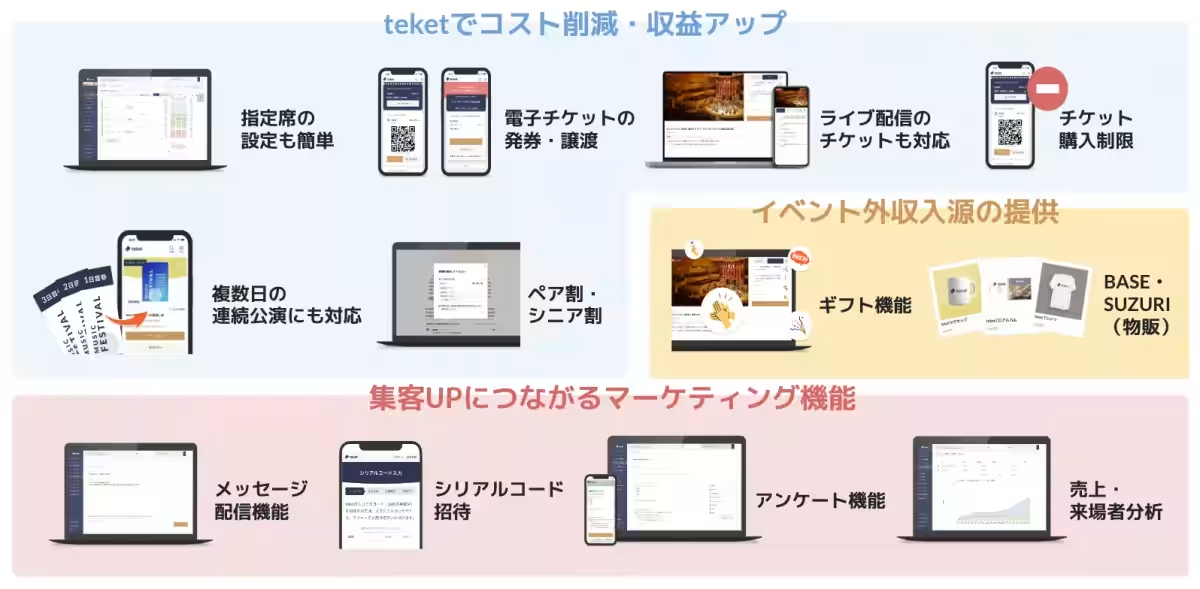
The electronic ticketing service, teket, launched by the company teket Inc. based in Chuo-ku, Tokyo, has unveiled a new feature that allows event organizers and ticket buyers to instantly generate receipts that comply with the invoice system. This innovative addition aims to streamline the often cumbersome process of receipt issuance, making it faster and more efficient for both parties involved.
Key Features of the New Functionality
For Event Organizers: Simplified Registration Across All Events
By simply entering their Qualified Invoice Issuer Registration Number into the event management dashboard, organizers can generate invoice-compliant receipts for all their events. They have the flexibility to enable or disable receipt issuance even after the event has been publicized. Previously, event organizers faced a tedious process where they had to manually handle requests for receipts from purchasers, involving collaboration with the accounting department, internal approvals, creating the invoice-compliant receipts, and then dispatching them. Each of these requests used to take about 30 minutes of precious time. However, with the implementation of this feature, purchasers can download their receipts independently, effectively eliminating the tedious manual processes for organizers. This is expected to significantly reduce their workload.
For Ticket Buyers: Instant Access to Invoice-compliant Receipts
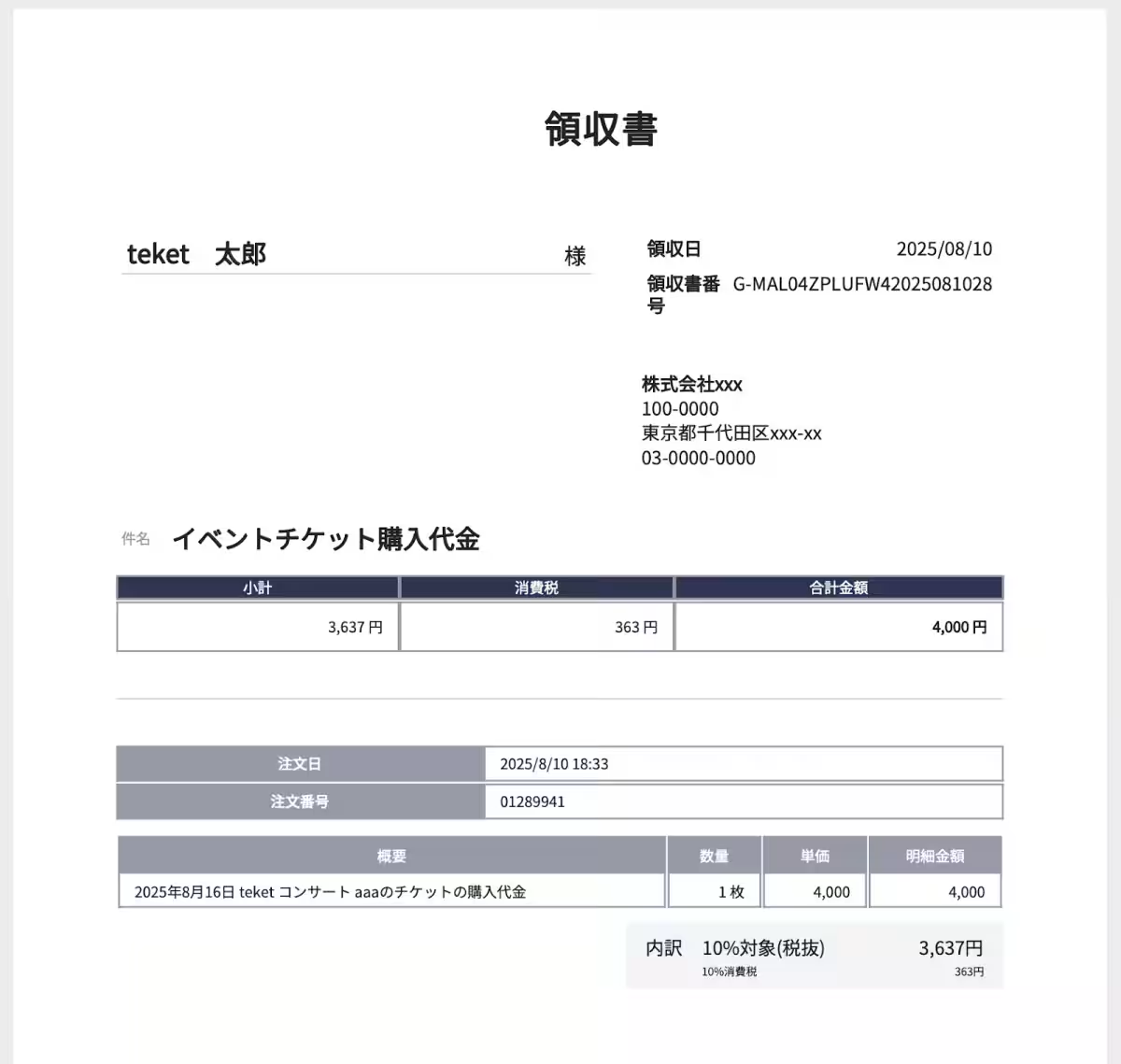
Once a ticket has been purchased, buyers can access their member page and download their receipts anytime, day or night throughout the year. The feature allows them to edit recipient names and download multiple tickets' receipts at once, making it easier to prepare documents for tax returns or expense claims.
The issuing entities of the receipt vary based on the item. For ticket costs, the event organizer is responsible, while for additional fees (like convenience store payment charges or system usage fees), teket Inc. issues the receipts.
Usage Instructions
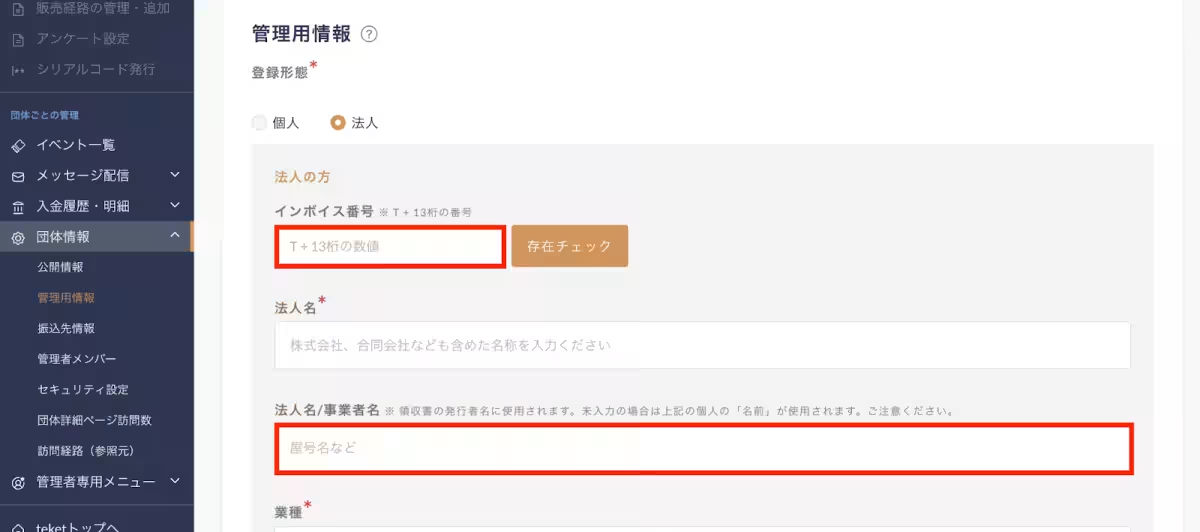
For Organizers: Setting It Up
Organizers need to navigate to their organization's information on the event management page, choose either individual or company status, and input their Qualified Invoice Issuer Registration Number. By checking the
Topics Other)
【About Using Articles】
You can freely use the title and article content by linking to the page where the article is posted.
※ Images cannot be used.
【About Links】
Links are free to use.