




Genspark Unveils Major Update to AI Slides With Cost Reduction and Built-in Editor
Genspark Unveils Major Update to AI Slides
Genspark, the innovative AI workspace based in Silicon Valley, has announced a significant upgrade to its AI presentation tool, AI Slides. This update aims to enhance productivity while minimizing costs. The most notable feature is the reduction of costs in Standard Mode to one-fifth of the original price, making it more accessible for users who rely on it for routine slide creation.
Cost Reduction in Standard Mode
In detail, Genspark has reduced the generation cost per page in the Standard Mode of AI Slides to between 10 and 50 credits, allowing users to create high-quality slides at a fraction of the cost. This mode is perfect for quick, simple presentations and internal reports, offering both efficiency and affordability. In addition to this, the newly revamped Ultra Mode is now available at a minimum of 100 credits per page, designed for more formal and detail-oriented presentations.
Introduction of Built-in Editor
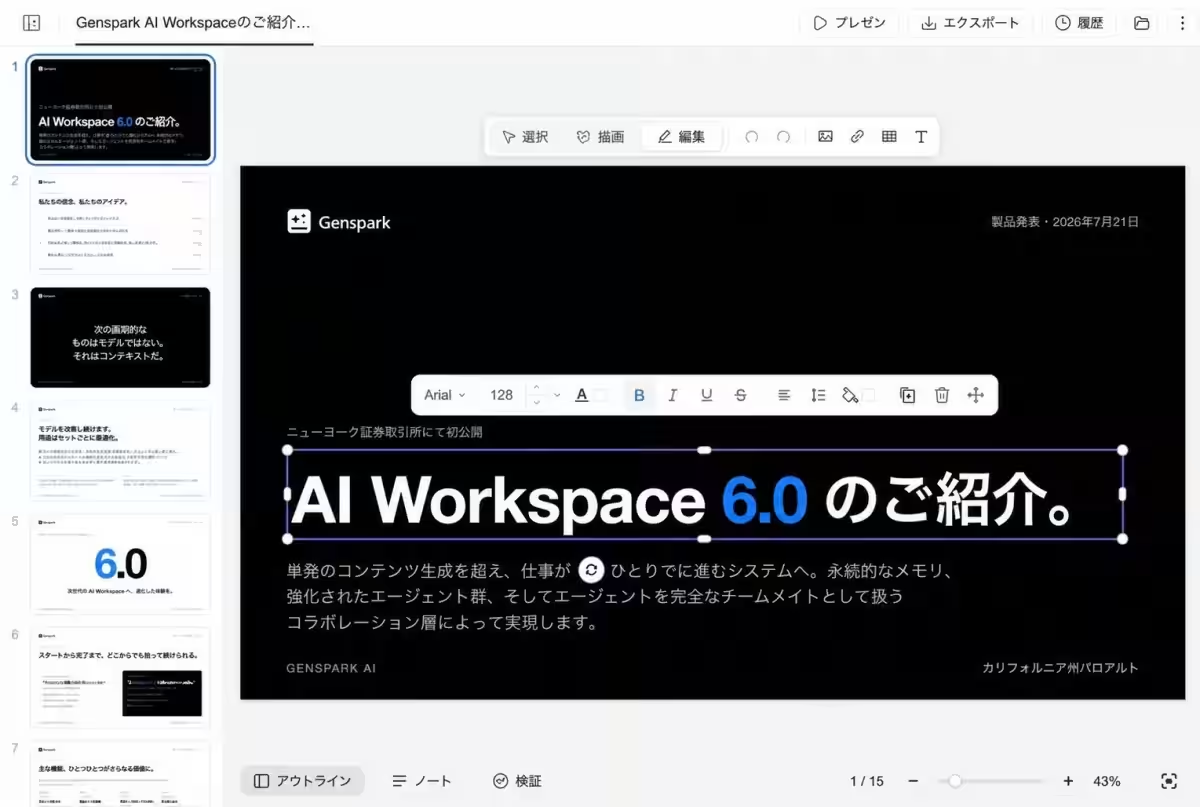
One of the most exciting aspects of this upgrade is the introduction of a built-in editor. This feature allows users to make manual adjustments directly on the canvas, whether it’s shifting a title by a few pixels or enlarging text. Upon clicking the “Edit” button on the toolbar, users can move, resize, rotate, and change styles of slide elements seamlessly, without switching pages or losing context.
Improved Editing Capabilities
1. Direct Edits on the Canvas
The built-in editor removes the need for a separate editing mode that previously required users to switch away from the slide view. Now, editing begins directly on the screen, enabling a more intuitive and efficient user experience.
2. Text Formatting on the Fly
Users can double-click text areas to enter and format text instantly, offering flexibility without requiring extensive instructions to the AI. This is especially useful for minor adjustments that a user can quickly make themselves.
3. Image Adjustments Made Simple
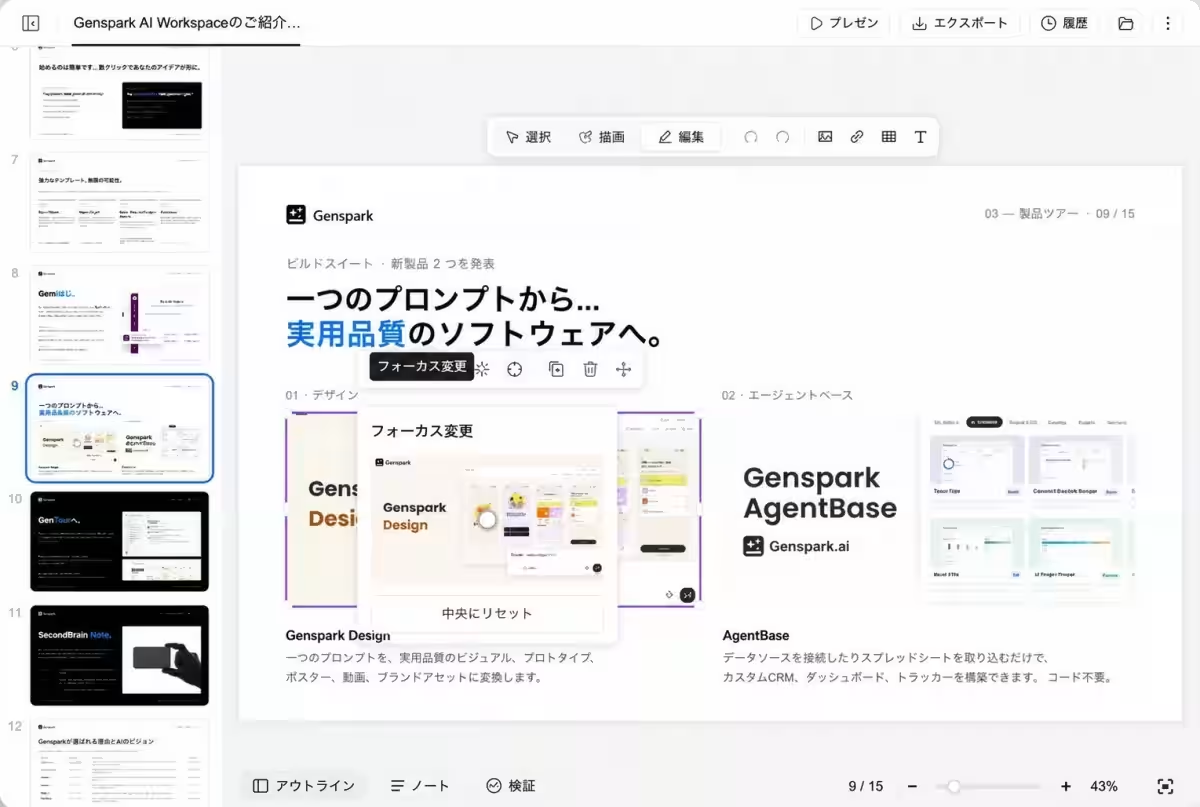
The aesthetic quality of presentations is further enhanced with tools that allow for image replacement, cropping, and even the new 'Change Focus' function, guiding users to easily adjust image framing to meet their needs.
4. Easy Page Management and Speaker Notes Integration
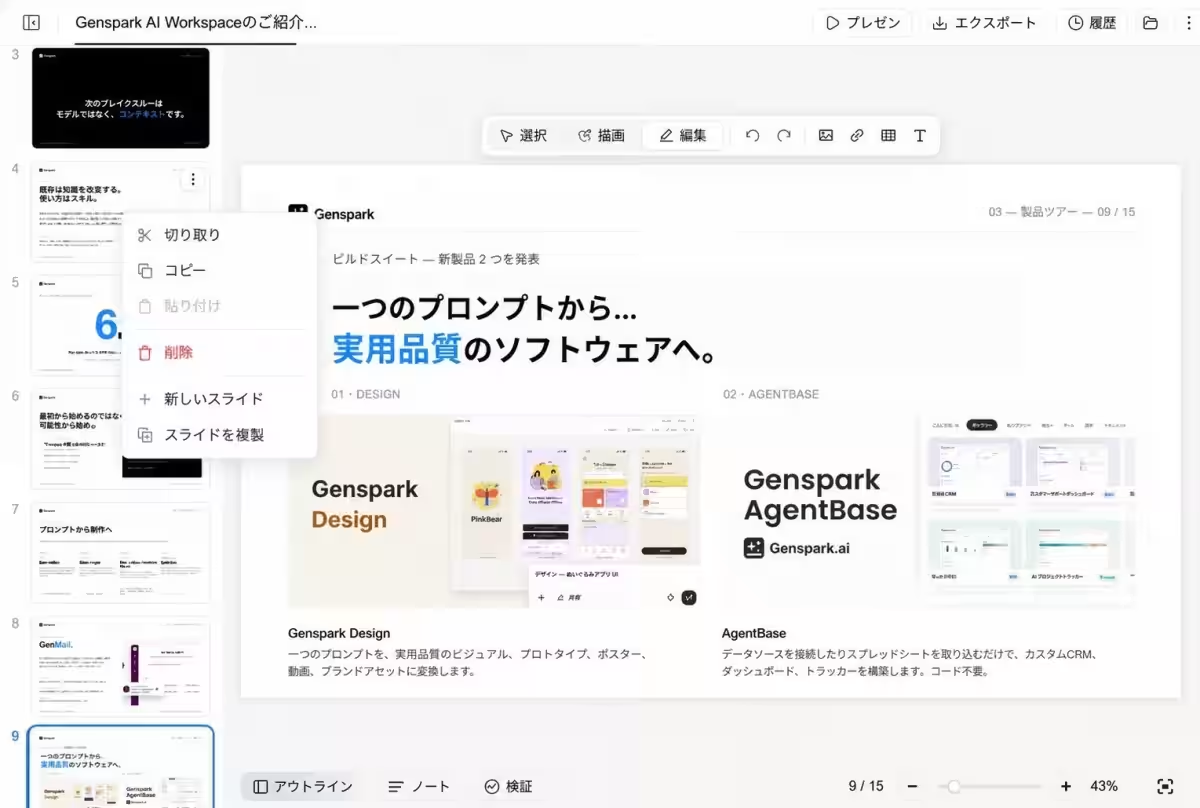
The editor conveniently allows users to rearrange slide thumbnails and manage speaker notes within the same interface, enhancing workflow efficiency.
5. Drawing Functionality for Custom Edits
With the new drawing feature, users can select multiple areas that require changes and provide straightforward corrections, streamlining the editing process further.
6. Comprehensive Undo Options
Genspark prioritizes user comfort by providing an easy “Undo” and “Redo” function, allowing seamless corrections and historical version tracking to avoid loss of work. All modifications are saved automatically, including updates made by the AI during editing sessions, ensuring users have control over their presentations at all times.
About Genspark
Genspark is a cutting-edge AI workspace designed for users with no prior AI knowledge to successfully generate desired outputs simply by issuing direct instructions, similar to how one would communicate with a colleague. It integrates over 70 AI models, including ChatGPT, Gemini, and Claude, adapting autonomously to user commands, breaking tasks into manageable units to optimize project flows and produce practical outputs that fit actual business needs.
For more information, visit Genspark’s official website.



Topics Consumer Technology)
【About Using Articles】
You can freely use the title and article content by linking to the page where the article is posted.
※ Images cannot be used.
【About Links】
Links are free to use.