



Introducing 'Ikinari AI Shunkan Text': Rapid Text Conversion Software Now Available
Discover 'Ikinari AI Shunkan Text'
On June 30, SOURCENEXT Corporation, based in Chiyoda, Tokyo, launched an innovative OCR (Optical Character Recognition) software called 'Ikinari AI Shunkan Text.' This software, priced at 2,970 yen (including tax), aims to streamline the text conversion process, particularly for information contained within images and PDF files, which can often pose bottlenecks in business contexts.
With the rising adoption of AI technology, the inability to efficiently utilize certain information often becomes a significant hurdle. Text in images or PDFs is not readily applicable, and manually converting this data can be tedious and time-consuming. 'Ikinari AI Shunkan Text' resolves these challenges by offering an efficient and user-friendly solution.
Features and Benefits
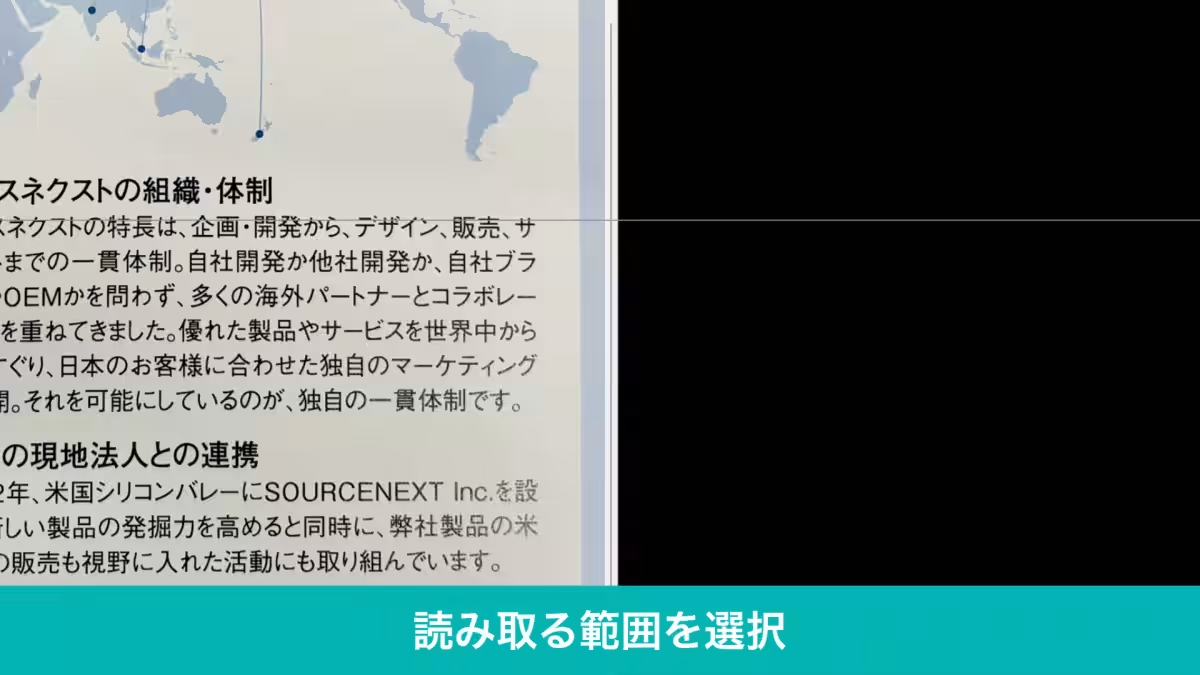
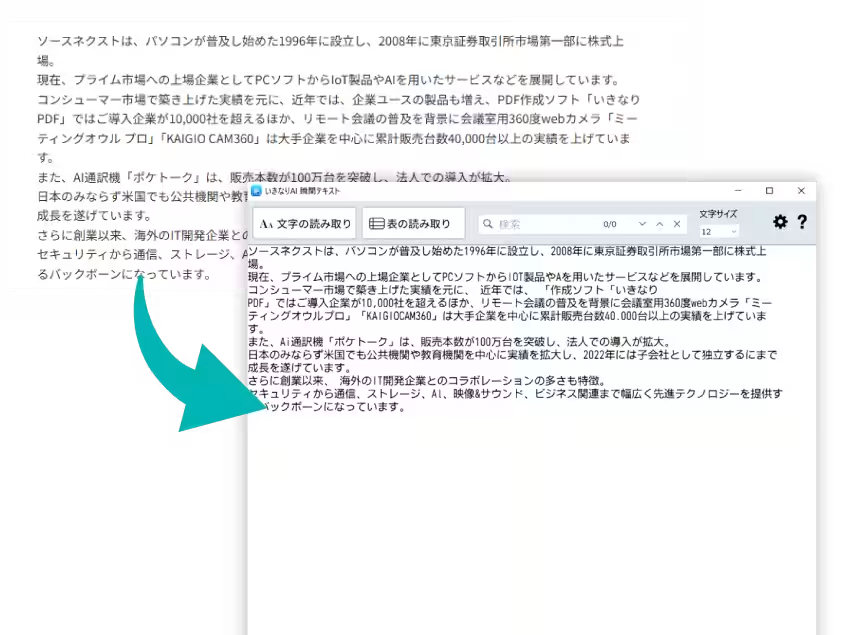
'Ikinari AI Shunkan Text' simplifies the process of converting hard-to-access text by merely selecting the area on the screen where the text resides. Furthermore, it supports batch processing of PDF and image files for text extraction. The software's advanced OCR engine leverages AI technology for high precision, accommodating both printed and handwritten text. Notably, all reading processes occur offline, ensuring secure handling of sensitive documents.
Why You’ll Love It
1. Easy Text Recognition: Simply press the 'Read' button and drag to select the desired text area. The converted text can be immediately used by pasting it into any application.
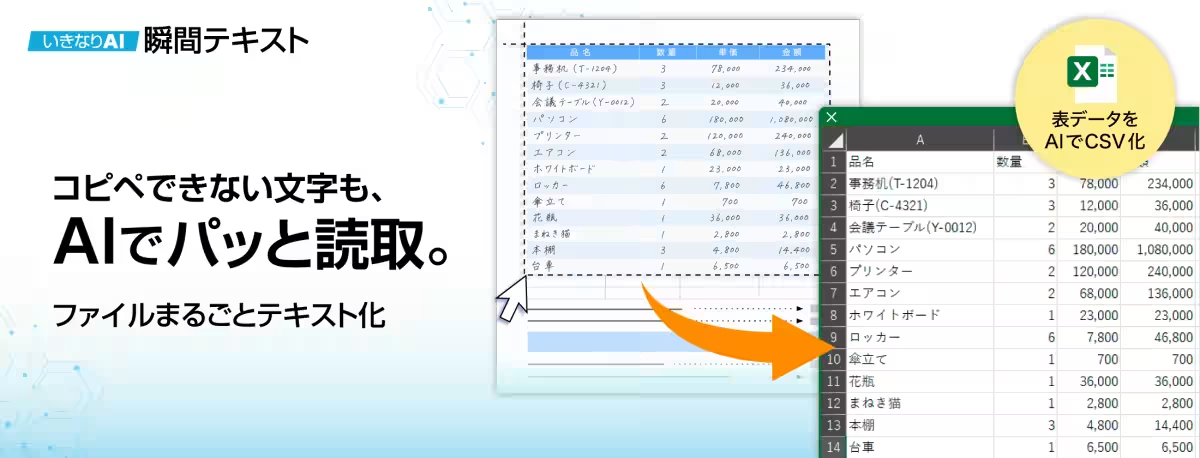
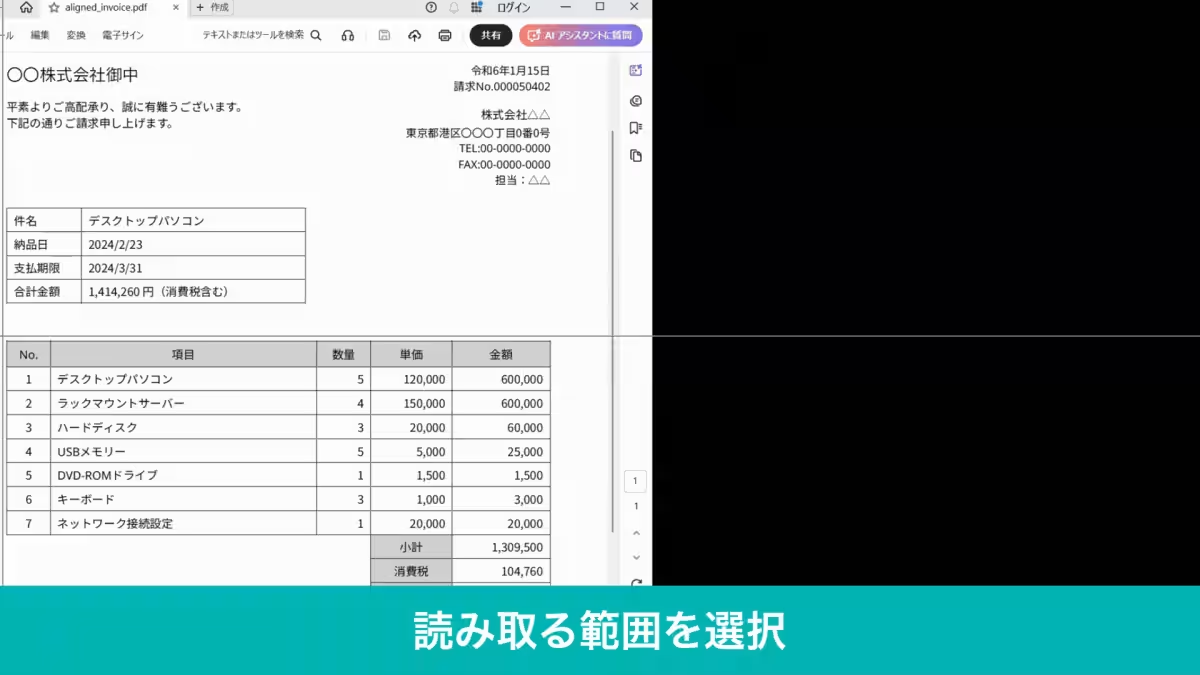
2. Efficient Table Data Extraction: Images featuring tables can be transformed with just a click. Users can open the extracted data directly in Excel to enhance further analysis and visualization.
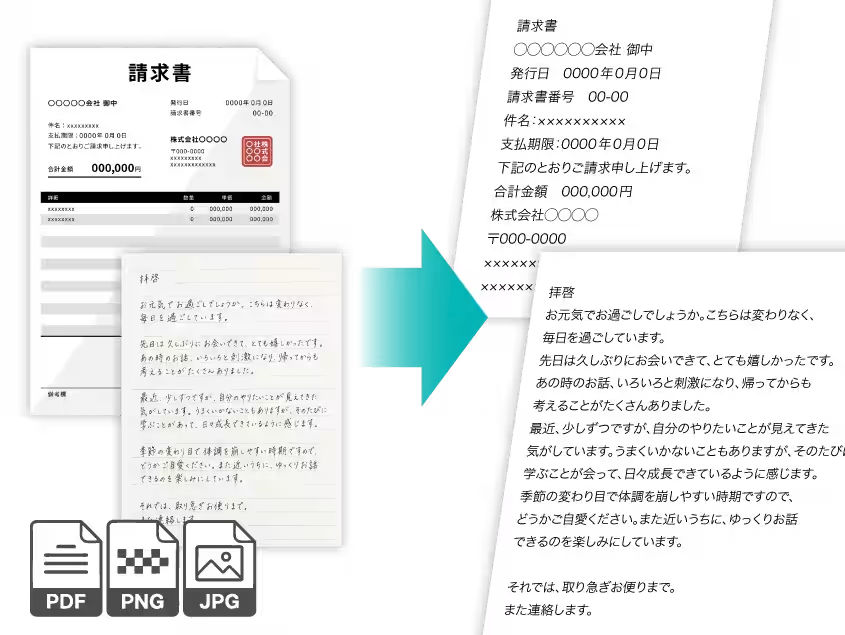
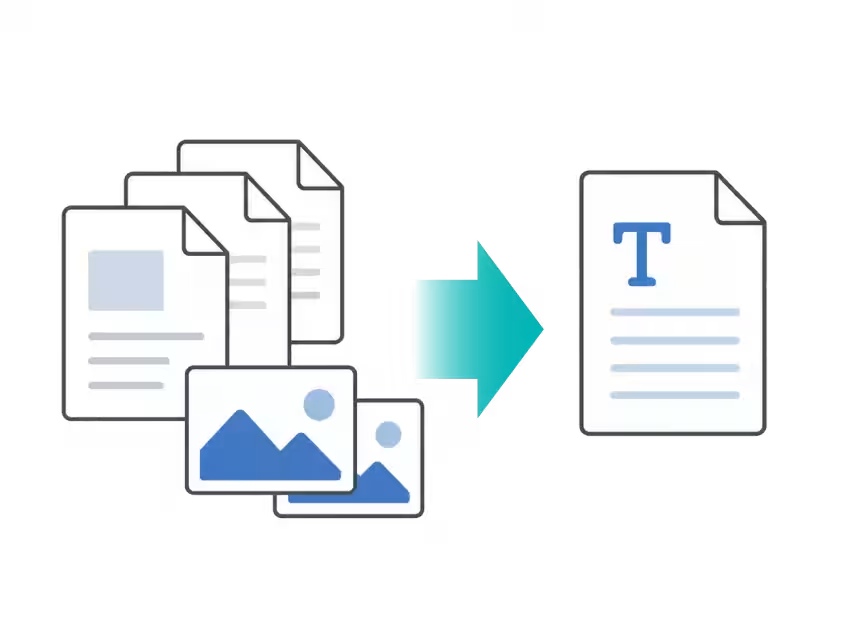
3. Comprehensive Document Recognition: Capture and convert entire PDF and image files without needing to specify reading areas for each segment, saving considerable time during office work.
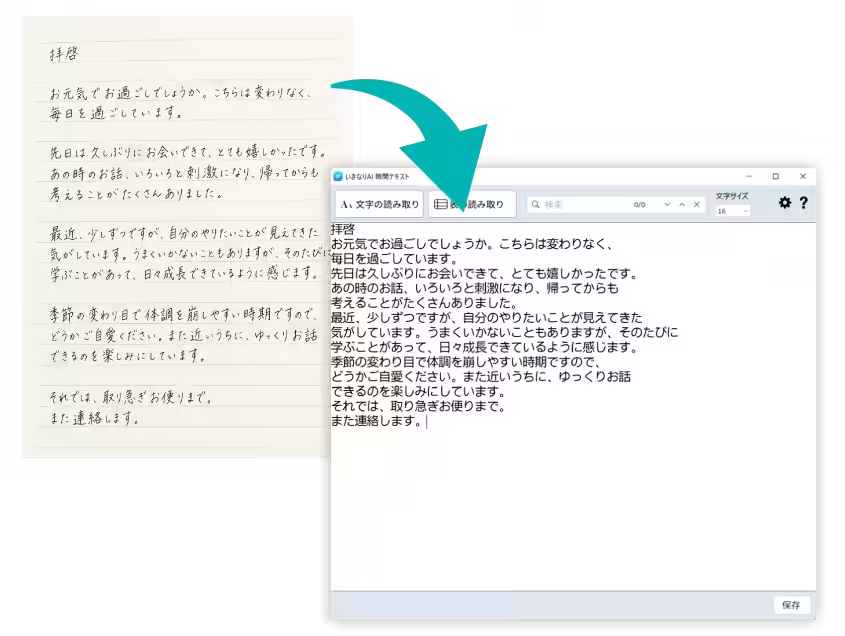
4. Handwriting Recognition: Easily digitalize handwritten documents, forms, or notes typically requiring manual entry. The quality of recognition will depend on the condition of the handwriting and the writing environment.
5. Multilingual Support: The software can read both Japanese and English, making it versatile for broader applications in multinational scenarios.
6. Secure Offline Processing: All reading operations are performed on the user's device. There’s no need for cloud uploads, ensuring that confidential information stays protected from external access. This feature proves beneficial for internal documents and customer data that requires strict confidentiality.
Ideal Use Cases
- - Utilizing Non-Copyable Texts: Convert texts from documents that cannot typically be copied and pasted to save time and streamline workflow.
- - Creating Graphs from Tables: Transform table data into Excel for easy graph generation, aiding in data analysis and comparison.
- - Verifying Financial Figures: Converting numbers from reports into Excel assists in clearer verification, minimizing calculation errors.
Product Overview
- - Product Name: Ikinari AI Shunkan Text
- - Price: 2,970 yen (tax included)
- - Product Type: OCR Software
- - Developer: SOURCENEXT Corporation
- - Product Information: https://www.sourcenext.com/product/ikinari-ai/shunkan-text/
System Requirements
- - Supported OS: Windows 10, Windows 11 (both 32-bit and 64-bit versions)
- - Installation Size: Approximately 450MB
- - Minimum Resolution: 1024x768 pixels or higher (high color required)
- - Internet Requirement: Needed only during authentication and updates.
- - Restrictions: Currently does not support Korean or Chinese languages. Project functionality may be limited in certain advanced displays or configurations.
For additional inquiries or a pre-purchase consultation, please reach out to the SOURCENEXT Customer Center via the following link: Customer Support.
Final Note
With the launch of 'Ikinari AI Shunkan Text,' business professionals have a powerful tool to expedite and secure their document processing, ultimately leading to increased efficiency and accuracy in their work.
Topics Consumer Technology)
【About Using Articles】
You can freely use the title and article content by linking to the page where the article is posted.
※ Images cannot be used.
【About Links】
Links are free to use.