



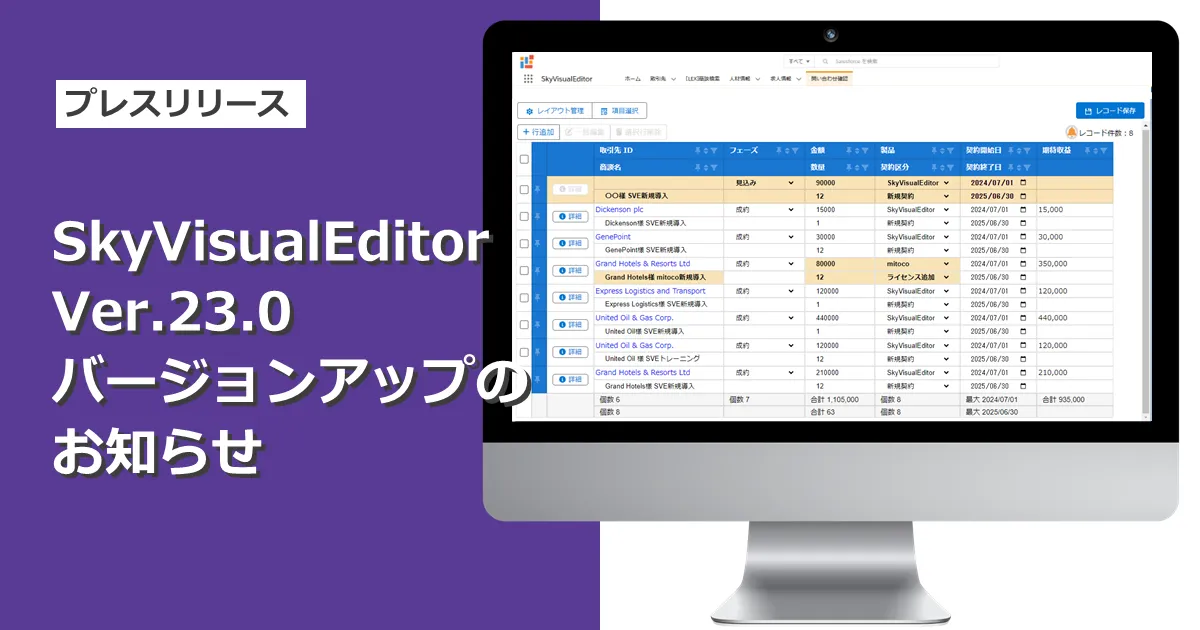
Terrasky Unveils Enhanced Features in SkyVisualEditor Version 23.0
Terrasky Launches SkyVisualEditor Version 23.0
Terrasky Inc., headquartered in Chuo-ku, Tokyo, proudly announces the release of the latest version 23.0 of its renowned screen development tool, SkyVisualEditor, effective July 20, 2025. This update introduces significant enhancements and features aimed at improving the user experience for Salesforce developers and users.
New Features in SkyVisualEditor LC
Flexible Data Table Enhancements
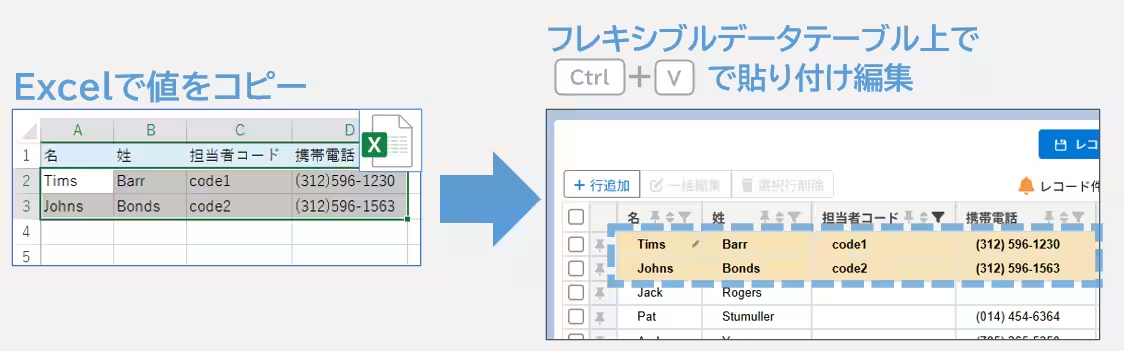
- - Range Paste Editing: Users can now perform range paste editing in the Flexible Data Table by simply pressing [Ctrl+V]. The tool accommodates tab-separated data, allowing you to copy directly from an Excel sheet and paste it into the Flexible Data Table. A maximum of 500 rows and 200 columns can be pasted in a single operation. Should the paste fail, a clear error message will help users easily identify the issue and make necessary corrections.
- - Bulk Add New Rows: A new feature allows users to select the number of new rows to add from a dropdown menu, enabling the bulk addition of multiple rows simultaneously. This can be especially useful when combined with the range paste editing feature, as users can efficiently add 100 new rows and then paste data from Excel for editing.
- - Experience Cloud Compatibility: The Flexible Data Table has now been integrated with Salesforce’s Experience Cloud, broadening its accessibility for employees, customers, retailers, and partners, thus enhancing its usability across various business scenarios.
Improvements to the Projected and Actual Table
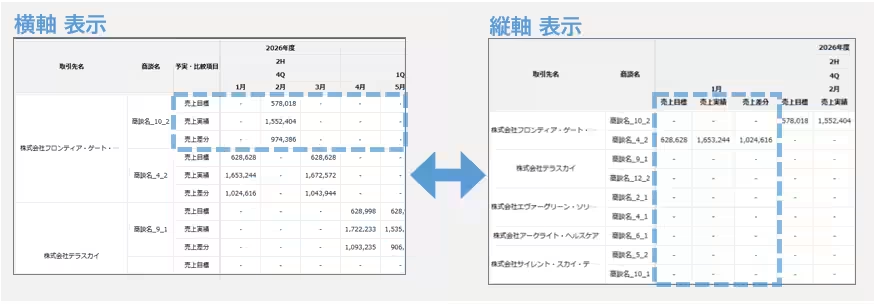
- - Vertical Axis Display: Previously limited to horizontal display, the Projected and Actual Table can now also display values vertically. This flexibility enables users to check specific metrics, such as planned values and achievement rates, in a more compact view that suits their analysis needs.
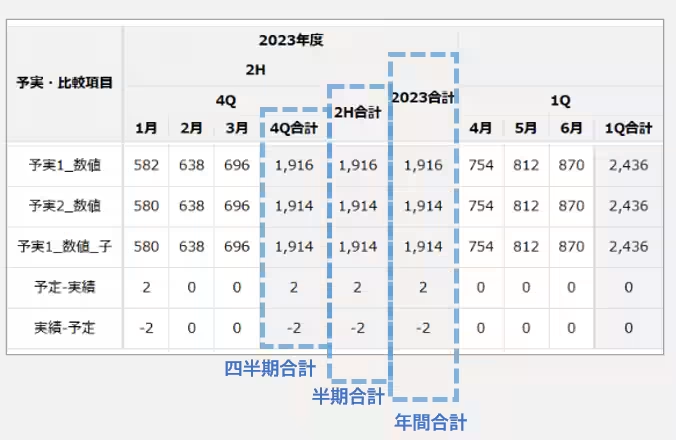
- - Period Total Column Feature: New functionality allows the addition of total columns segmented by quarter, half-year, or annually. This improvement simplifies the tracking of goal achievement rates across specified periods, which can be set in the table's display settings.
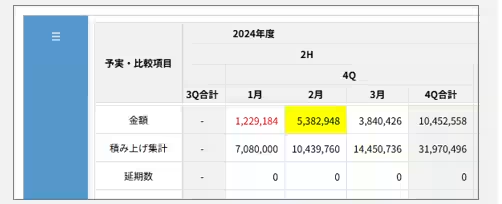
- - Conditional Formatting for Emphasis: Users can now apply conditional formatting to highlight projected values and totals based on predefined rules, such as marking sales achievement rates over 100% with distinctive colors. This feature enhances visual comprehension of performance metrics.
New Features in SkyVisualEditor VF
Handwritten Input Enhancements
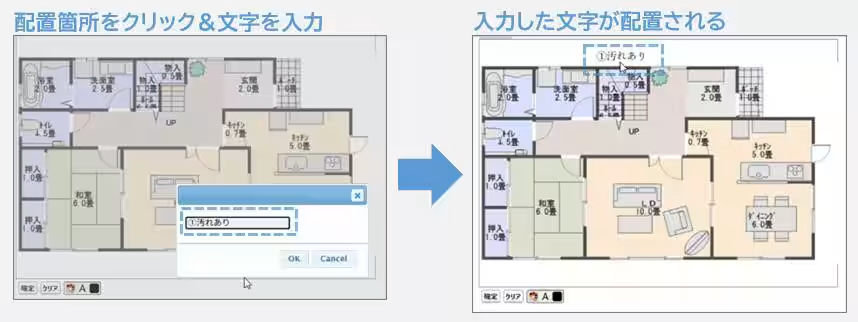
- - Text Placement Functionality: Users can now add text inputs of their preferred size within handwritten fields, allowing for better customization such as adding footnotes to background images.
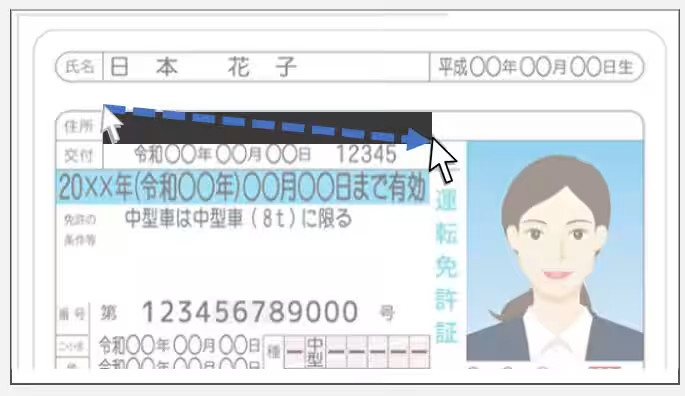
- - Masking Tool Addition: A new masking tool allows users to drag and position rectangles of any size over confidential information in handwritten images, ensuring sensitive data remains secure.
- - Support for Adding to Saved Images: With the addition of a
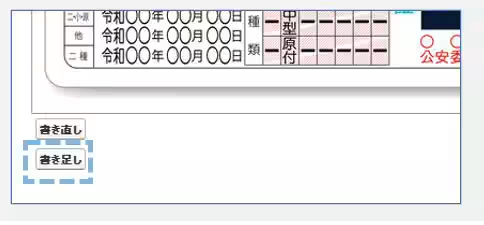
Topics Other)
【About Using Articles】
You can freely use the title and article content by linking to the page where the article is posted.
※ Images cannot be used.
【About Links】
Links are free to use.