



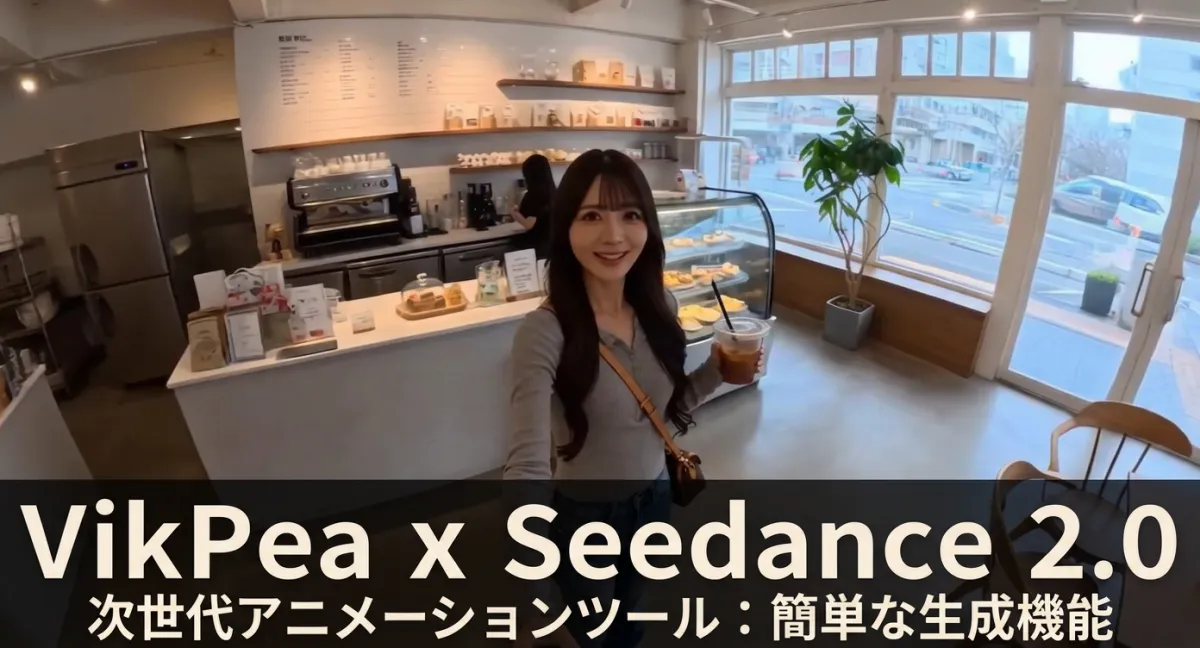
HitPaw VikPea 5.2.4 Introduces Next-Gen Video Generation Model Seedance 2.0
HitPaw VikPea Version 5.2.4: A Leap in Video Generation
On April 9, 2026, HitPaw VikPea introduced its latest version, 5.2.4, which integrates the cutting-edge Seedance 2.0 video generation model. This update revolutionizes video creation by allowing users to generate cinematic-level videos through two primary methods: converting text to video and transforming images into videos.
Enhanced Video Generation
The new iteration not only excels in generating videos from text and images but also incorporates a high-quality video upscaling (AI Upscale) feature. This combination was designed to empower creators and businesses with an efficient and high-quality video production environment, ensuring that their content stands out in today's competitive landscape.
Features of Seedance 2.0
With the integration of Seedance 2.0, the video production and processing capabilities have seen substantial improvements, particularly in the areas of scene consistency, camera control, and audio processing. These enhancements cater specifically to practical applications in various industries.
Scene Consistency
One of the standout improvements in Seedance 2.0 is the ability to generate videos where aspects like character appearance, background, and color tones remain consistent across multiple scenes. This reduces discrepancies between scenes, allowing for a more seamless storytelling experience that is crucial for professional film production.
Precision in Camera Control
The upgraded features also bring refined control over camera work and effects. Beyond basic camera operations like panning and zooming, users can now execute nuanced settings such as viewpoint adjustments and focusing techniques. This level of control not only enhances user creativity but also broadens the spectrum of visual expression, especially beneficial for advertising and promotional content.
Advanced Audio Functions
The introduction of dual-channel audio support is another significant leap. Users can now manage sound more effectively, adjusting the balance between narration and background music effortlessly. This feature enhances audio clarity and immersion, supporting languages like Japanese and elevating the overall viewing experience through richer interview and instructional content.
Use Cases for Seedance 2.0
HitPaw VikPea, featuring Seedance 2.0, presents an integrated solution for video generation and high-quality enhancement, making it suitable for various applications across multiple fields. Its versatility is particularly noteworthy in areas where both efficiency and quality are paramount.
Social Media and Short Video Production
The new features of Seedance 2.0 are perfectly aligned for the rapid production of content tailored to social media platforms, especially for formats like 9:16. Short videos can be efficiently created in a mere 15 seconds while maintaining narrative coherence and precise camera techniques. This optimizes visual impact and information delivery, a crucial factor for engaging social media audiences.
Advertising and Marketing
In the advertising realm, rapid production and testing of diverse creative concepts are vital. Using Seedance 2.0, marketers can quickly generate several video variations, facilitating A/B testing and targeted content strategies. The consistent visual themes and advanced control features enable video production that aligns seamlessly with brand identities, enhancing advertising efficacy.
Educational and Online Course Content
The demand for engaging, visually appealing educational materials has surged, and here, Seedance 2.0 shines. With dual-channel audio capabilities, educators can create explanatory videos and supplementary materials efficiently. By coupling storytelling with visual correction features, educators can craft user-friendly learning content conducive to enhanced learning experiences in online courses and e-learning frameworks.
Pricing and How to Use HitPaw VikPea V5.2.4
Pricing Plans
HitPaw VikPea offers flexible pricing based on video length and resolution, making it accessible yet scalable for users with different needs. The pricing is structured to accommodate variations in the length of generated content, ensuring options for both casual creators and professionals.
Usage Steps
1. Download and Install: Start by visiting the HitPaw VikPea official website and installing the software.
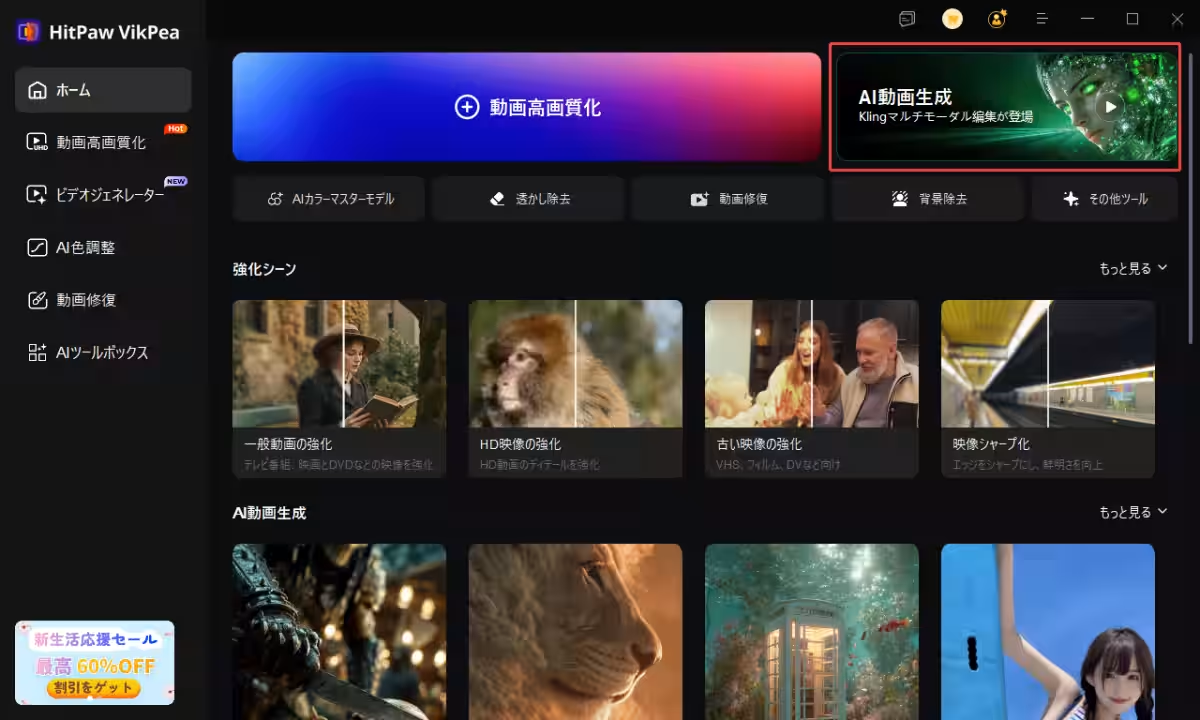
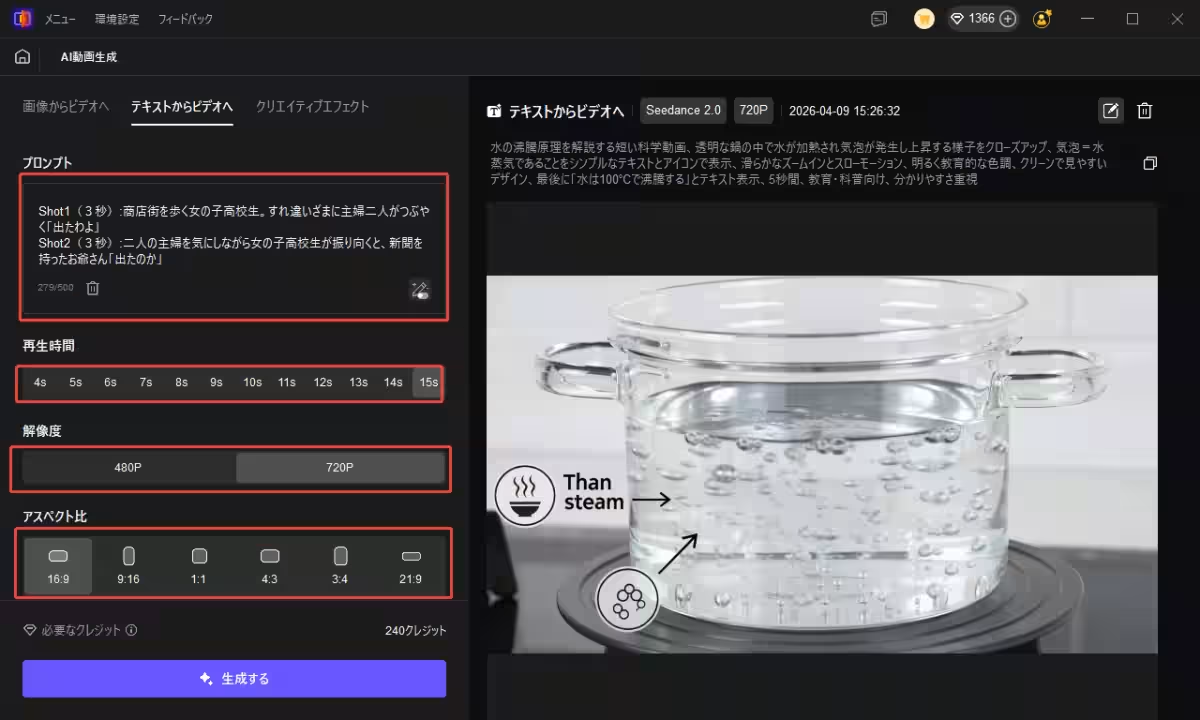
2. Access AI Video Generation: On the main screen, click the “AI Video Generation” option.
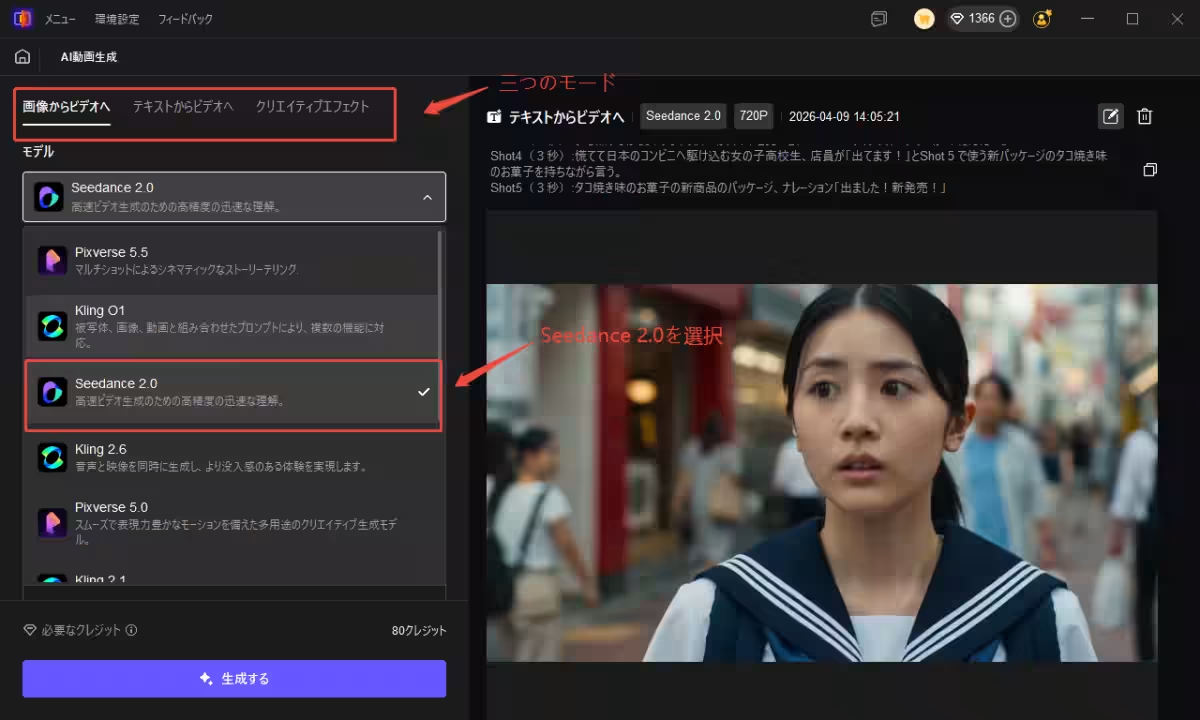
3. Choose Your Mode: Select between the three modes: "Image to Video," "Text to Video," or "Creative Effects," opting for Seedance 2.0.
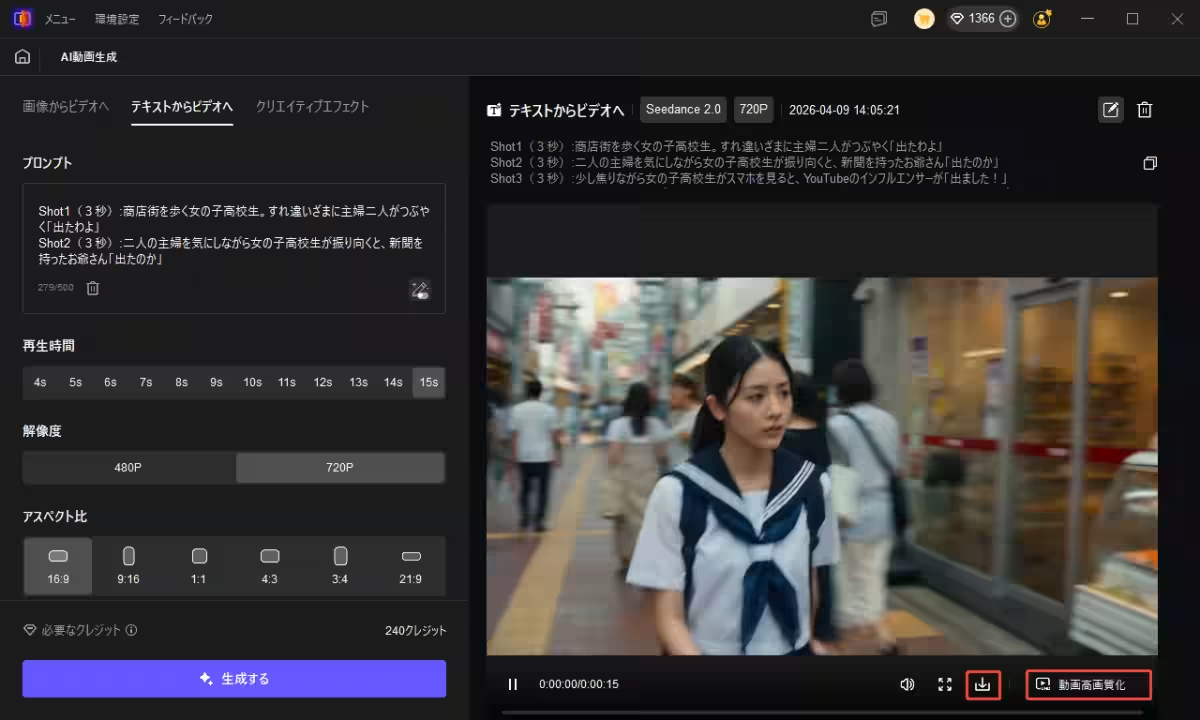
4. Set Parameters: Enter your prompt, video duration, resolution, and aspect ratio, then hit “Generate” to start video creation.
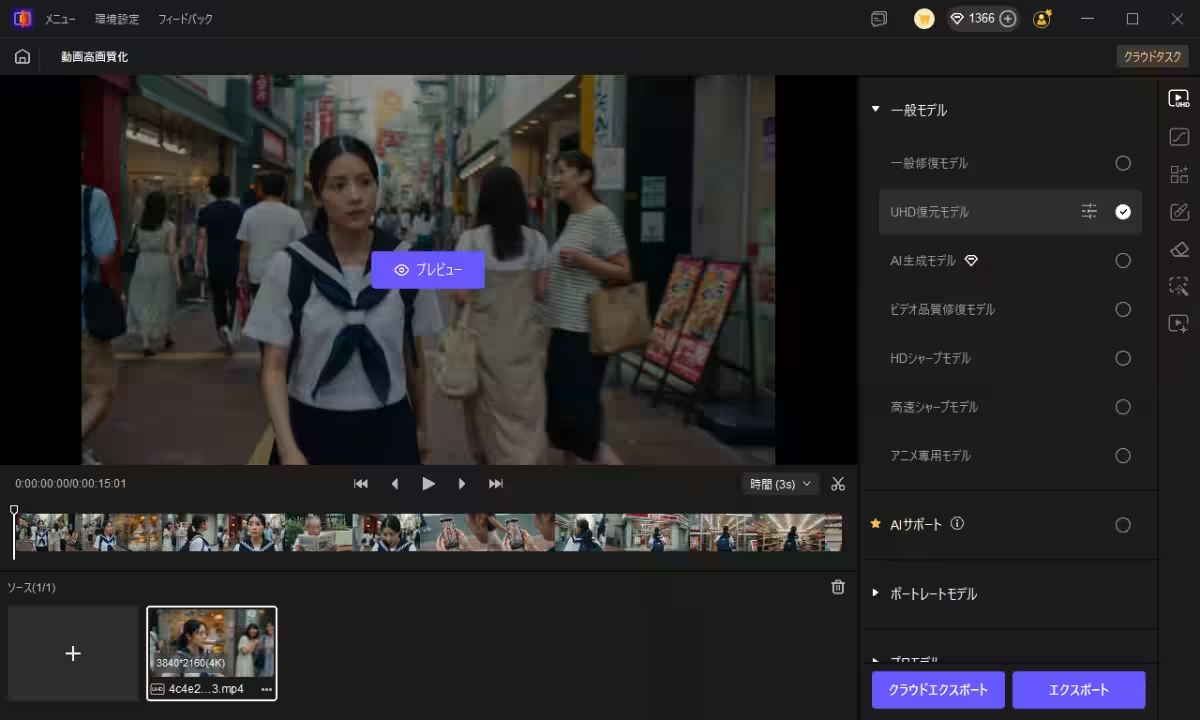
5. Download Options: The generated videos will appear on the side menu for you to download or upscale.
6. Upscale to 4K: Instantly enhance your videos to 4K resolution.
Conclusion
Integrating Seedance 2.0 into HitPaw VikPea has created a novel environment for AI-driven video generation and enhancement. The ability to achieve scene consistency, precise camera control, and fortified audio functions marks a transformative step in video production. Additionally, with applications ranging from social media and advertising to education, the solution caters to diverse creator requirements, promising continued expansion of video production possibilities.
For more information, visit HitPaw VikPea.
Contact
- - Person in Charge: Takafumi Shimizu
- - Email: [email protected]






Topics Entertainment & Media)




【About Using Articles】
You can freely use the title and article content by linking to the page where the article is posted.
※ Images cannot be used.
【About Links】
Links are free to use.