



Revolutionizing Custom Merchandise: HotMobily's Innovative Design Simulator for Acrylic Keychains
The Innovation Behind HotMobily's Design Simulator for Acrylic Keychains
Introduction: The Rise of the Creator Economy and the Barriers Ahead
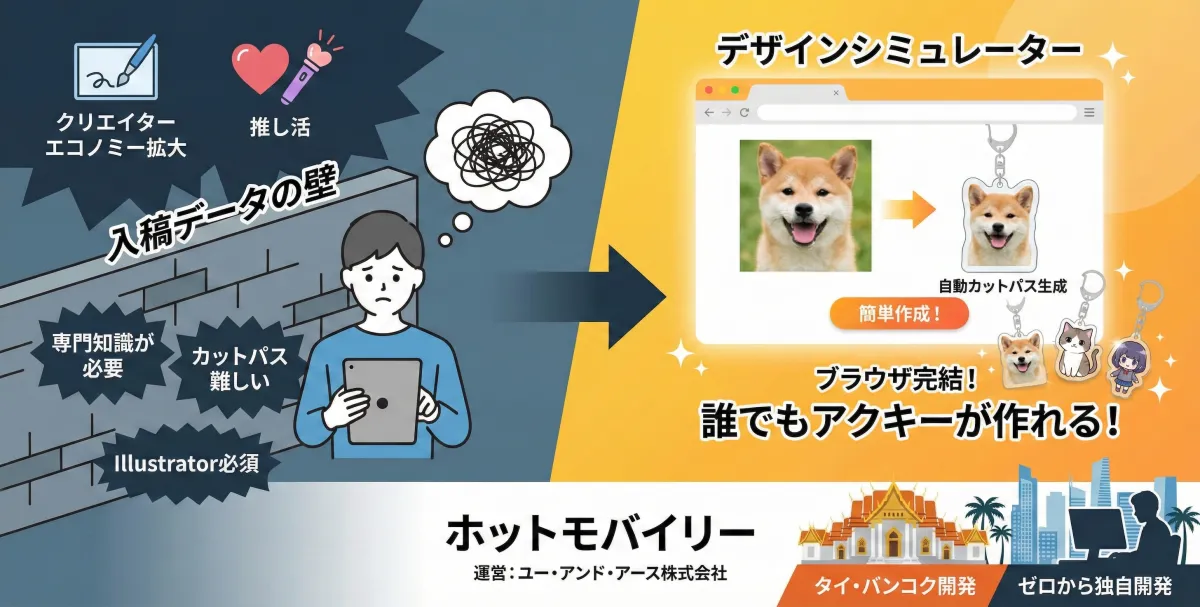
In recent years, the surge in fandom culture and the creator economy has driven a massive demand for creating personalized merchandise. Individuals aspire to turn their artwork, photos of beloved pets, or even children’s drawings into physical keepsakes—providing a unique emotional experience that digital formats simply can’t replicate. Among these items, acrylic keychains (often termed 'acrylics' or 'akukey') have gained immense popularity due to their clarity and limitless design possibilities.
However, the process of creating these keychains has historically presented significant challenges to the average user. The greatest hurdle? Preparing the submission data. The requirement for specialized software like Adobe Illustrator, along with technical skills to create cut paths, has deterred many aspiring creators from bringing their ideas to life. The harsh reality for many has become, “I have the desire, but my skills are lacking.” This unfortunate reality was a persistent issue for many in the merchandise production scene.
Despite these challenges, a leading name in custom product manufacturing, HotMobily (operated by You and Earth, Inc.), has unveiled a groundbreaking browser-based Design Simulator that aims to eliminate these barriers. Remarkably, this system was not just a carbon copy of existing tools; it was developed from scratch by a brilliant in-house engineer based in Bangkok, Thailand.
This release covers the details of this innovative simulator, its development backstory rooted in the company’s humble origins, and the inspiring tales of engineers coming together across borders.
Why a Fully In-House Developed Simulator Was Needed Now
The Invisible Barriers to Acrylic Goods Production
Previously, when individuals wanted to create acrylic keychains, they had to navigate a convoluted process:
1. Create an illustration (using a smartphone or tablet).
2. Find a printing service.
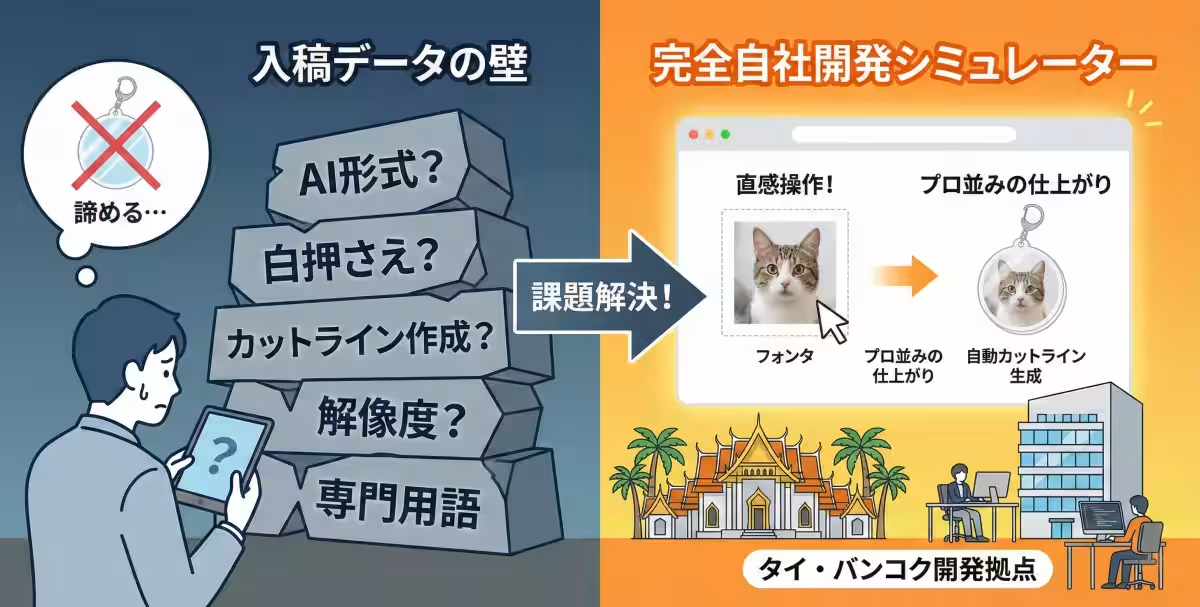
3. The Barrier: Prepare submission data (convert to AI format, specify white underlayers, create cut lines).
4. Submit data and await the finished product.
Step three has always been the most daunting. With jargon like “white underlay?” “350 dpi resolution?” or “cut path anchor points?” many aspiring creators become disheartened, giving up on their dreams of personal merchandise. HotMobily frequently received distress calls from customers stating, “I can’t adjust images,” or “I only have smartphone photos; can’t make this work?”
The Need for Unrestricted Creativity
While simple simulators exist, HotMobily aimed for the perfect balance between “professional-grade quality” and a user-friendly interface suitable for beginners. Existing inexpensive ASP (Application Service Provider) tools have constraints in representing the unique transparency of acrylic and generating complex shape cut lines. Features would either dumb down intricate elements, like fine strands of hair, or resort to awkward, mechanical edges.
Believing customers sought a richer and more exciting experience, the team decided against typical third-party tools, taking the challenging route of in-house development, focusing on their Bangkok technology hub.
Back to Basics: A Story of Software Roots
To understand this initiative, we need to revisit You and Earth, Inc.'s history. While often recognized as a product manufacturing company, its roots lie in IT.
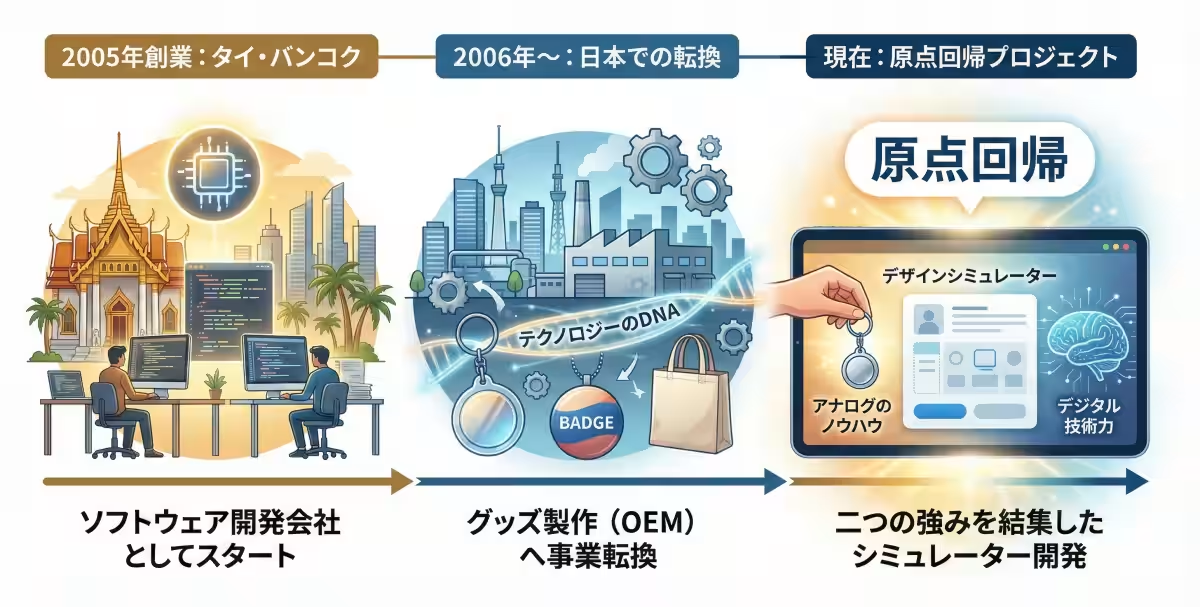
Founded in Bangkok in 2005 as a software development company, the organization established its Japanese branch in 2006. Initially focusing on system development, they transitioned to promotional product manufacturing (OEM) over time, eventually leading to the rise of HotMobily. But the company’s original DNA—to solve problems through technology—has continued to flow through the organization.
This simulator development was not simply a functional addition; it represented a return to the company’s roots, combining the expertise from traditional manufacturing with the digital prowess of Thailand.
The Genius Behind the Project: Engineer “O” from Bangkok
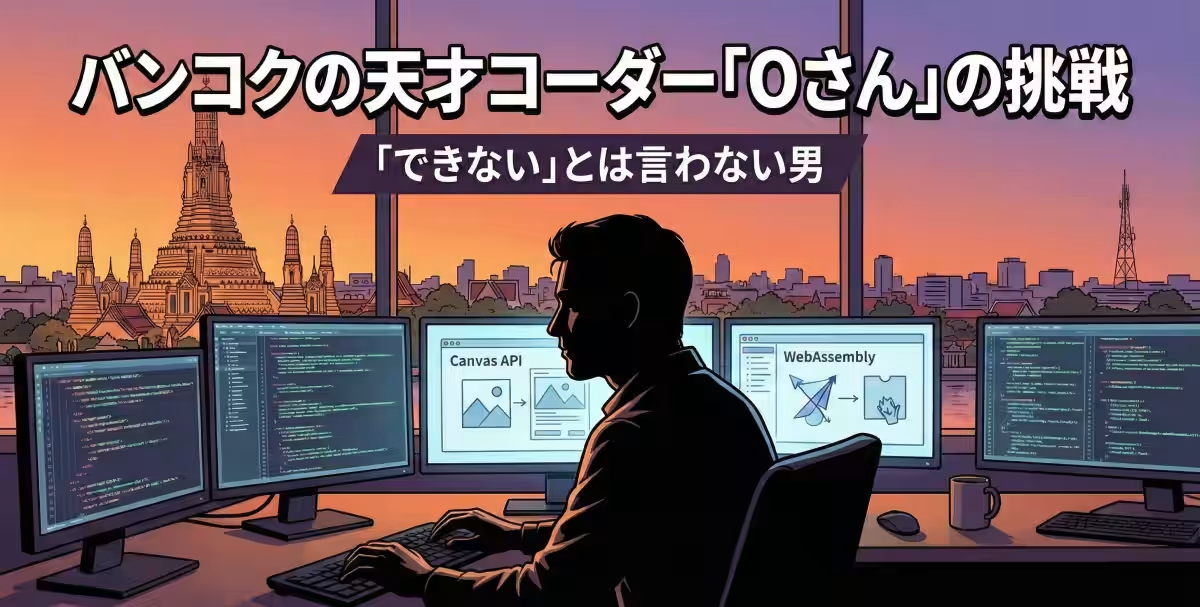
The project heavily relied on the prowess of a skilled coder based in Thailand, referred to simply as “O.” This individual is well-respected within the company, with his technical abilities and distinct attention to detail earning him the title of ‘craftsman’ within engineering.
A Doer, Not a Doubter
Creating a web application capable of running complex vector data and instantly generating smooth cutlines from raster images (like JPGs or PNGs) involves significant server loads and sophisticated algorithms. During development, external consultants claimed achieving this precision on a browser was a tall order, recommending a dedicated app instead.
Yet O remained steadfast: “Asking users to download an app adds unnecessary steps; everything should work in the browser, and I know I can do it.” Using the latest web technologies, including Canvas API and WebAssembly, he dedicated himself to relentless coding.
All Features of the New Design Simulator
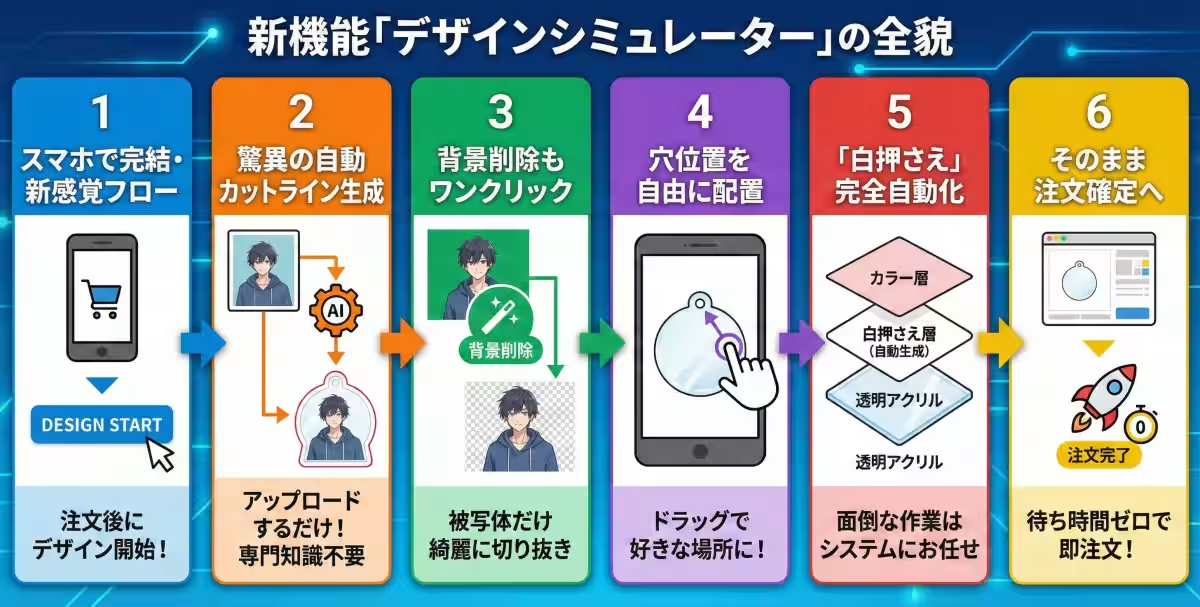
The completed Simulator features numerous advantages tailored for users. Based on the official site guidelines, here are its core features:
1. Design After Ordering: Unlike traditional models where you design first, users can decide on order specifics before diving into design.
2. Automatic Cut Line Generation: Upload your image and hit the “generate cut line” button, and AI will take care of creating smooth cut paths instantly.
3. One-Click Background Removal: If an uploaded image contains a background, a simple checkbox will allow for easy extraction of the subject.
4. Customizable Hole Placement: Users can drag to reposition the attachment ring freely, ensuring optimal balance in their design.
5. Fully Automated White Underlayer Preparation: The system handles this complex step, requiring users only to verify their design and shape.
6. Streamlined Checkout: Once satisfied, users can finalize their order in moments, eliminating delays often associated with communication.
User Reviews: Testing the Simulator
I had the pleasure of using the simulator to create a custom acrylic keychain for myself:
Step 1: Image Upload
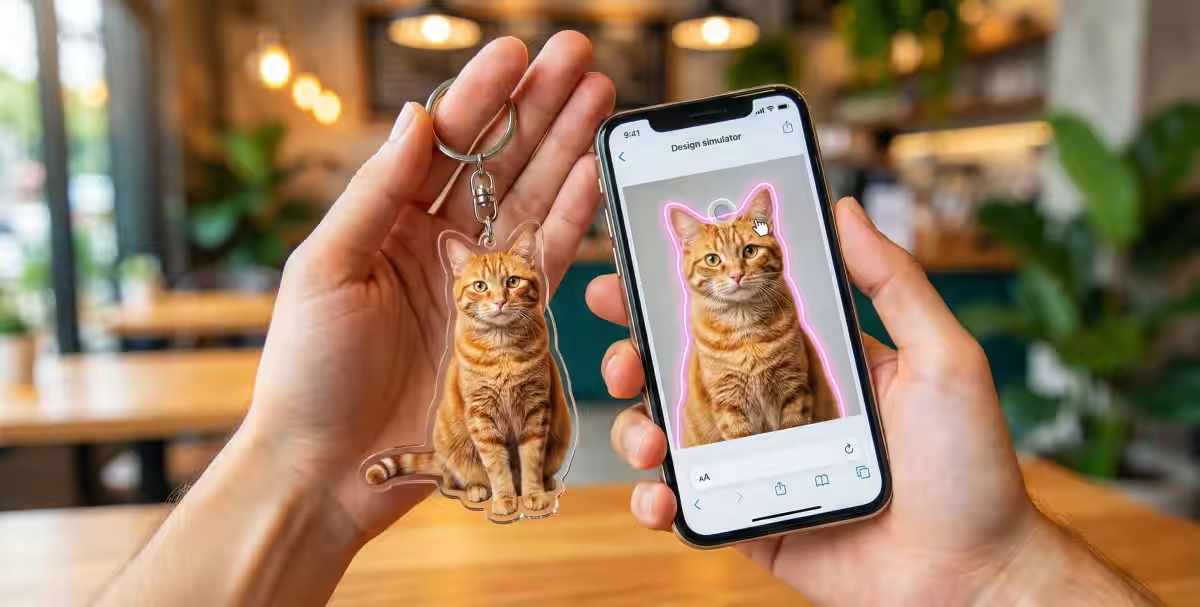
I uploaded a photo of my beloved cat from my phone’s image gallery. Even without prior background removal, the built-in tool deftly extracted my cat with just a single tap—pure magic!
Step 2: Cut Line Adjustment
Pressing the “auto-generate cut line” button quickly outlined my cat in pink, matching the silhouette perfectly.
Step 3: Determine Hole Position
Next came a fun decision: where to place the keychain hole? I could simply drag it around until the positioning felt just right.
Step 4: Ordering
It all wrapped up seamlessly in about five minutes.
Conclusion: HotMobily's Vision for the Future
“This simulator is merely a tool; the true joy lies in our customers shaping their passions into reality. The development in Thailand has fortified our confidence. This new design simulator embodies a fusion of Thai technological skill and Japanese manufacturing quality—an outcome of heartfelt dedication from engineers across borders.
For those who once thought, “I can draw but can’t create the right data,” or “I only have a smartphone, so it’s impossible to craft merchandise,” I urge you to visit HotMobily's site. There, you will find a magical canvas designed by O, ready to unleash your creativity.
Service Summary
Name: Acrylic Keychain Design Simulator
Cost: Free (charges apply only upon product order)
Supported Devices: Smartphones, Tablets, PCs (Browser Compatible)
Key Features: Image upload, automatic background removal, cut line auto-generation (Smart Pass Generator), automatic white underlayer generation, hole position adjustment, real-time estimates
URL: [https://hotmobily.jp/products/acrylic/]

Topics Consumer Products & Retail)
【About Using Articles】
You can freely use the title and article content by linking to the page where the article is posted.
※ Images cannot be used.
【About Links】
Links are free to use.