



Transforming Flat Plans into 3D Designs: The Launch of 'Diagram Pro 4'
Revolutionizing Design: Introduction to 'Diagram Pro 4'
On August 5, SourceNext Corporation, headquartered in Minato Ward, Tokyo, launched its latest product, 'Diagram Pro 4', a cutting-edge 3D drawing software aimed at simplifying design processes for users of all skill levels. Priced at ¥10,780 (tax included), this downloadable software is poised to change the way people approach both professional and DIY projects.
Key Features of 'Diagram Pro 4'
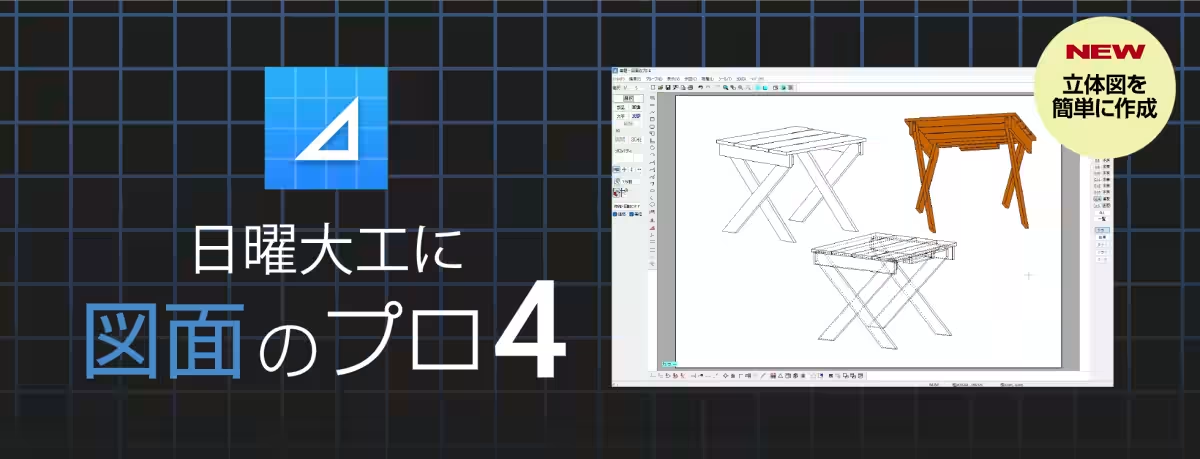
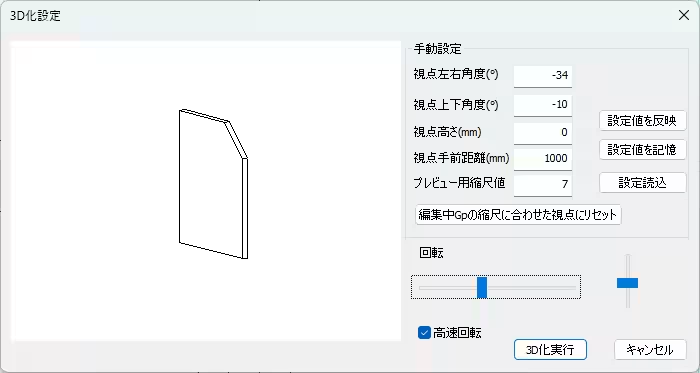
One of the standout capabilities of 'Diagram Pro 4' is its ability to convert flat drawings into three-dimensional forms with ease. Even without prior knowledge or technical expertise, users can create 3D models simply by adjusting the thickness of geometrical shapes on their flat plans. This feature not only facilitates the creation of new designs but also allows users to enhance and transform files created with previous versions, 'Diagram Pro 1', '2', and '3'.
Enhanced Visualization and Navigation
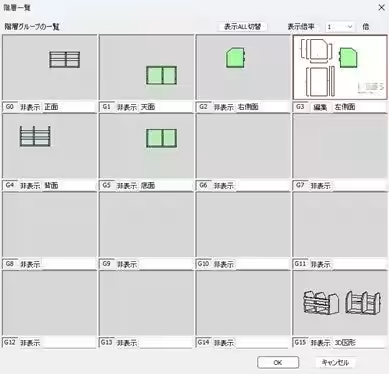
Another exciting addition to this software is its hierarchical view feature, allowing users to visualize drawings from multiple angles. Each layer offers a distinct perspective, including front, top, left, right, back, and bottom views. This strengthens understanding and offers a comprehensive view of the project from different perspectives.
Compatibility with CAD Software
'Diagram Pro 4' boasts new compatibility with widely-used CAD formats such as JW_CAD and AutoCAD, enabling seamless output and integration of designs. This eases the transition for users who may already be familiar with these established platforms and looking to expand their capabilities.
The Artistic Touch with Hidden Line Display
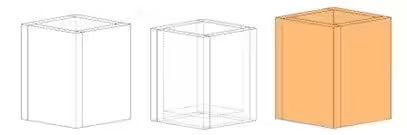
In addition to standard features, the software introduces hidden line display functionalities, allowing users to illustrate layovers that are not directly visible in the primary design. By separating hidden lines into different layers, designers can apply color changes or transform them into auxiliary lines for an improved visual representation.
Customizable Shortcuts for Efficiency
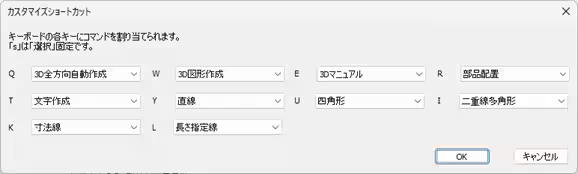
Understanding the user's need for efficiency, 'Diagram Pro 4' includes customizable shortcut keys, enabling users to optimize their workflow by reducing reliance on mouse movements. This tractable feature significantly boosts productivity, making the design process not only smarter but also faster.
User-Friendly Design
The 'Diagram Pro' series has always aimed at making drawing accessible to everyone, especially those new to design. With comprehensive libraries of components, including furniture, fixtures, and home appliances, users can easily create detailed diagrams for various purposes—from DIY home projects to real estate floor plans. After designing, users have the option to export their work in various image formats such as JPEG, PNG, GIF, and EMF, in addition to printing.
Product Overview
- - Product Name: Diagram Pro 4
- - Price: ¥10,780 (tax included)
- - Type: 3D drawing software
- - Developer: Lilac System Co., Ltd.
- - Sales and Support: SourceNext Corporation
- - Product Link: SourceNext Product Page
System Requirements
For optimal performance, 'Diagram Pro 4' is compatible with Windows 11 and 10 (64-bit). The application requires a CPU of at least 1GHz, sufficient RAM as recommended by the operating system, over 500MB of free installation space, and a minimum resolution of 1024x768. Ensuring your computer meets these specifications will enable a smooth experience when using the software.
Customer Support
For inquiries and support, customers can reach out to the SourceNext customer center via their website at SourceNext Support.
Overall, 'Diagram Pro 4' promises not only to make design more intuitive but also to enhance the creative possibilities for everyday users, transforming the way we visualize and plan our living spaces.
Topics Consumer Products & Retail)
【About Using Articles】
You can freely use the title and article content by linking to the page where the article is posted.
※ Images cannot be used.
【About Links】
Links are free to use.