



RecText AI 2 Introduces Speaker Separation and Enhanced Features for Efficient Transcription
Introduction of RecText AI 2
On March 31, SourceNext Corporation, headquartered in Chiyoda City, Tokyo, announced the release of their latest transcription software, RecText AI 2. Priced at ¥9,980 (including tax) for the downloadable version, this software adds exciting new features such as speaker separation functionality, ensuring more efficient transcriptions. Unlike subscription-based services, this software is sold outright and operates offline, significantly enhancing the security of sensitive information.
Key Features of RecText AI 2
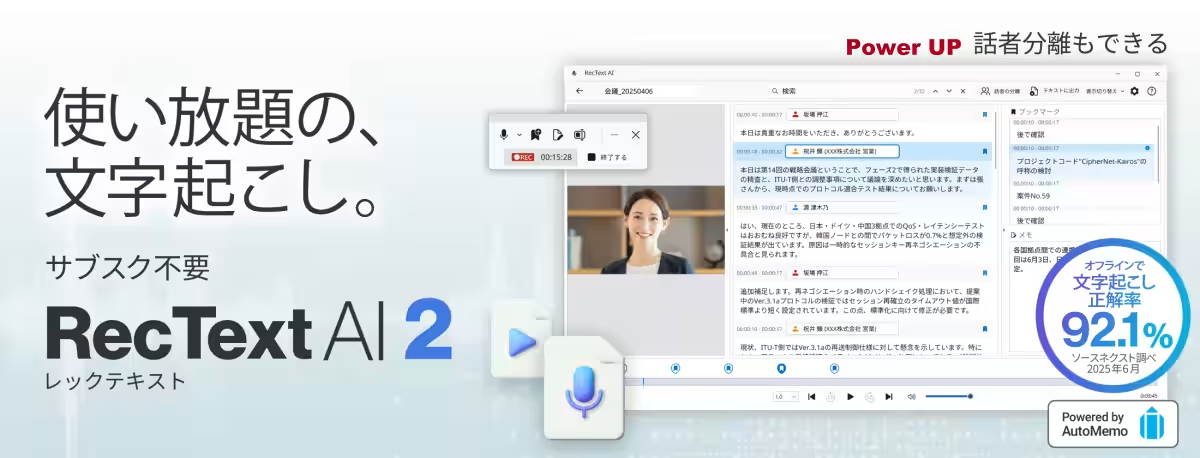
The RecText AI 2 software employs the offline engine of the subscription-based AI meeting note service AutoMemo, boasting a remarkable transcription accuracy rate of 92.1%. The software allows users to transcribe meeting recordings without sending any data online, making it a suitable choice for companies prioritizing confidentiality.
1. Speaker Separation Functionality
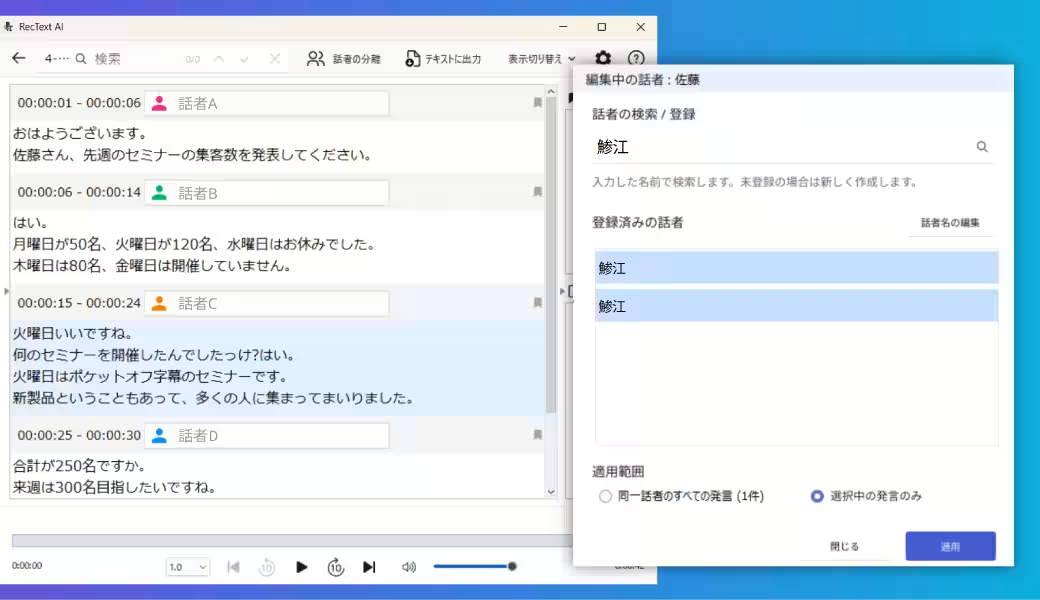
One of the standout features of RecText AI 2 is the newly integrated speaker separation function, which provides clarity on who said what during meetings. Each speaker’s contributions are distinctly outlined, and users can label their quotes for quick identification later. This function not only simplifies tracking conversations but also enhances the efficiency of meeting notes by allowing AI to summarize discussions accurately, reducing the burden of manual note-taking.
2. Rapid Transcription Process
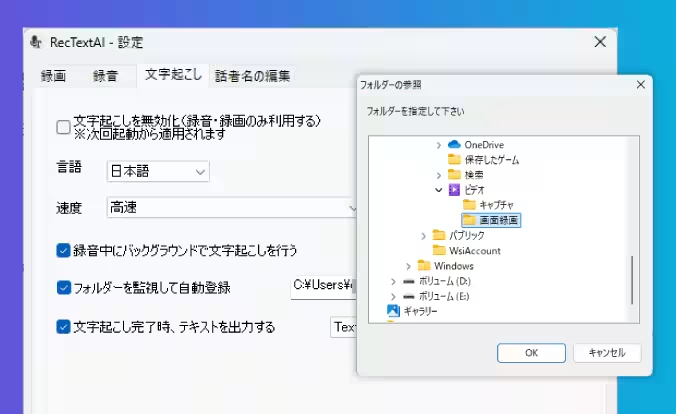
Users can expect a swift transcription output from the moment recording concludes. Notably, while recording, the software processes the audio in the background, ensuring the transcription takes between 1 to 3 minutes post-recording. However, processing times may vary based on computer specifications, promising a seamless user experience.
3. Automatic Transcription for Specific Folders
For those with multiple audio or video files, RecText AI 2 offers an automated transcription feature for designated folders. This allows users to handle bulk recordings effectively, saving time on manual uploads and streamlining workflows.
4. File Import Feature
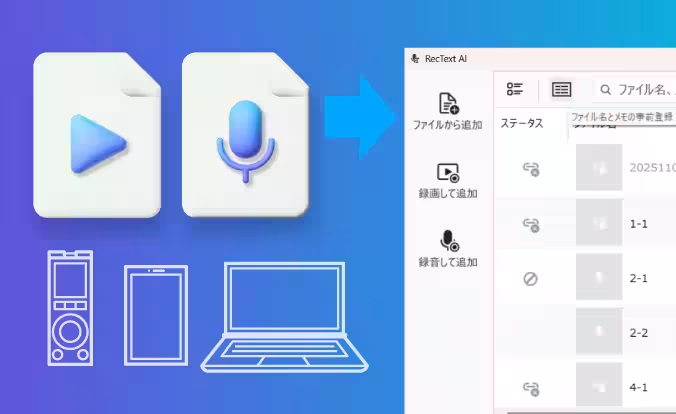
The updated software allows users to import previously recorded files en masse, accommodating formats such as mp4, wmv, wav, mp3, and m4a. This feature caters to recordings taken via smartphones or voice recorders, thus inviting broader accessibility.
5. Enhancements to Note-Taking
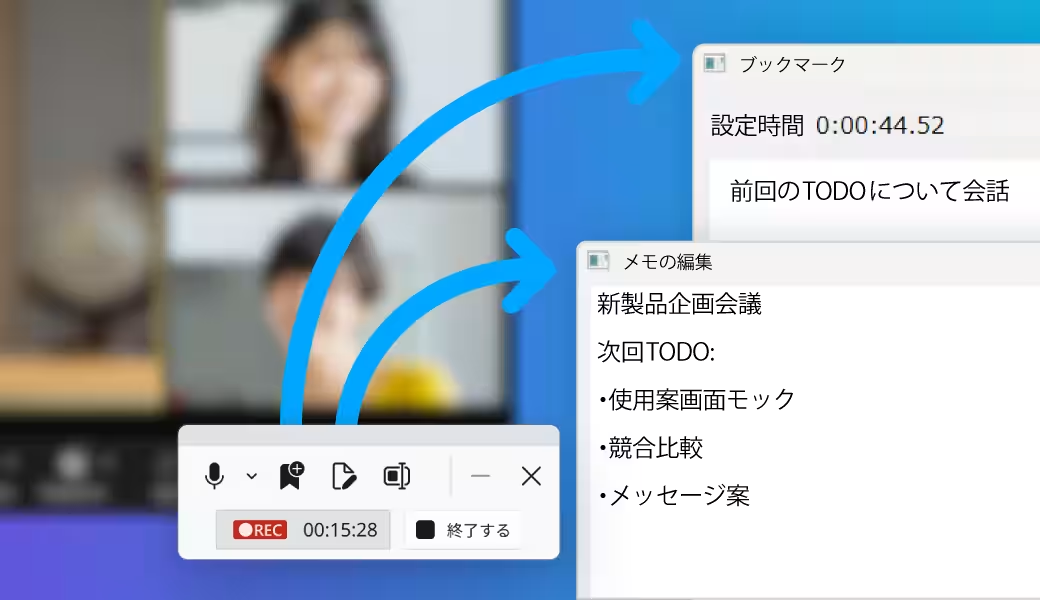
RecText AI 2 has also improved its note-taking capabilities. Users can now bookmark specific moments during recording and include comments, linking notes to audiovisual data effortlessly. Pre-recording notes and file renaming options have been added, promoting better organization and simplifying the editing process.
Software Details
Product Information
- - Product Name: RecText AI 2
- - Price: ¥9,980 (tax included)
- - Type: Offline AI transcription software
- - Developed by: SourceNext Corporation
- - Website: RecText Product Page
System Requirements
- - OS: Windows 11, Windows 10 (64-bit version)
- - CPU: Core i3 (quad-core or equivalent recommended: Core i7 or above)
- - Memory: 8GB minimum (16GB recommended)
- - Limitations: Performance may degrade on dual-core processors.
Conclusion
RecText AI 2 exemplifies a significant advancement in transcription software, catering to those seeking efficient, secure, and high-quality transcription services. With the ability to process audio rapidly and maintain confidentiality, this software is likely to become a staple for professionals and organizations alike, offering unmatched transcription capabilities.
Topics Consumer Technology)
【About Using Articles】
You can freely use the title and article content by linking to the page where the article is posted.
※ Images cannot be used.
【About Links】
Links are free to use.