



Introducing Vegas Pro 2026: The Ultimate Video Editing Solution Released on August 6
Vegas Pro 2026 Series Released on August 6
On August 6, 2023, SourceNext Corporation launched the highly anticipated "Vegas Pro 2026" series, available exclusively on their website. The lineup includes the regular version at ¥34,980 and the enhanced "Vegas Pro Suite 2026" priced at ¥99,800 (both prices include tax). These download versions are designed to streamline video editing tasks from start to finish, providing everything within a single user-friendly environment.
Key Features of Vegas Pro 2026 Series
This series is tailored for creators seeking high-quality outputs within a limited timeframe. It centralizes video editing, title creation, color grading, audio editing, and exporting functions into a cohesive experience.
Unified Title Creation
One standout feature of Vegas Pro 2026 is its ability to handle title creation exclusively within the software, thanks to the addition of the professional-grade "Continuum Title Pack". This integrated tool set operates as video effects within Vegas Pro, allowing users to access keyframe animations and real-time previews directly from the timeline without the need for external software.
Motion Graphics Studio
Within Vegas Pro, users can utilize a dedicated environment for motion graphics. This includes material trimming, motion adjustments, and the creation of text and shapes—all streamlined on one screen.
Text Animation
Editors can finely control text appearing, including features such as:
- - Animation for text, words, or lines
- - Typewriter-style displays
- - Custom easing for timing adjustments
- - Effects like warp, outline, and drop shadow
These capabilities make it ideal for various projects, from tutorial videos to social media content.
Layer Deformer
The Layer Deformer allows for 3D shape transformations in text and graphics layers.
- - Tilt, bend, and rotate text layers
- - Add depth with perspective transformations
- - Create animated effects along curved surfaces
This tool provides creative flexibility without the need for complex compositing.
3D Text and Spline
Users can design 3D typography directly within Vegas Pro, offering:
- - Extrusion of text to create volume
- - Light and shadow adjustments according to angles
- - Rotation settings and reflections
The software also allows for spline-drawn shapes to be converted into 3D objects, which can be incorporated into titles.
Easy Editing of 4:2:2 Materials
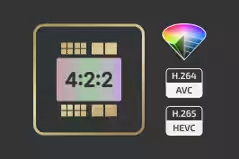
With the support of NVIDIA Blackwell GPU for AVC/HEVC 4:2:2 hardware decoding, high-quality camera materials can be processed smoothly, reducing the burden on software decoding while maintaining performance during multi-camera editing.
AI-Powered Depth Separation
"Z-Depth 2.0" uses Boris FX's AI depth model to accurately analyze and separate foreground and background elements more precisely, enhancing visual storytelling and effects application.
Optimized Core Engine
Improvements to the core engine have boosted overall project processing performance and responsiveness. Users can expect a stable editing environment, even during prolonged projects.
Features of Vegas Pro Suite 2026
Designed for comprehensive video production, the "Vegas Pro Suite 2026" includes everything from video and audio editing to BGM creation and AI noise reduction. This suite encompasses three additional tools:
- - "Sound Forge 2026" (Audio Editing Software)
- - "Acid Pro 2026" (Music Production Software)
- - "CrumplePop 2026" (AI-powered voice restoration and noise-canceling tool)
Product Overview
- - Vegas Pro 2026 Download Version: ¥34,980 (tax included)
- - Vegas Pro Suite 2026 Download Version: ¥99,800 (tax included)
Supported OS: Windows 11
System Requirements:
- - Intel Core i5 8th Generation or AMD Ryzen 5 1000 Series or higher
- - 16 GB RAM minimum
- - At least 1.5 GB free space (SSD recommended)
Essentials include a stable internet connection for product registration and functionality access, along with potential compatibility checks for files utilizing special codecs.
Customer Support
For inquiries related to product purchases, customers can reach out via the SourceNext Customer Center.
Stay tuned as Vegas Pro continues to enhance the video editing landscape for creators worldwide. For more information, visit the official product pages: Vegas Pro and Vegas Pro Suite.






Topics Consumer Technology)
【About Using Articles】
You can freely use the title and article content by linking to the page where the article is posted.
※ Images cannot be used.
【About Links】
Links are free to use.