



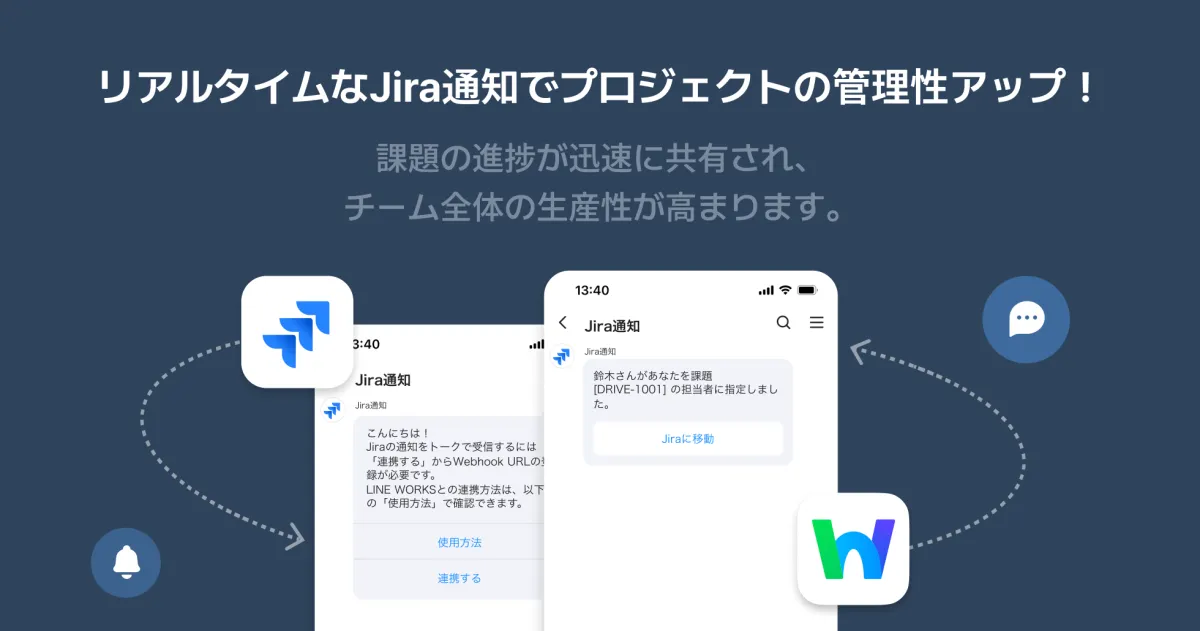
LINE WORKS Launches Jira Notification App for Real-Time Updates on Issues
LINE WORKS Introduces New Jira Notification Application
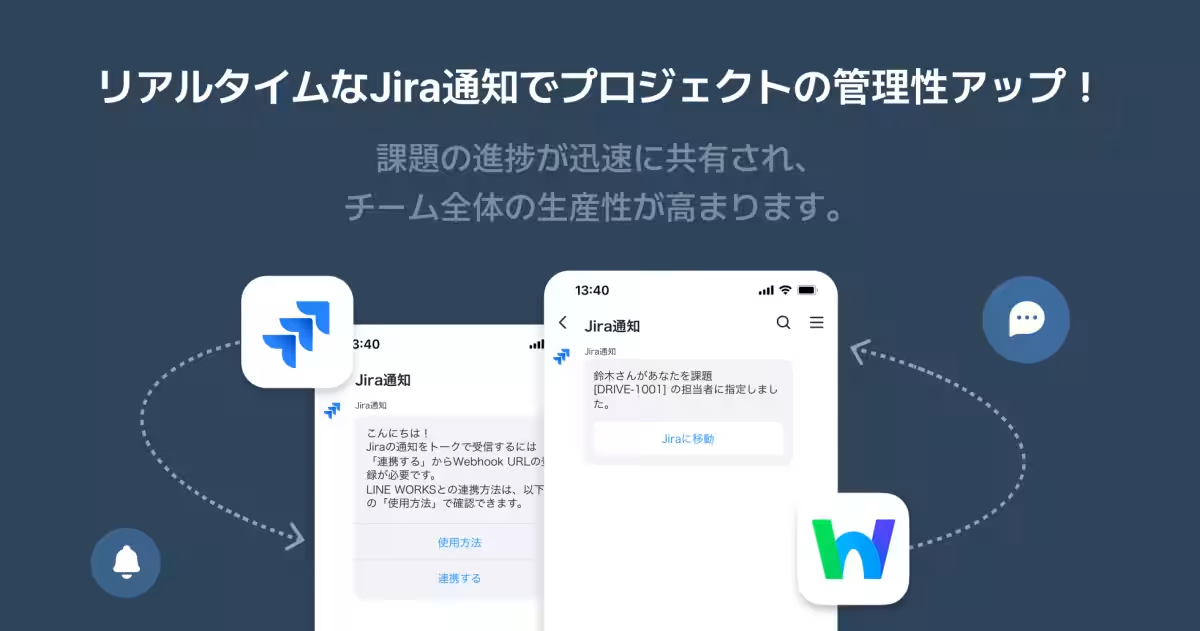
LINE WORKS Inc., headquartered in Shibuya, Tokyo, and known for its comprehensive business communication tools, has announced the launch of the Jira Notification App. This new integration allows users to receive real-time updates on issues from Jira, a popular project management tool developed by Atlassian Inc. With this feature, LINE WORKS aims to streamline communication and enhance efficiency in the workplace.
What is LINE WORKS?
LINE WORKS is a business chat application that combines various functionalities like chat, calendars, and polls, designed specifically for workplace communication. It is built upon the user-friendly concepts of the widely popular Chat app, LINE, while providing additional features tailored for professional environments. This tool has proven invaluable for teams that want to improve their collaboration, especially in settings where access to PCs is limited, such as in field operations or retail environments.
New Features of the Jira Notification App
The newly launched Jira Notification App has several features that make the integration seamless and beneficial for users:
1. Real-Time Notifications: Users will be instantly notified of any updates made to Jira issues, such as creation, editing, or status changes. These notifications appear directly in the LINE WORKS chat rooms, ensuring that teams stay informed of any changes as they happen.
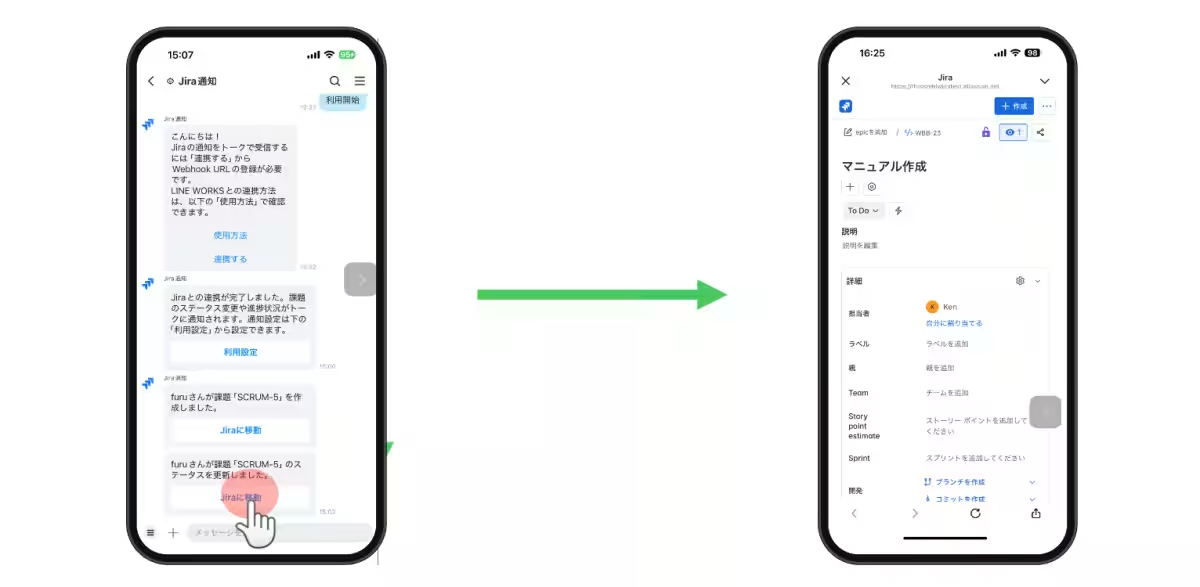
2. Direct Access from Notifications: Each notification contains a link that allows users to jump straight to the relevant issue page in Jira, facilitating quick access and action.
3. Share Notifications: Users can easily forward notifications to other chat rooms within LINE WORKS, promoting efficient information sharing and collaboration across different teams.
How to Get Started
To begin using the Jira Notification App, users can follow a few simple steps:
1. Setup in LINE WORKS: Users need to add the Jira Notification App and create a chat room for the Jira Bot. After doing so, they’ll receive a welcome message.
2. Connect with Jira: By clicking on the connection link provided in the welcome message, they can generate a webhook URL necessary for integration. This URL must then be entered into the Jira system settings.
3. Configure Notifications: Users select specific events in Jira that they wish to receive notifications for, linking their actions in Jira with the LINE WORKS application.
After successfully completing these steps, any changes made to Jira issues will trigger notifications in LINE WORKS, greatly enhancing project tracking and communication.
Important Details
- - Each user can generate a maximum of one webhook URL per member, with a total of ten webhook URLs allowed per organization. If more are needed, previously issued URLs must be deleted before new ones can be created.
- - This app will be available for free, making it accessible for all organizations looking to enhance their project management workflows.
About Atlassian's Jira
Jira is a globally recognized tool utilized by over 300,000 companies for efficient project management and collaboration. Its integration with LINE WORKS extends the capabilities of both platforms, enabling teams to effectively manage their workloads and communicate simultaneously.
Future Outlook
LINE WORKS Inc. remains committed to enhancing service features and fostering connectivity with various tools and solutions. This continuous evolution ensures that users can work more efficiently and effectively through the combination of advanced technologies.
Conclusion
In summary, the Jira Notification App from LINE WORKS is a significant leap towards optimizing project management communication. By allowing real-time updates and seamless integration with a leading project management tool like Jira, LINE WORKS empowers businesses to stay agile and informed, ultimately leading to better outcomes.
For more about this integration, please refer to the official LINE WORKS website here.
Topics Business Technology)
【About Using Articles】
You can freely use the title and article content by linking to the page where the article is posted.
※ Images cannot be used.
【About Links】
Links are free to use.