



IbisPaint 14.0.0 Launches with Revolutionary Updates for Artists
IbisPaint 14.0.0 Released: A New Era for Digital Artists
The mobile painting application, ibisPaint, developed by Ibisis Co., Ltd., has officially launched version 14.0.0 on March 31, 2026. This update, which adds several features tailored toward the daily needs of users, is designed to streamline the illustration creation process and make it more intuitive and efficient.
Key Features Introduced in Version 14.0.0
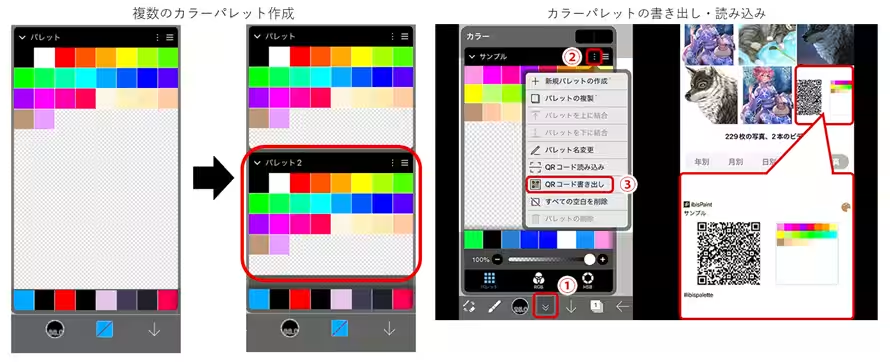
1. Creation and Sharing of Multiple Color Palettes
Users can now save and switch between multiple color palettes for each artwork. With a new color reordering feature and the ability to share palettes via QR codes, collaboration and communication among artists are enhanced. This innovative sharing method is particularly user-friendly for the mobile-focused audience of ibisPaint, allowing sharing across various social media platforms without the need for specialized file formats.
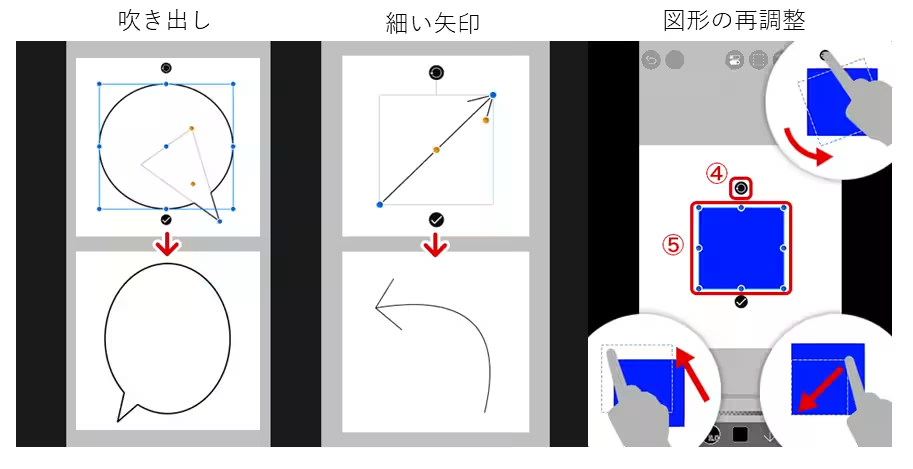
2. New Additions to the Shape Tool
The shape tool now includes new options such as speech bubbles and thin arrows, along with a feature allowing immediate adjustments to position, angle, size, and color right after drawing. This minimizes the need for repeated undo actions, letting users refine their shapes quickly and effectively.
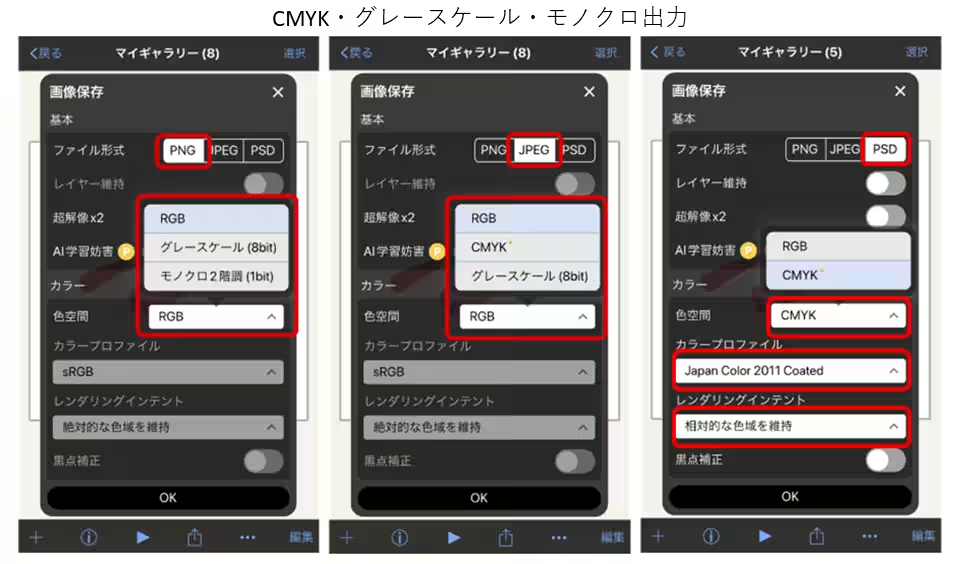
3. Print-Ready Output in CMYK and Grayscale
In version 14.0.0, users can choose a CMYK profile for outputs in both JPEG and PSD formats. This makes the app suitable for comic book production and commercial printing, offering comprehensive tools for a variety of printing styles, including grayscale and monochrome options tailored to different output formats.
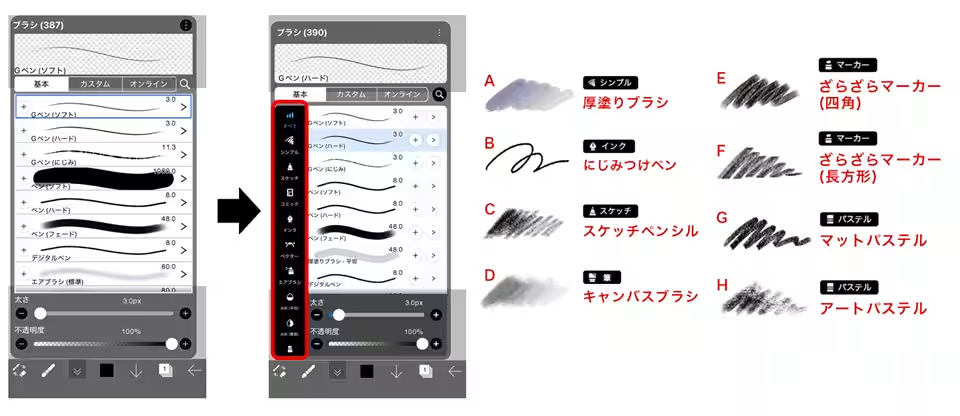
4. Enhanced Brush Experience
With nearly 400 brushes categorized by function, accessing the desired brush is quicker than ever. Additionally, eight new brushes have been introduced, complete with pressure adjustment graphs and brush setting locks, significantly improving the drawing environment.
These updates reflect the voices of the user community, making ibisPaint a versatile tool for both amateur and professional artists.
Director's Remarks
According to Eiichi Kamiya, the president of Ibisis Co., Ltd., “In version 14.0.0, we focused on enhancing areas frequently used in day-to-day creation, strengthening basic functionalities. We have developed an interface that not only meets but exceeds the expectations of users, thereby improving creation efficiency and increasing engagement with our service.” The director believes that these enhancements will provide more creative opportunities for users, ultimately adding value to the service as a whole.
Premium Membership Benefits
For a monthly fee of 300 yen, users can access all advanced features, including creating multiple palettes, enhanced shape tool functionalities, and CMYK output, which are part of the premium membership. Such upgrades aim to retain users and encourage them to explore premium options, ultimately contributing to the long-term growth of the app.
About IbisPaint
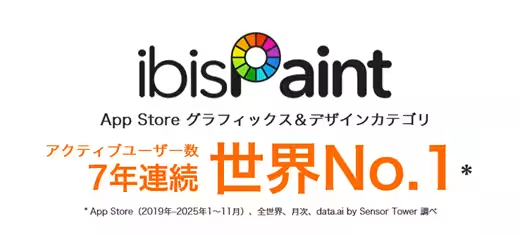
ibisPaint has become a leading mobile painting application, allowing users to create professional-level illustrations with just a fingertip. Free to use with basic features, it offers additional advanced functionalities for paid members. As of February 2026, the app proudly boasts over 530 million downloads across more than 200 countries, promoting the culture of Japanese anime and manga to a global audience.
Company Background
Founded in May 2000, Ibisis Co., Ltd. specializes in mobile technology and strives to create a world where users can express creativity and innovation through technology. With a headquarters in Chuo, Tokyo, and listed on the Tokyo Stock Exchange Growth Market (stock code: 9343), the company is committed to continuously enhancing its offerings and meeting user expectations.
For more information, you can visit the official IbisPaint website or check out their YouTube channel featuring tutorials on new features.

Topics Consumer Technology)
【About Using Articles】
You can freely use the title and article content by linking to the page where the article is posted.
※ Images cannot be used.
【About Links】
Links are free to use.