



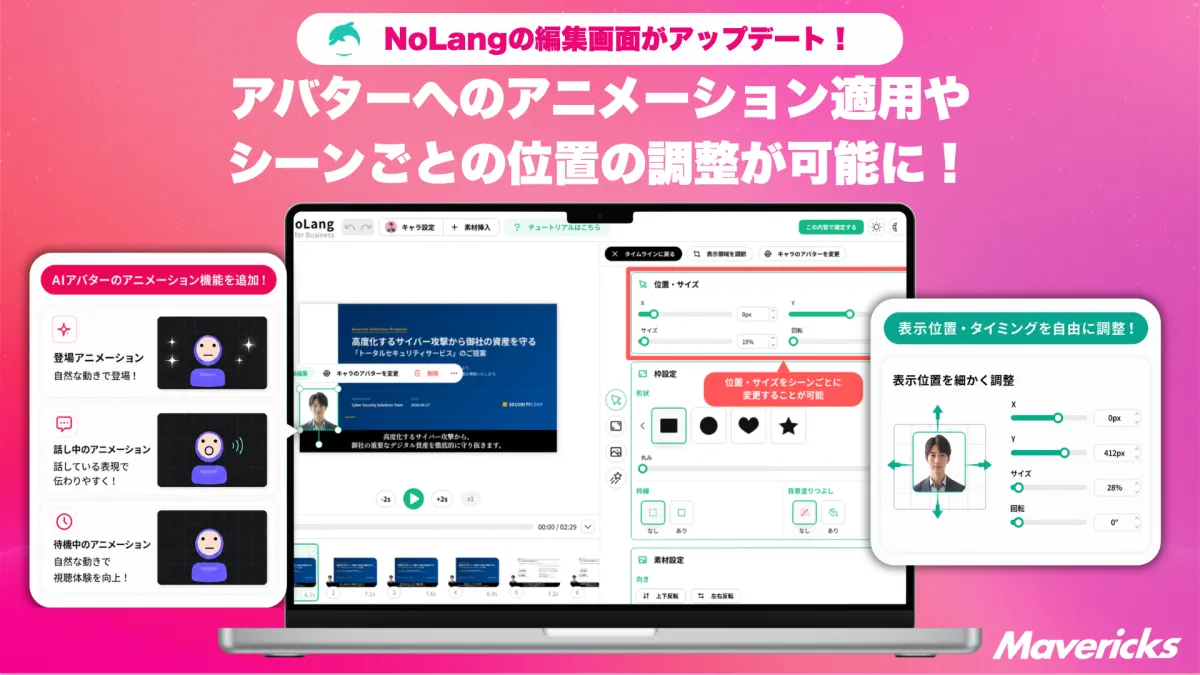
Mavericks Enhances NoLang's AI Avatar Features for Greater Creative Control in Video Production
Mavericks Enhances NoLang's AI Avatar Features
株式会社Mavericks, based in Bunkyo, Tokyo, has recently introduced significant upgrades to its AI video generation tool, NoLang. These enhancements involve adding new functionalities that allow users to adjust the display position and timing of AI avatars during video editing, along with introducing animation capabilities. With these updates, the freedom in directing AI avatar performances has vastly improved, promising more dynamic and engaging video content.
The Need for Improved AI Avatar Videos
The internal production of videos is steadily increasing across various companies. A recent study conducted by 比較ビズ and Mteam from April 7 to 14, 2025, revealed that 34% of companies produce videos solely in-house while 56% combine in-house production with outsourcing. This means a staggering 90% of firms are involved in some form of video production internally.
Despite this progress, the report highlighted challenges faced by in-house teams, such as limited resources and difficulties maintaining quality. While in-house production is growing, it is also introducing additional burdens on production teams.
When companies turn to outsourcing, they often encounter costs ranging from tens to hundreds of thousands of yen and a production timeline of one to two months. In this context, using AI avatars for video production has emerged as a rapidly adopted method to address the challenges of cost and time. However, AI avatar videos have faced critiques for being monotonous, frequently appearing fixed in the center of the screen and lacking dynamic expressions and movements. This standardization can lead to viewer disengagement, particularly in lengthy and multipurpose applications such as training videos and product introductions. Therefore, there has been a growing demand for greater freedom in how avatars are presented, which has been addressed by NoLang's latest updates.
New Control Over Avatar Position and Timing
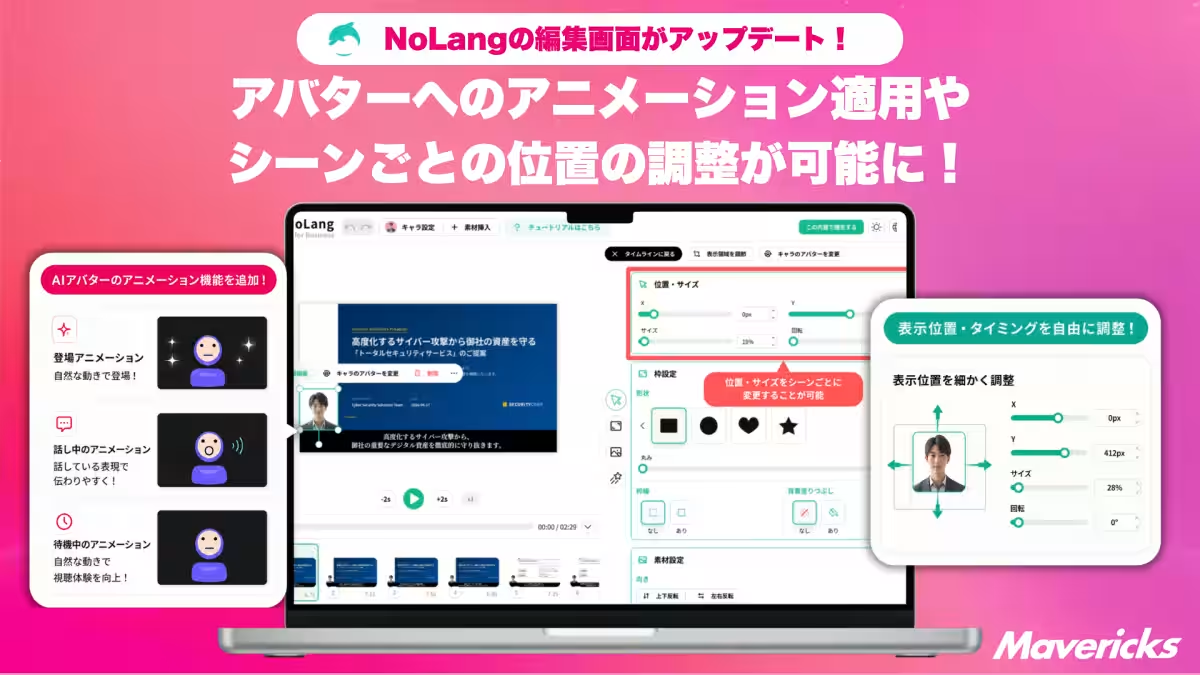
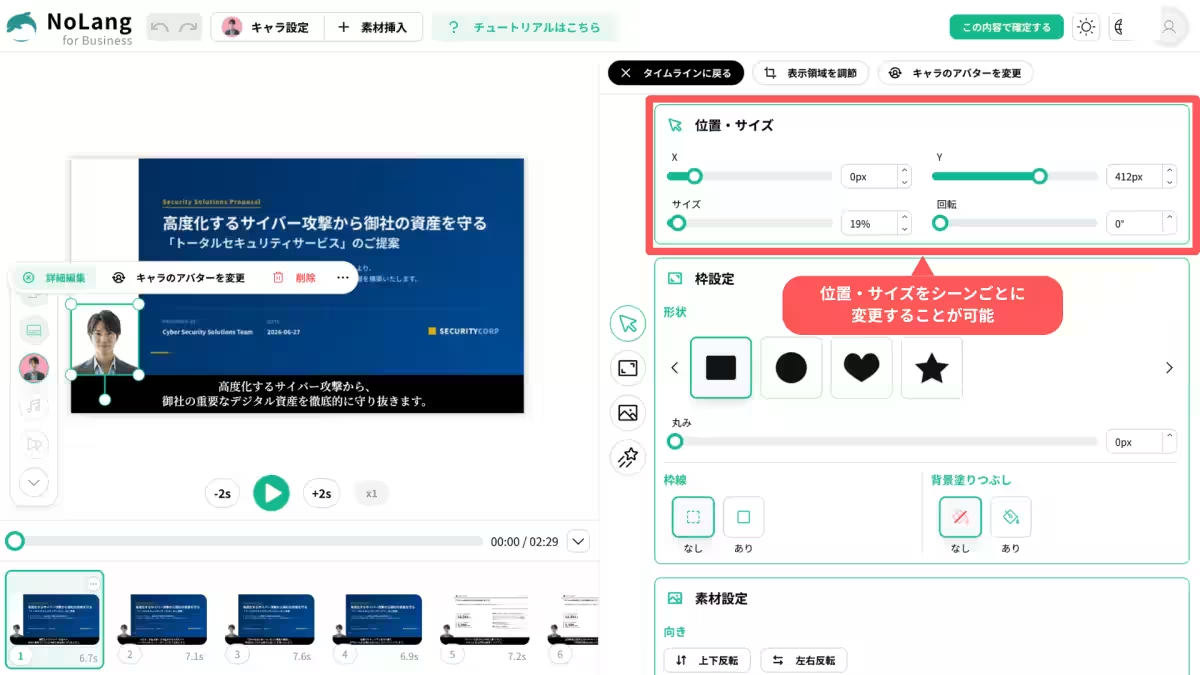
With the recent update, NoLang’s editing interface now permits users to freely adjust the display position and size of avatars on the canvas. There is also the ability to toggle the visibility of avatars at any desired moment during the video.
This feature enables flexible control in terms of timing and positioning. For instance, users can display the avatar prominently at the beginning of the video and then minimize it to the side as the main content takes the spotlight. Furthermore, there is the option to remove the avatar from specific scenes to emphasize visuals or images comprehensively. These functionalities provide a substantial increase in the dynamic presentation of previously static avatar videos.
Introducing Animation Capabilities
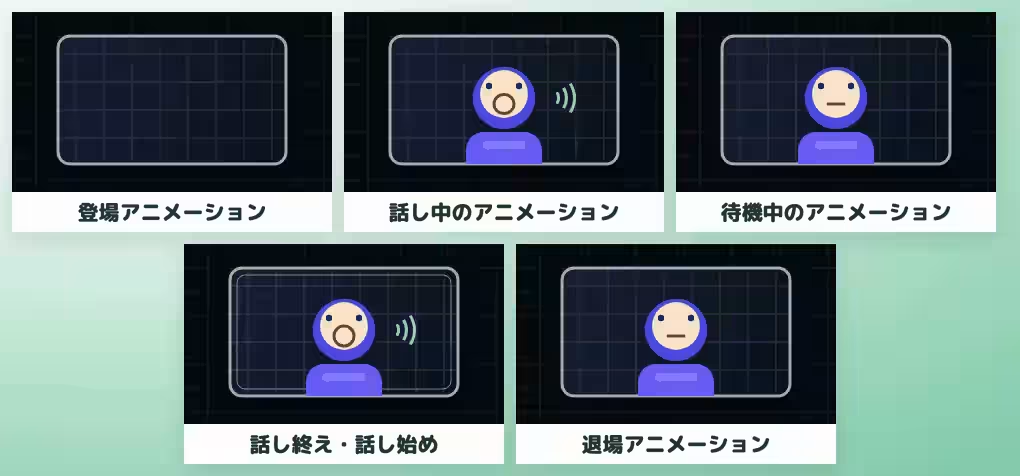
In addition to the flexible positioning controls, the update has included a new “Animation” panel within the editing screen. This feature allows users to apply five different animations to avatars, each selected from a range of pre-existing animation options. As soon as an animation is picked, the selected section auto-plays within the preview screen, allowing users to confirm the results immediately.
Among the presets available are various animation styles, including “standard,” “return,” “bounce,” and “spring.” Users can also customize the speed and intensity of the animations using a slider, ensuring that the video’s tone can be finely tuned and carefully crafted.
Enhanced Expression Through Position and Animation
Combining the newfound controls over position and timings with the animation features significantly elevates the level of creativity available for video productions. Users can orchestrate sophisticated sequences, such as having an avatar slide in from the side at the start of a conversation, gently bounce while speaking, and then zoom out as they exit the frame. This integration allows creators to manage not only text inputs and scripting but also intricate movements, encapsulating the essence of NoLang’s user-friendly AI video generation capabilities.
Future Prospects
Looking ahead, the development team plans to expand the variety of animation presets and enhance the integration of avatar expressions and emotional displays. By further increasing the flexibility in combining position, timing, and movements, Mavericks seeks to create an environment where anyone can produce videos with expression quality akin to live-action performances.
What is NoLang?
NoLang is a cutting-edge video generation AI service originating from Japan, capable of creating videos within seconds simply by inputting texts, PDFs, PPTX files, website URLs, and even audio or video files. Since its launch in July 2024, the number of registered users has reached 200,000, and over 100 corporate clients have adopted the technology. Applications for NoLang span a wide range of areas, including summarizing news articles into videos, generating content for social media, and transforming internal training materials into engaging videos.
With more than 100 avatars and over 300 voice options available, alongside the ability to create unique avatars and utilize expressive voice synthesis, NoLang enables anyone, regardless of technical expertise, to produce high-quality video content in an instant.
If you’re interested in creating videos with NoLang, feel free to reach out for more information.
Company Overview
- - Company Name: 株式会社 Mavericks
- - Headquarters: 〒113-0033 Tokyo, Bunkyo, Hongo 3-43-16, Core Hongo Building, Room A1
- - Representative: Shota Okuno
- - Established: September 12, 2023
- - Business Focus: Providing real-time video generation AI solutions via NoLang and delivering the latest news in AI through our newsletter, Mavericks AI News.
For more details: Mavericks Official Website
Topics Consumer Technology)
【About Using Articles】
You can freely use the title and article content by linking to the page where the article is posted.
※ Images cannot be used.
【About Links】
Links are free to use.