



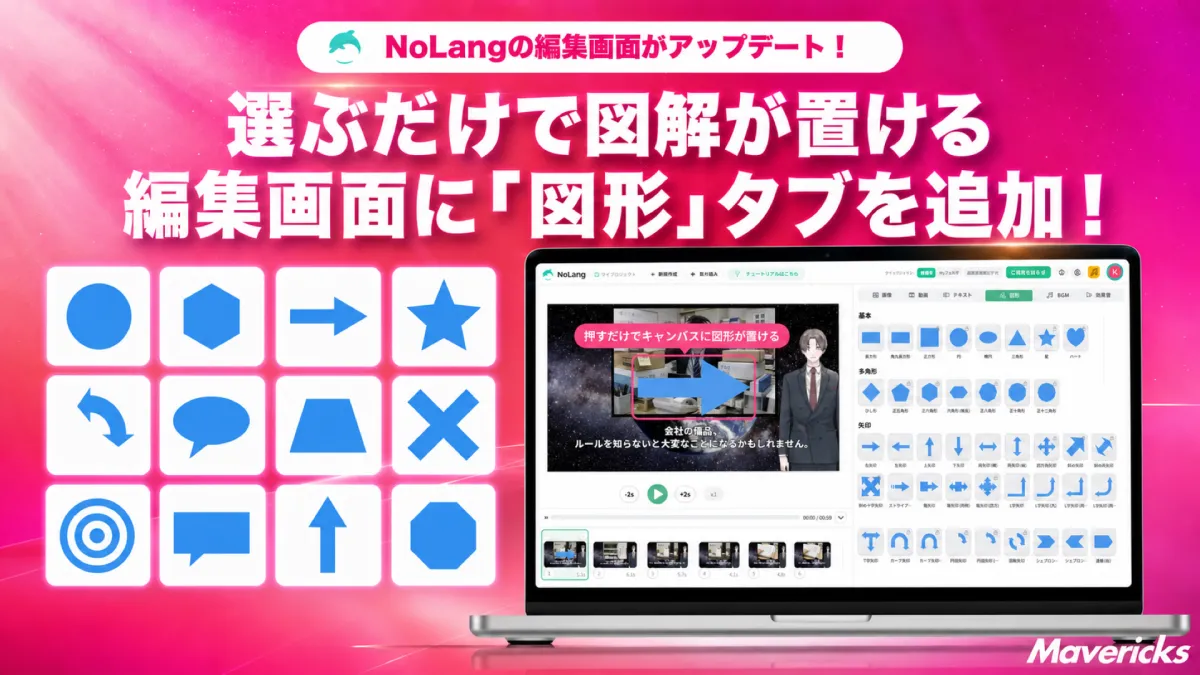
Mavericks Unveils New Shape Tab for NoLang Video Editing AI
Mavericks Introduces Shape Tab in NoLang Video Editing Tool
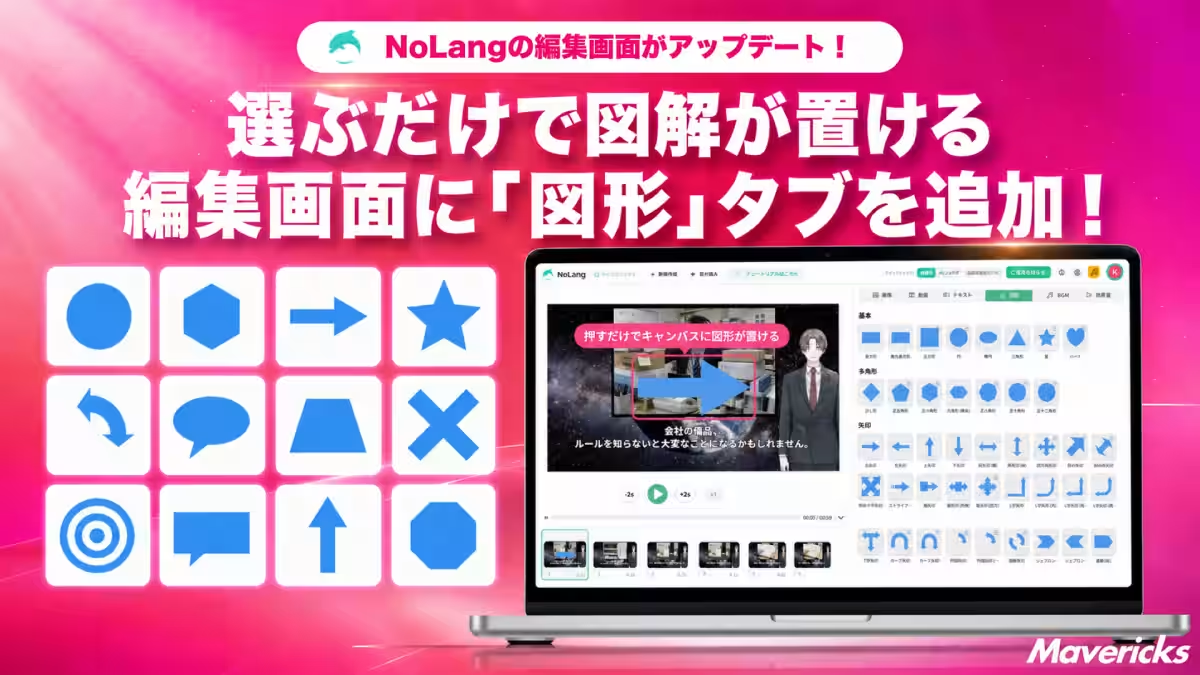
In a significant update, Mavericks, a trailblazer in video generation AI, has introduced a new shape tab within the NoLang video editing interface. This new feature allows users to enhance their videos by seamlessly integrating various shapes such as arrows, speech bubbles, and symbols, eliminating the need for external design tools.
Simplifying Video Creation
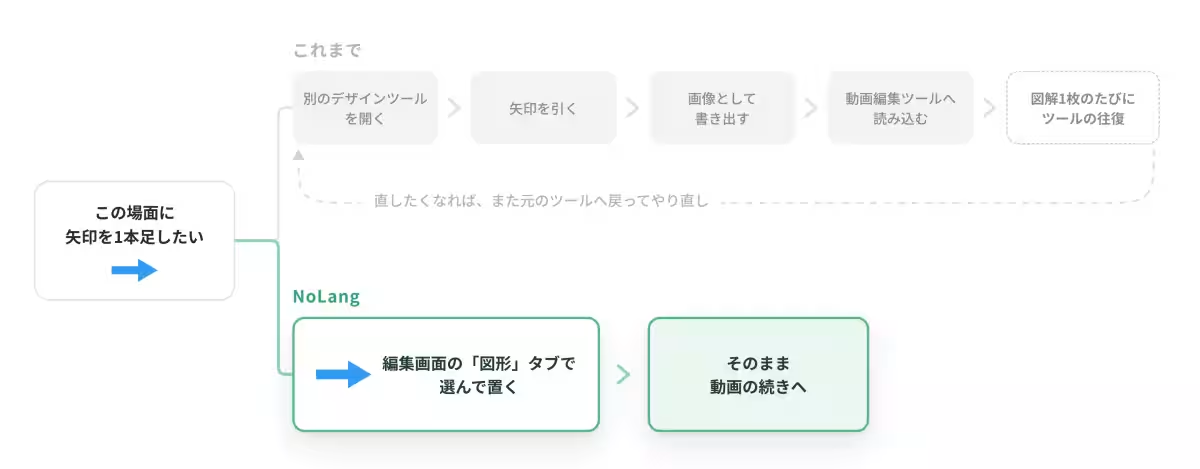
When creating instructional videos or internal training materials, clear communication is crucial. Often, conveying sequences or essential warnings requires visual aids beyond text alone. By using arrows to indicate flow or speech bubbles for additional context, creators can significantly enhance the clarity of their messages. However, without integrated geometric shapes in the editing software, adding such elements often requires switching to different design applications, an inconvenient and time-consuming process.
According to a joint survey conducted by HikakuBiz and Mteam, the top challenge faced by companies creating in-house videos is the complexity of implementing and operating filming and editing tools, with 44.7% citing this issue. Additionally, 26.3% of respondents reported a lack of personnel skilled in video editing. Even for businesses that utilize both in-house and outsourced video production, 40.3% find the challenges of tool implementation overwhelming. The initial hurdles of in-house video production often stem from navigating complex software rather than the creative aspects of scripting and planning.
The New Shape Tab: A Game Changer
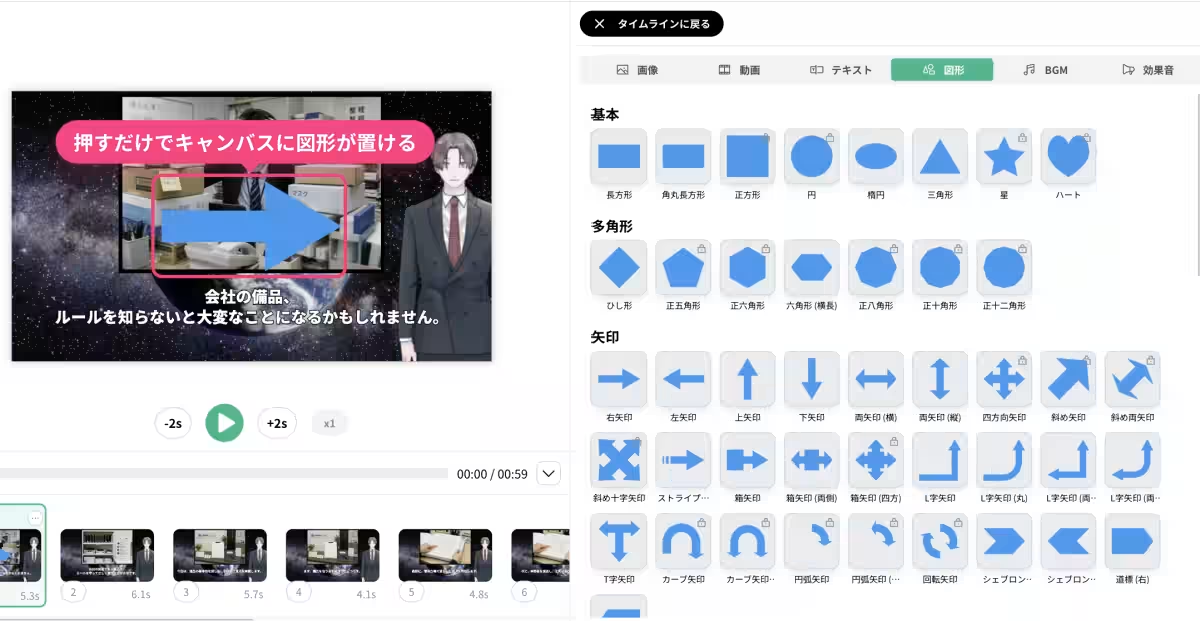
With the latest update to NoLang, users can easily access the new shape tab in the editing panel. This feature allows users to choose from a wide range of geometric shapes with just a click, adding them directly to their video canvas without needing to switch applications.
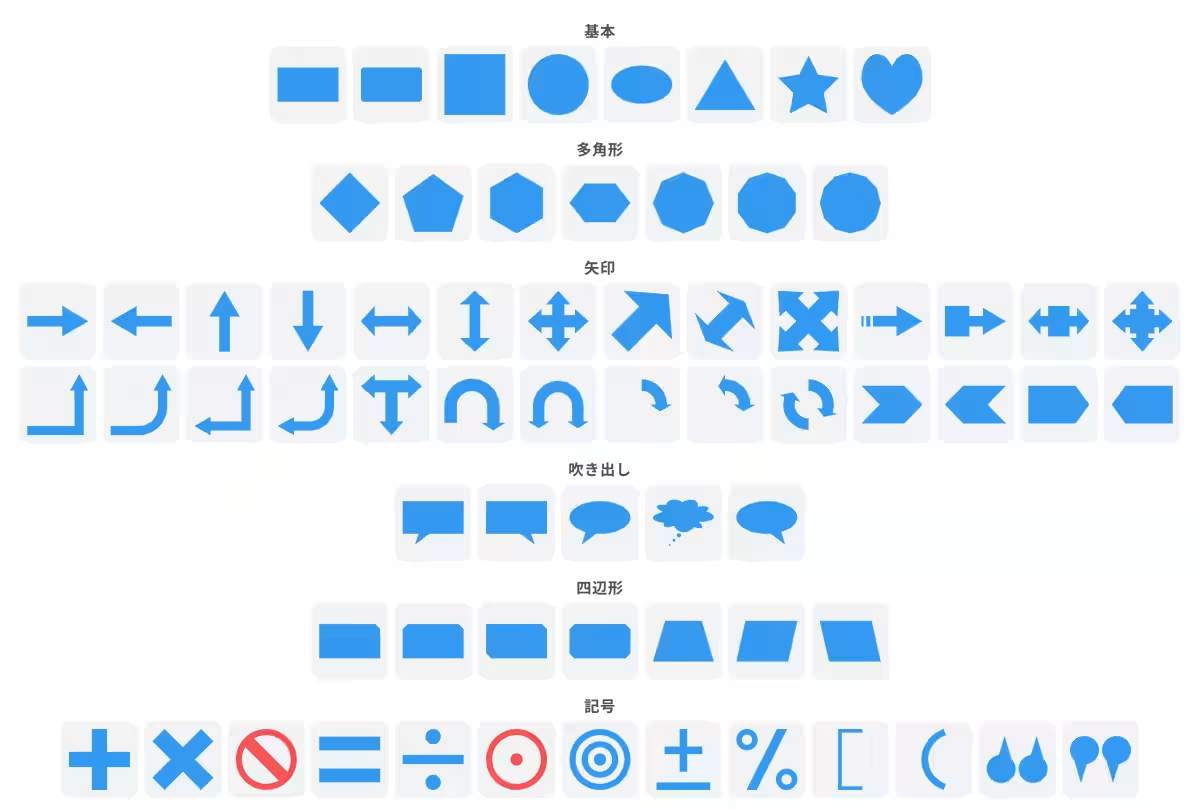
The shape tab includes categories like basic shapes, polygons, arrows, speech bubbles, symbols, and quadrilaterals. The extensive library provides dozens of shapes intended for clear visual communication. Basic shapes include rectangles, rounded rectangles, squares, circles, ovals, triangles, stars, and hearts, while polygons range from diamonds to various regular shapes. The arrows feature offers 28 different variations, accommodating a plethora of directional needs, while speech bubbles allow customization based on the speaker's position. Shapes complementing instructional content—like warning symbols—are also readily available, helping to communicate ideas effectively without the hassle of using multiple tools.
Effortless Text Integration
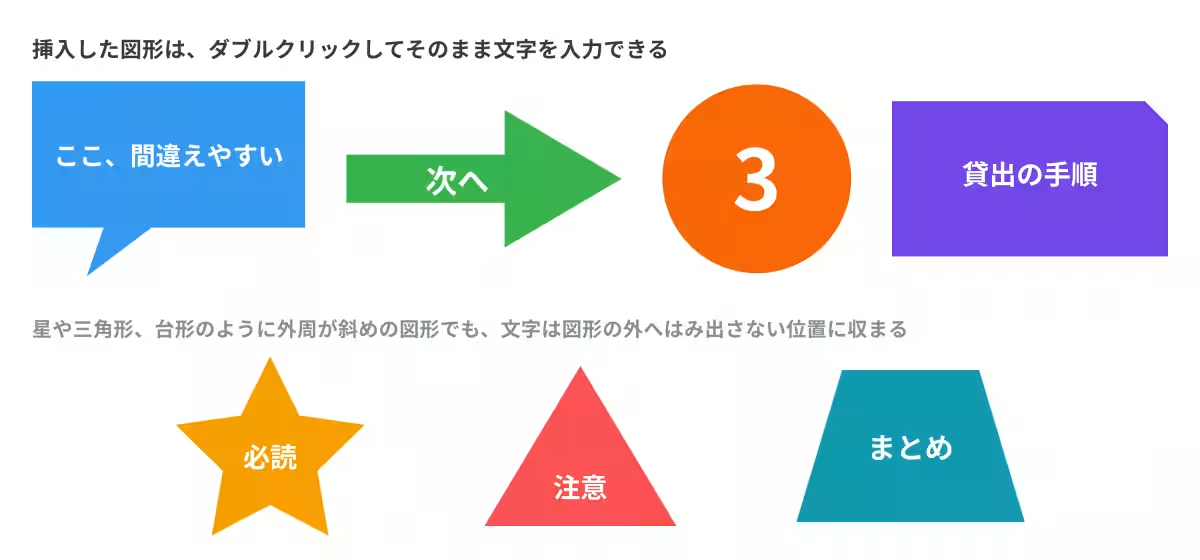
Users can directly type into the inserted shapes, allowing for seamless integration of dialogue in speech bubbles or emphasis in circles. The text area within each shape automatically adjusts based on its dimensions, ensuring that the text fits perfectly without overflowing, even in complex shapes like stars or triangles.
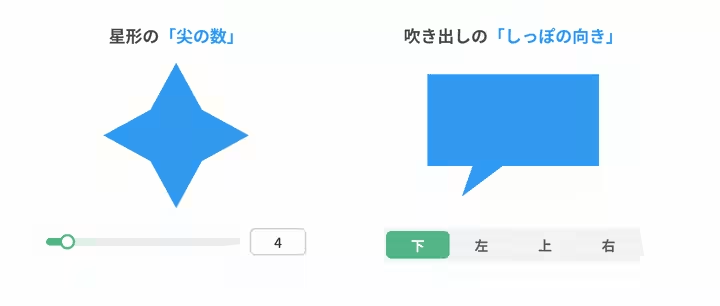
Moreover, adjustments to shape attributes, such as arrow length or the number of points on a star, are easily managed via sliders and toggles within the settings panel. This functionality empowers users to refine their designs directly and intuitively, simplifying the creative process even for those who may not be adept at graphic design.
Future Developments in NoLang
Mavericks aims to continuously enhance the NoLang editing experience by integrating more functionality within its workspace. The recent addition of the shape tab is part of a broader initiative to minimize the need for external tools, allowing users to deliver their content in the clearest and most effective manner possible. Mavericks is committed to listening to user feedback to guide future updates, further advancing the capabilities of the NoLang platform.
What is NoLang?
NoLang, launched in July 2024, is a revolutionary AI service that enables users to create videos within seconds from various input formats, including text, PDFs, and audio/video files. With over 200,000 registered users and more than 100 corporate adopters, NoLang is at the forefront of Japan's video generation market, catering to a wide array of applications ranging from social media content to training materials. The platform boasts an extensive library of over 100 avatars and 300 voice options, ensuring high-quality video creation is accessible to anyone.
To explore NoLang further, consider visiting the official website or contacting ours for inquiries about business implementations or customized solutions tailored to your organizational needs.
Visit the NoLang for Business official site for more details.
Topics Consumer Technology)
【About Using Articles】
You can freely use the title and article content by linking to the page where the article is posted.
※ Images cannot be used.
【About Links】
Links are free to use.