



Revolutionizing Legal Workflows: Introducing the Legal Agent AI Tool
Transforming Legal Practices with AI: Legal Agent
LegalAgent Co., based in Minato, Tokyo, has launched a cutting-edge AI tool known as Legal Agent, designed specifically for the legal sector. This innovative Word add-in functions as an AI agent that resides within Word documents, streamlining the process of editing, composing drafts, and adding comments in real time, thereby supporting legal professionals in focusing on more critical tasks like risk assessment and negotiation strategies.
Background Behind the Service Release
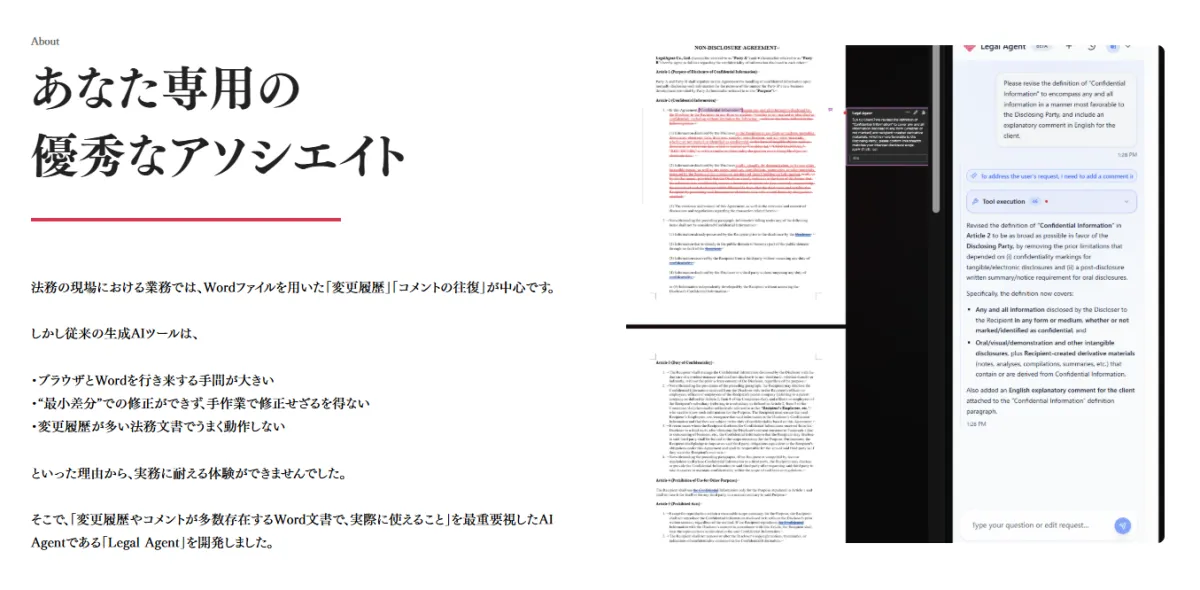
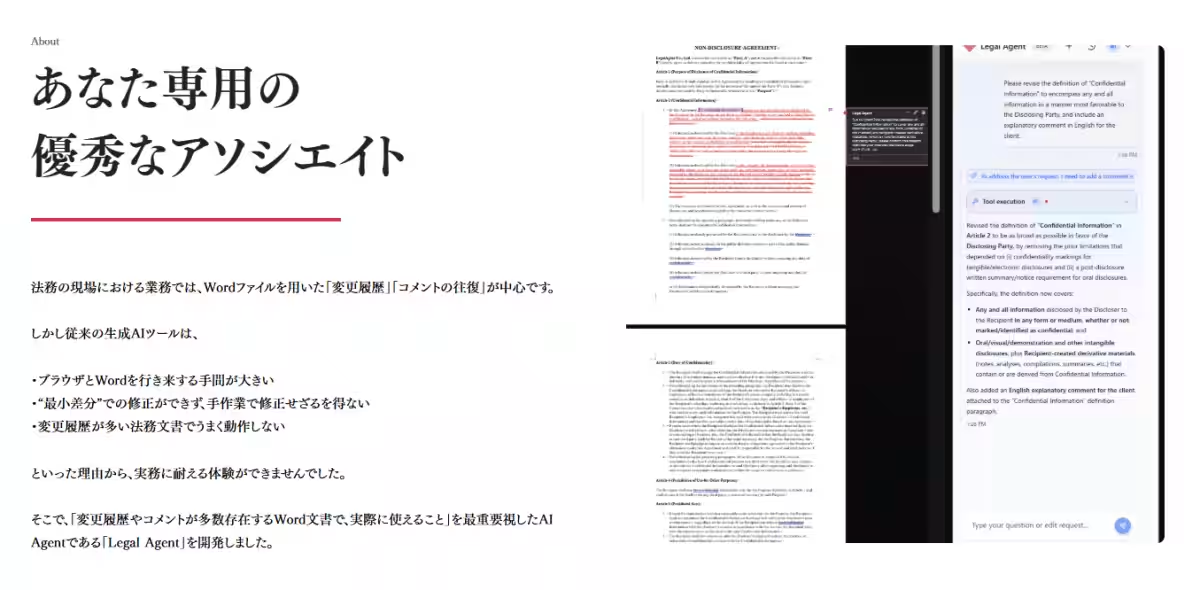
The traditional approach to legal documentation often involves extensive use of Word's “Track Changes” and back-and-forth commenting. However, conventional AI tools have fallen short for several reasons:
- - Cumbersome Workflow: Switching between a browser and Word has proven to be inefficient.
- - Limited Editing Capabilities: Existing tools struggle with minor adjustments, necessitating manual corrections.
- - Compatibility Issues: High volumes of modifications in legal documents can confuse current AI offerings.
These shortcomings led LegalAgent's CEO, Tosu Asato, an experienced attorney who has reviewed and edited numerous contracts, to create a solution that meets the real-world needs of legal practitioners. He aimed for a tool that could handle the complexities of documents filled with comments and edits efficiently.
Challenges Addressed by Legal Agent
- - Individual Users (Lawyers & In-house Counsel): Many legal professionals often find themselves bogged down by managing contract revisions and responding to comments. This drains their time and hampers their ability to focus on strategic thinking and negotiations.
- - Team Collaboration (Corporate Legal Departments): Quality control in document reviews can become inconsistent, leading to errors and omissions. There is often a need to uplift junior team members while easing the burden on reviewers.
Legal Agent addresses these challenges by providing a seamless, integrated environment where document edits and comments can be managed directly within Word, eliminating inefficiencies.
Key Features of Legal Agent
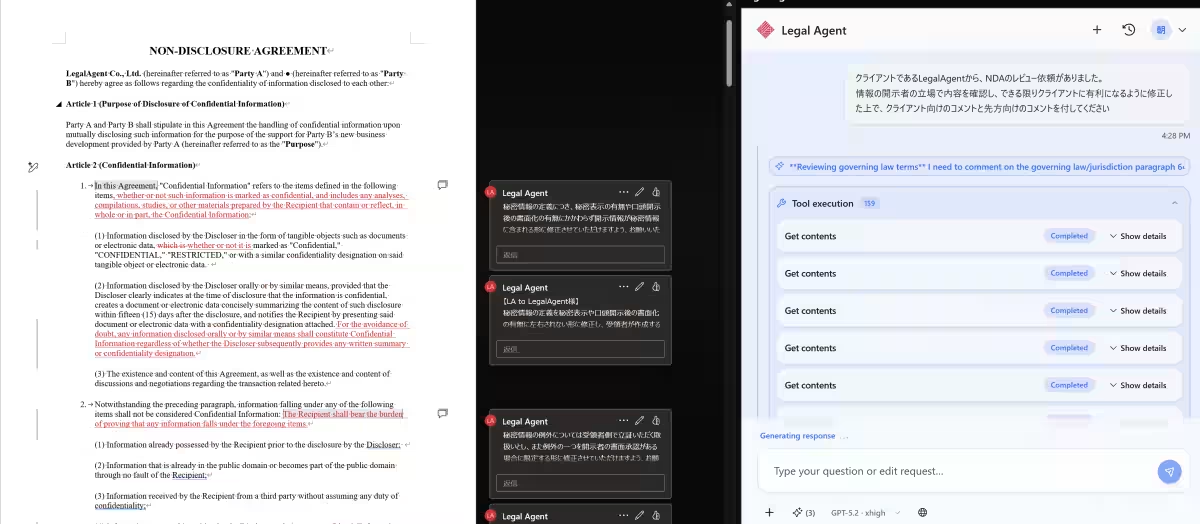
1. Integrated Workflow: The AI agent functions within Word, providing Track Changes, comment insertion, and responses to comments based on user instructions. For instance, a user can effortlessly instruct the AI to modify clauses according to comments and generate draft responses within the document.
2. Highlighting Critical Areas: To facilitate document reviews, Legal Agent can also apply highlights to indicate changes made or areas addressed in response to comments, improving clarity in ongoing discussions.
3. Customization Options: Users can select from various AI models and customize prompts and checklists that fit their preferences. In a team setup, these elements can be shared to standardize document quality across the board and enhance efficiency.
4. Comprehensive Document Support: Legal Agent isn't just limited to contracts; it can handle meeting minutes, organizational rules, and litigation documents, providing a versatile tool for different types of written communication and cross-border legal issues, independent of language restrictions.
5. File Attachment and Parameters: The AI tool supports file attachment functionality, allowing users to upload reference materials for context. It can then guide revisions based on previously reviewed documentation.
6. Robust Security Measures: Legal Agent prioritizes security by ensuring encrypted data communication and refraining from re-educating AI with user data, thus allowing users to handle confidential documents safely.
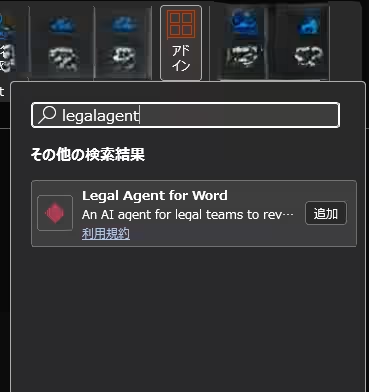
How to Implement Legal Agent
By searching for Legal Agent under the

Topics Other)
【About Using Articles】
You can freely use the title and article content by linking to the page where the article is posted.
※ Images cannot be used.
【About Links】
Links are free to use.