



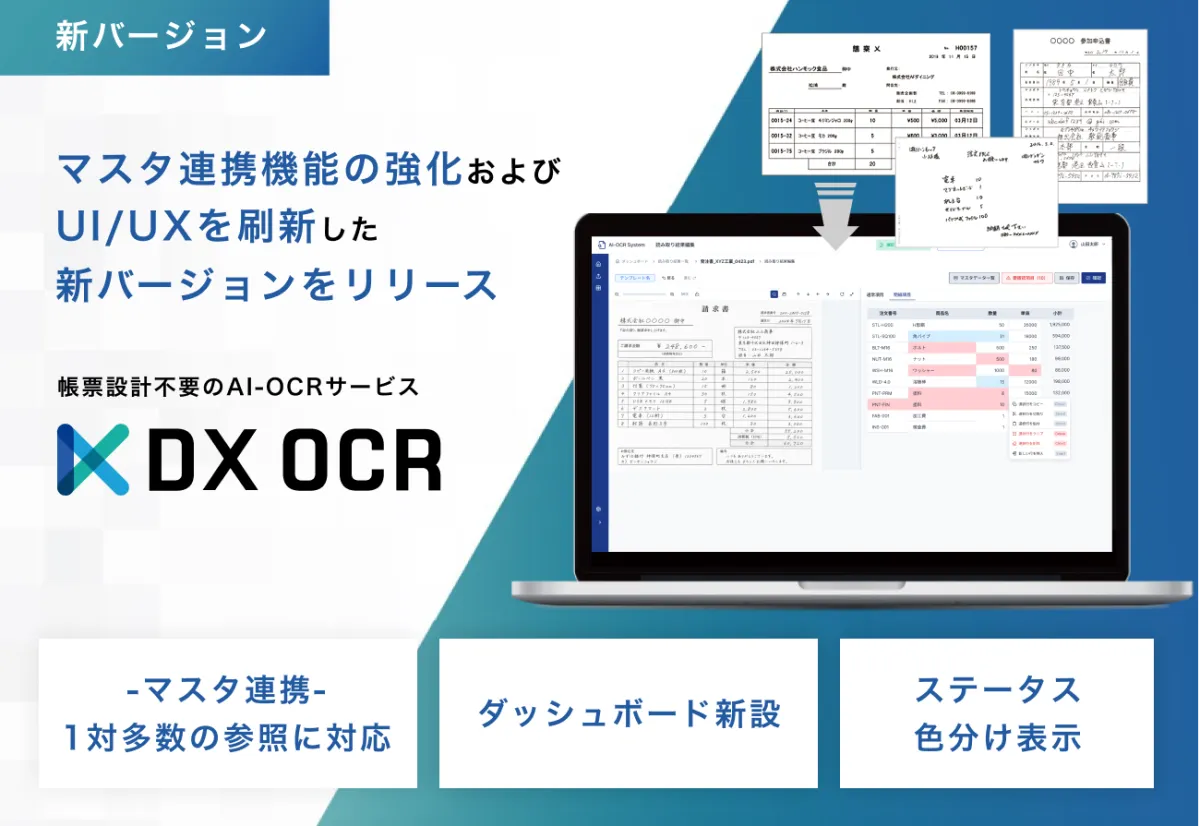
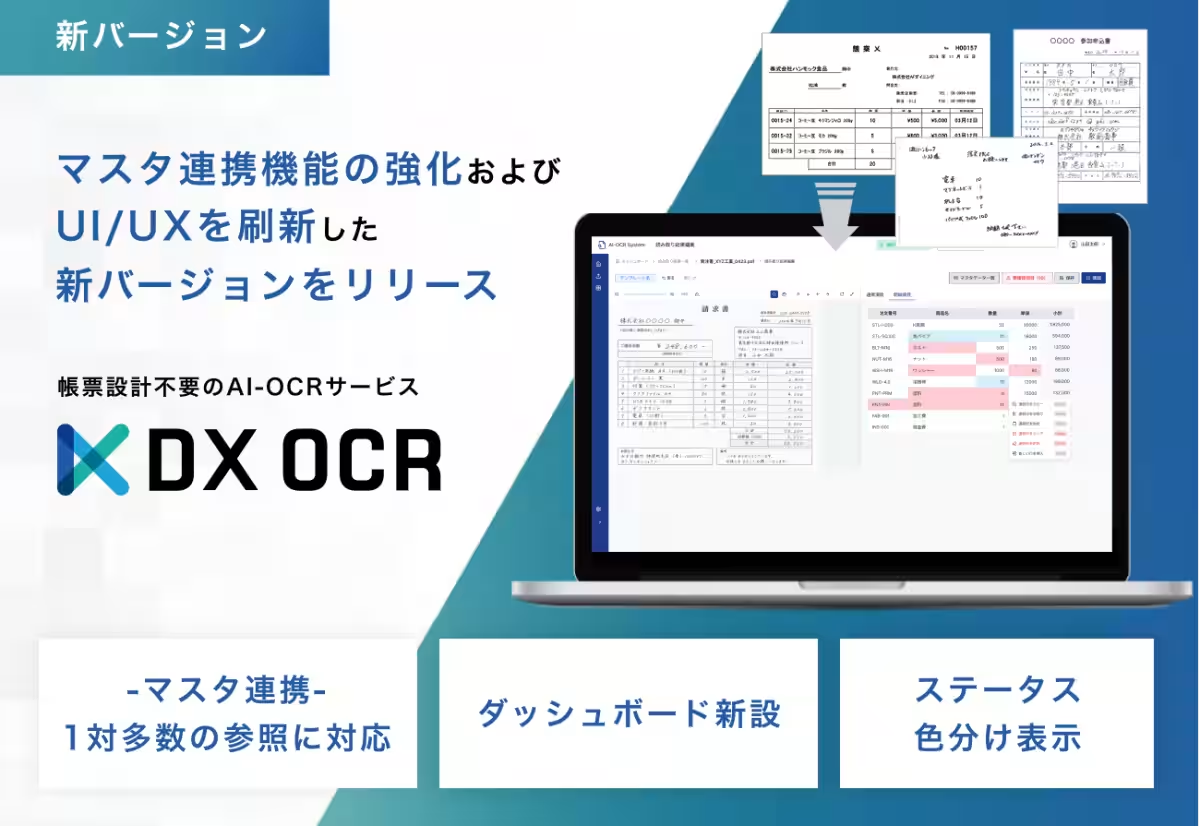
Hammock Introduces Enhanced Version of AI-OCR Service with Revamped UI/UX and Master Linking Feature
Introduction
Hammock Inc., a Tokyo-based software company, has announced the release of an upgraded version of its AI-OCR service, DX OCR. This new version emphasizes two primary improvements: enhanced master linking functionality and a complete redesign of the user interface (UI) and user experience (UX). With these upgrades, the service aims to streamline daily document processing tasks, thus increasing accuracy and operational efficiency for its users.
Key Improvements
1. Enhanced Master Linking Functionality
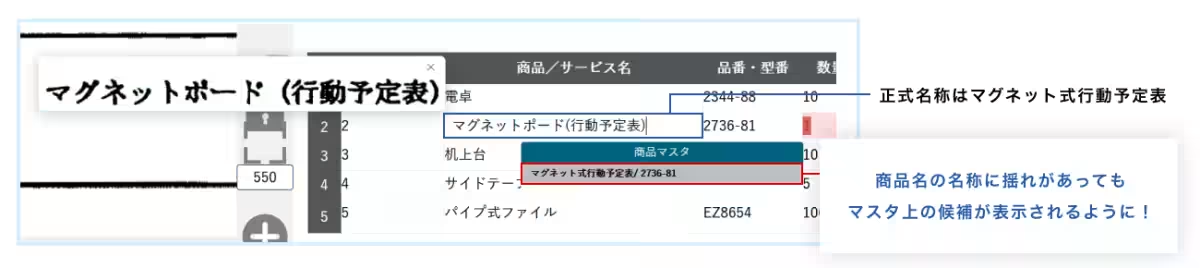
The previous version of the master linking function was limited to one-to-one references. However, this new iteration now supports one-to-many references. For instance, when extracting a product code from an order form based on the product name, the old system necessitated a complete match with the item's name in the master database. Thanks to the enhanced functionality, users can now view multiple suggestions based on partial character strings from the product name, allowing them to select the correct option easily. This improvement significantly reduces errors and minimizes the need for corrections.
2. UI/UX Revamp
In response to customer feedback, Hammock has re-evaluated the color scheme and button layout, resulting in a screen design that is both more visually appealing and user-friendly. This redesign enables users to access critical information at a glance, lightening the burden associated with verification tasks and progress management.
New Dashboard Features
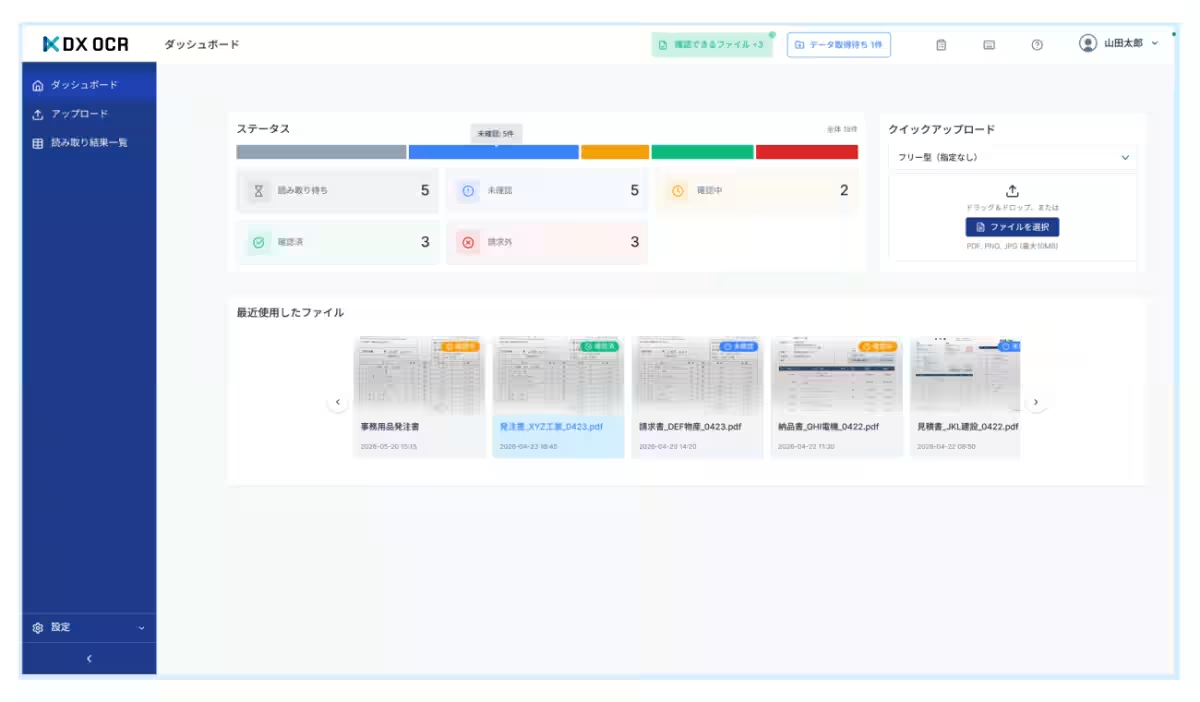
- - Status and Preview Dashboard: A new dashboard has been introduced to preview the status of OCR processing results and recently used files.
- - Color-Coded Status Display: The operational screen now features a clearly color-coded system for indicating OCR processing statuses, simplifying status checks.
- - Tab Switching for Results Display: The presentation of processing results has transitioned from a list format to a tab-switching format, enhancing usability.
- - Customizable Success Rate Display: Users can now set up a color-coded display based on accuracy rates, and they can customize settings according to their specifications.
- - Preview Zoom Feature: Users can hover the mouse over the preview window of scanned images for enlarged views, improving clarity and usability.
Please note that since this is a developmental update, screen designs and specifications may change in the future.
Commitment to User Needs
Hammock is steadfast in its commitment to addressing the IT operational challenges faced by its users. By taking customer input into account, the company strives to enhance the usability and connectivity of its offerings while aiming for even greater efficiency in document processing tasks.
About DX OCR
DX OCR stands for a document processing solution that eliminates the need for complex design or setup while seamlessly converting various image texts, including handwritten entries, into data. As part of the digital transformation (DX) initiative, it conveniently extracts information buried within large volumes of documents and images, paving the way for efficiency and automation in operations. Furthermore, it is compatible with multifunction printers and scanners from various manufacturers, making it accessible to a wide array of clients.
About Hammock Inc.
Founded in 1994 and headquartered in Shinjuku, Tokyo, Hammock Inc. is dedicated to providing innovative software solutions for businesses. With a mission to leverage technology in creating new experiences and brightening society, the company focuses on delivering high-quality, speedy, and reasonably priced solutions that meet customer needs. Key offerings include reliability in information security measures, business card management tools, and the leading AI-OCR service.
For further inquiries, please visit Hammock's official website: Hammock.
Disclaimer: All company and product names mentioned in this news release are trademarks or registered trademarks of their respective holders.
Topics Consumer Technology)
【About Using Articles】
You can freely use the title and article content by linking to the page where the article is posted.
※ Images cannot be used.
【About Links】
Links are free to use.