



Introducing Photo Eraser 7: The Ultimate Tool for Effortless Photo Corrections
Photo Eraser 7 Launches for Easy Photo Corrections
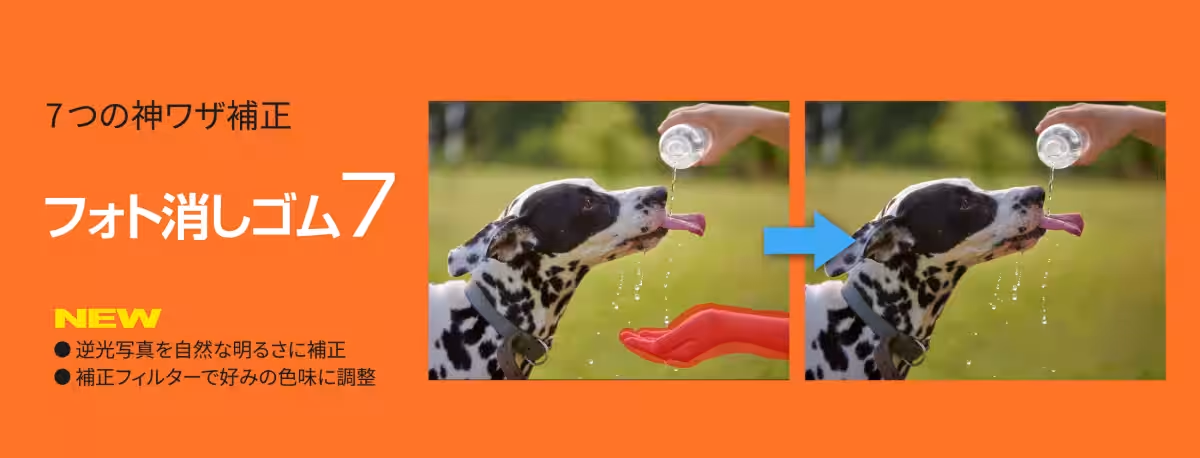
On July 2nd, SourceNext Co., Ltd. released its latest version of the photo enhancement software, Photo Eraser 7, available for download at the price of 4,290 yen (tax included). This new software makes it easier than ever to correct unwanted items in photos, such as people, power lines, shadows, and smudges, ensuring a natural finish every time.
Features of Photo Eraser 7
Local AI Enhancements
A standout feature of Photo Eraser 7 is its use of local AI technology to assist users in correcting only the specific areas they want to adjust. Unlike cloud-based services that may unintentionally alter other parts of the photo when instructed to make corrections, Photo Eraser 7 enables a more targeted approach. Here are some key benefits:
- - Selective Corrections: Users can refine only the specific areas of their photos while preserving the overall integrity of the image. This minimizes the chances of altering desirable features inadvertently.
- - User-Controlled Results: The AI within the application helps identify areas that need fixing, but users maintain the final say on whether to apply these corrections or not. This allows for a personalized editing experience.
- - No Cloud Upload Required: All processing is done locally on the user’s computer, which means personal and precious photos don't need to be uploaded to the cloud. This enhances privacy and security for everyday users.
Exciting New Functionalities
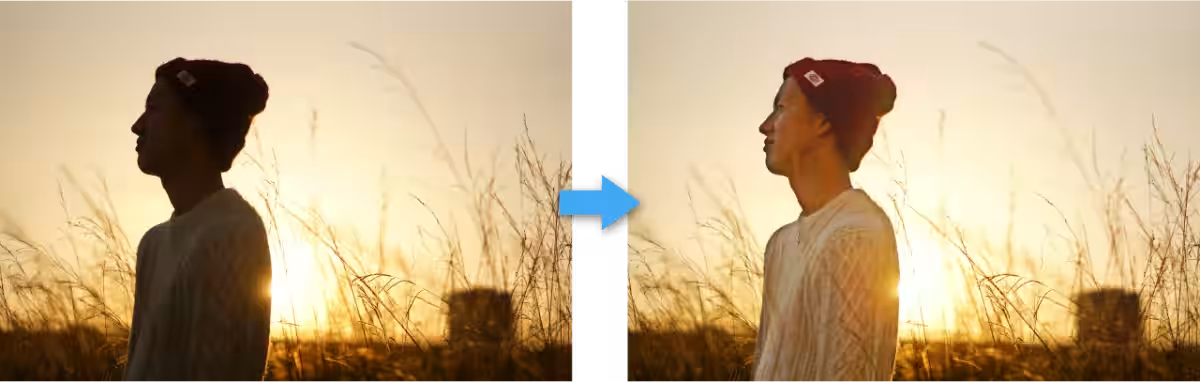
1. Brightness Correction for Backlit Photos
With the new capabilities, images affected by backlighting can be effectively brightened. The AI detects darker regions and adjusts brightness while mitigating background fluctuations, allowing even the trickiest shots to appear naturally enhanced.
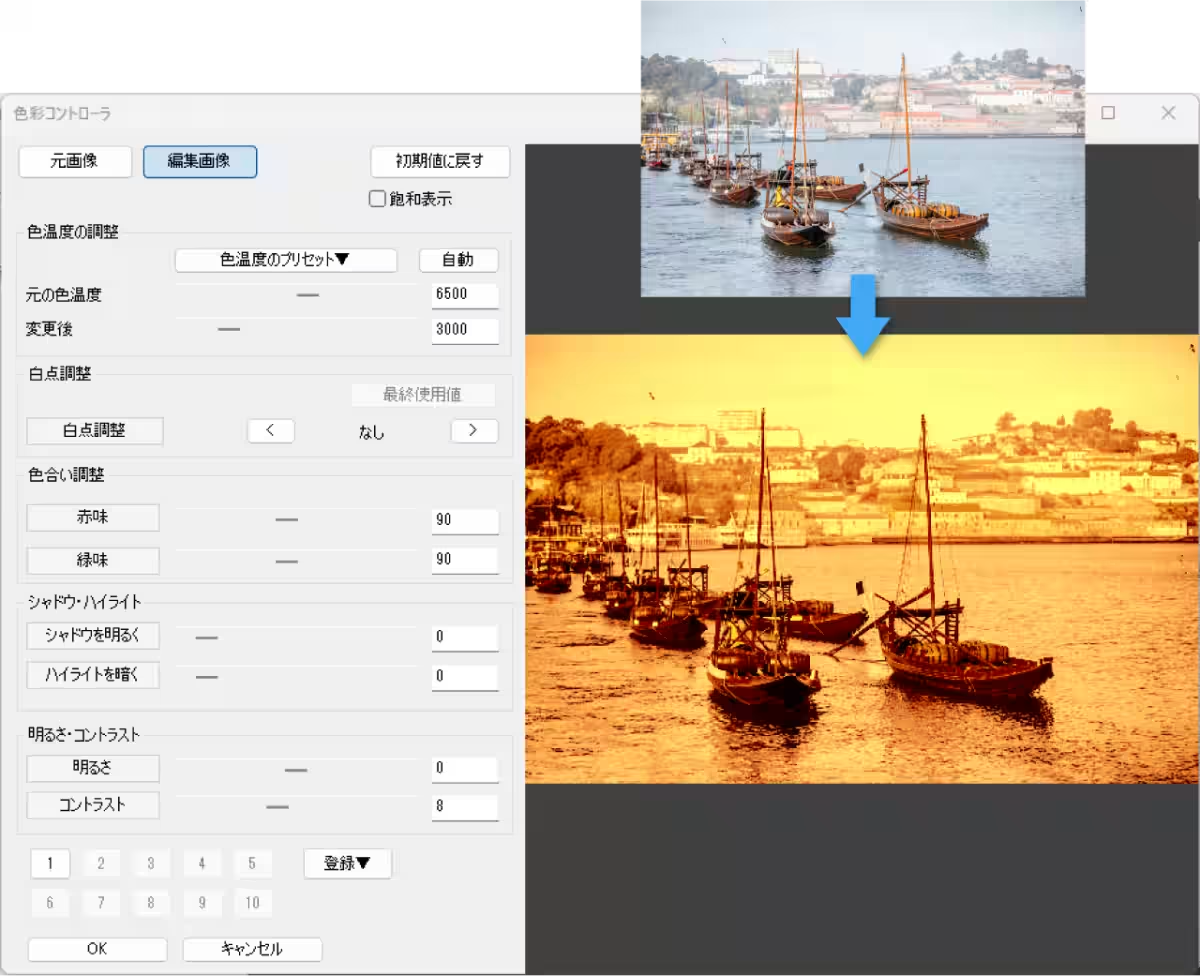
2. Custom Color Adjustments
Users can modify their photos' overall ambiance through new correction filters, tailoring the color tones to suit personal preferences. Whether a bright and fresh look is desired or a more subdued tone, Photo Eraser 7 offers options for various styles.
3. Resizing and Resolution Options
The software allows users to adjust the size and resolution of images tailored to specific needs, such as social media posts or archival purposes. It even includes an

Topics Consumer Products & Retail)
【About Using Articles】
You can freely use the title and article content by linking to the page where the article is posted.
※ Images cannot be used.
【About Links】
Links are free to use.