



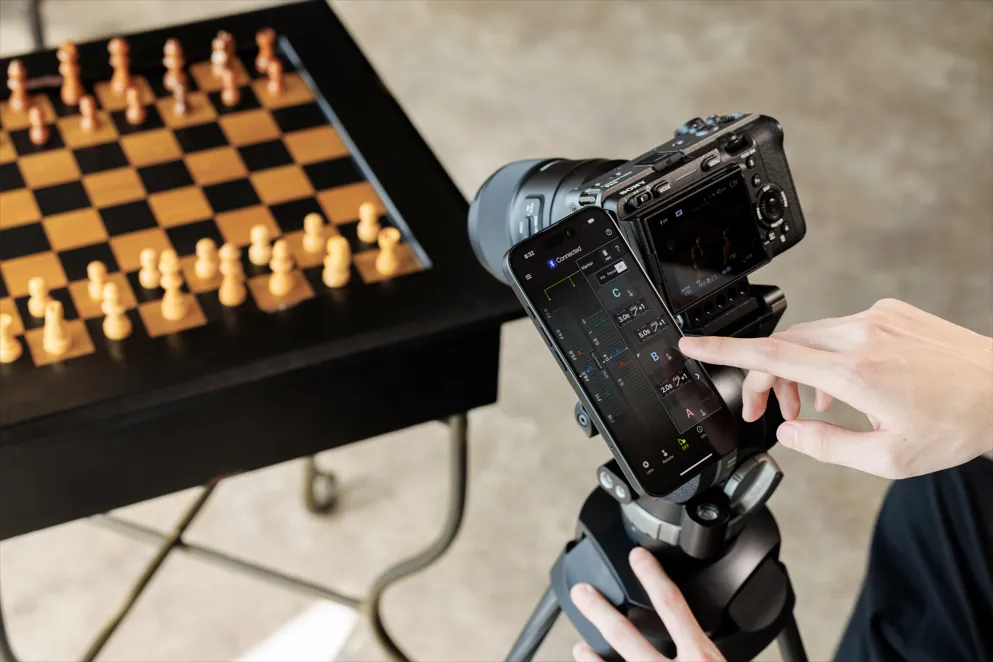
TAMRON Announces Version 5.0 Update for Lens Utility Application to Enhance Creativity
TAMRON Lens Utility™ Version 5.0 Update
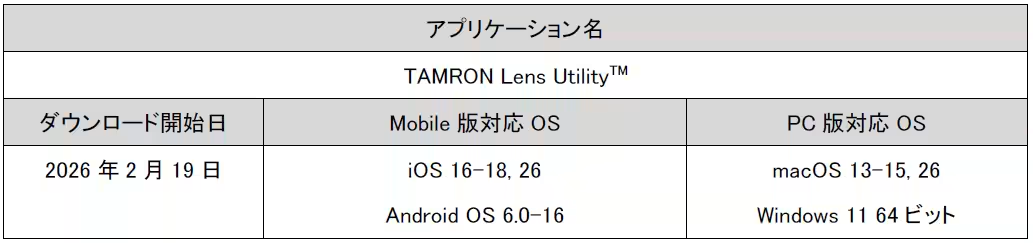
TAMRON Co., Ltd., headquartered in Saitama City, is set to enhance the creative potential of photography and videography with the announcement of the update for its unique TAMRON Lens Utility™ application (available on both mobile and PC). Version 5.0 will be available for download starting February 19, 2026, and includes various new features aimed at making the user experience more convenient and creative.
Key Features of TAMRON Lens Utility Version 5.0
Focus & Iris Marker Link
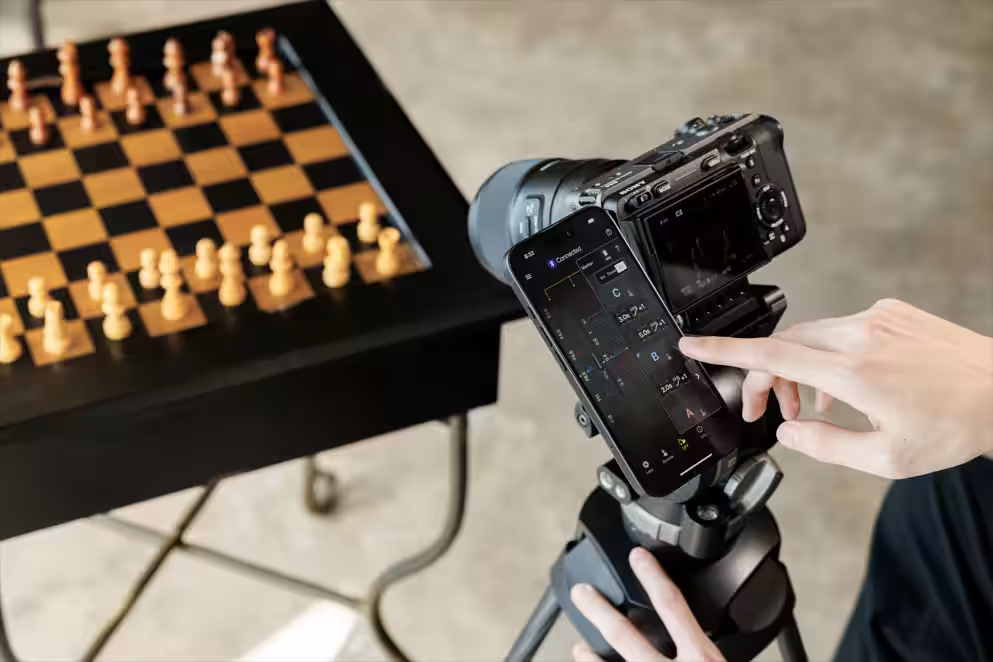
This new feature allows users to set markers on both the focus and iris rings, in addition to the traditional focus marker. Using the Digital Follow Focus (DFF) screen, users can easily adjust both focus and aperture with a single tap to their designated marker positions, enabling quick transitions during shoots.
Ring Stopper
The Ring Stopper feature allows users to electronically set limiters on the focus and iris rings to prevent overshooting or undershooting during operation. This ensures precise manual control and avoids errors when adjusting both settings simultaneously on the DFF screen.
Ring Rotation Angle Settings
Users can now adjust the rotation angles of the focus and iris rings to suit their shooting needs. This feature grants flexibility during manual operation, allowing photographers to execute their creative visions accurately.
Focus Timelapse
The app now supports interval shooting, facilitating the creation of timelapse photography where the focus position can be gradually adjusted for stunning effects.
Astro Focus Lock (Astro FC-L) Micro-Adjustment
This function simplifies focusing in astrophotography by providing micro-adjustment capabilities, where users can fine-tune and save focus settings according to their shooting environment and intent.
Night Mode
With the Night Mode activated, the screen will display a red tint, minimizing eye strain in low-light situations while being considerate of other photographers in the vicinity.
Download Information
You can download the iOS version of the app here. For the Android app, visit this link. Users looking for the PC version can download and find installation instructions here.
Important Notes for Users
1. Connection and Usage Environment
- For using the app on iOS devices, a separate TAMRON-LINK (Model TL-01) is required.
- For Android devices, either TAMRON-LINK (sold separately) or the TAMRON Connection Cable USB Type-C to Type-C (Model CC-350) is necessary.
- A TAMRON Connection Cable USB Type-A to Type-C (Model CC-150) or USB Type-C to Type-C (Model CC-350) is needed for PC connections.
- Please note, the application’s functionality is not guaranteed on all devices.
2. Firmware Update
- Ensure that the firmware of compatible lenses is updated to the latest version when using the TAMRON Lens Utility. The mobile version does not support lens firmware updates. Please use the PC version for that.
- Firmware update information can be found on the support page at TAMRON Support.
3. Compatible Lenses
- Check the compatible lenses list for details.
- Firmware updates supporting the Lens Utility Version 5.0 for specific lenses are expected to be released in Spring 2026. Connecting Version 5.0 with incompatible lens firmware will limit users to functions available in Version 4.0 only.
Target Products:
- 28-75mm F/2.8 Di III VXD G2 (Model A063) for Nikon Z mount
- 35-150mm F/2-2.8 Di III VXD (Model A058) for Sony E mount
About TAMRON Co., Ltd.
TAMRON is a comprehensive optical equipment manufacturer providing a wide range of optical products, from digital interchangeable lenses for single-lens reflex cameras and OEM products to innovative optical products that contribute to various industrial fields. With a commitment to environmental considerations in all aspects of its business activities, TAMRON aims to leverage its advanced technology and creativity throughout various industries.
For more information about TAMRON, please visit their official website at TAMRON Official Site.
Product Inquiries
For inquiries about products, reach out to the TAMRON Lens Customer Support at 0570-03-7070 (available at local call rates, weekdays from 9:30 AM to 6:00 PM, excluding weekends and holidays). If you are unable to use the navigation dial, please call 03-6703-6685.
Topics Consumer Technology)

【About Using Articles】
You can freely use the title and article content by linking to the page where the article is posted.
※ Images cannot be used.
【About Links】
Links are free to use.