



Experience the Future with Sanwa Supply's 10Gbps USB Type-C Hub Supporting 8K/4K Output
Sanwa Supply Launches Innovative 10Gbps USB Type-C Hub with 8K/4K Support
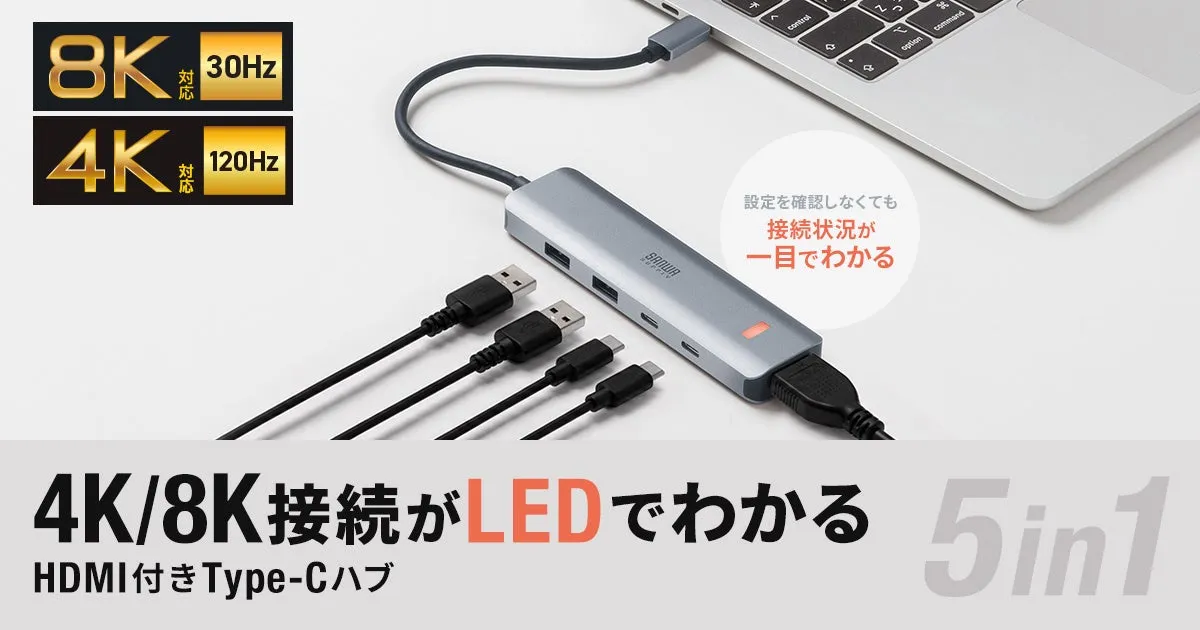
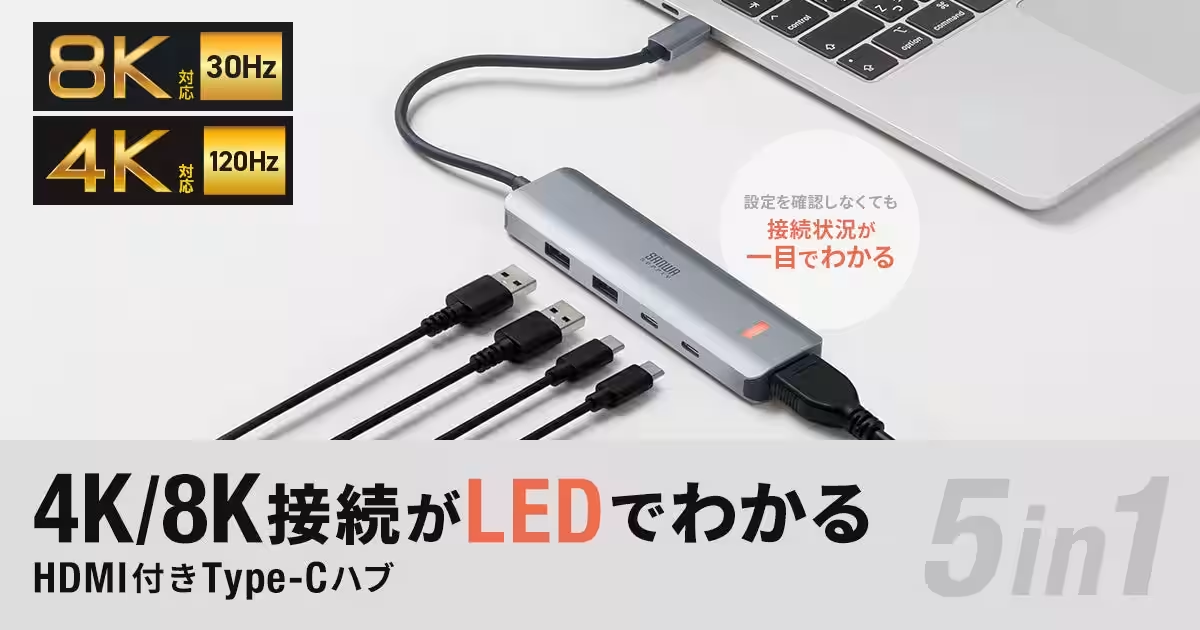
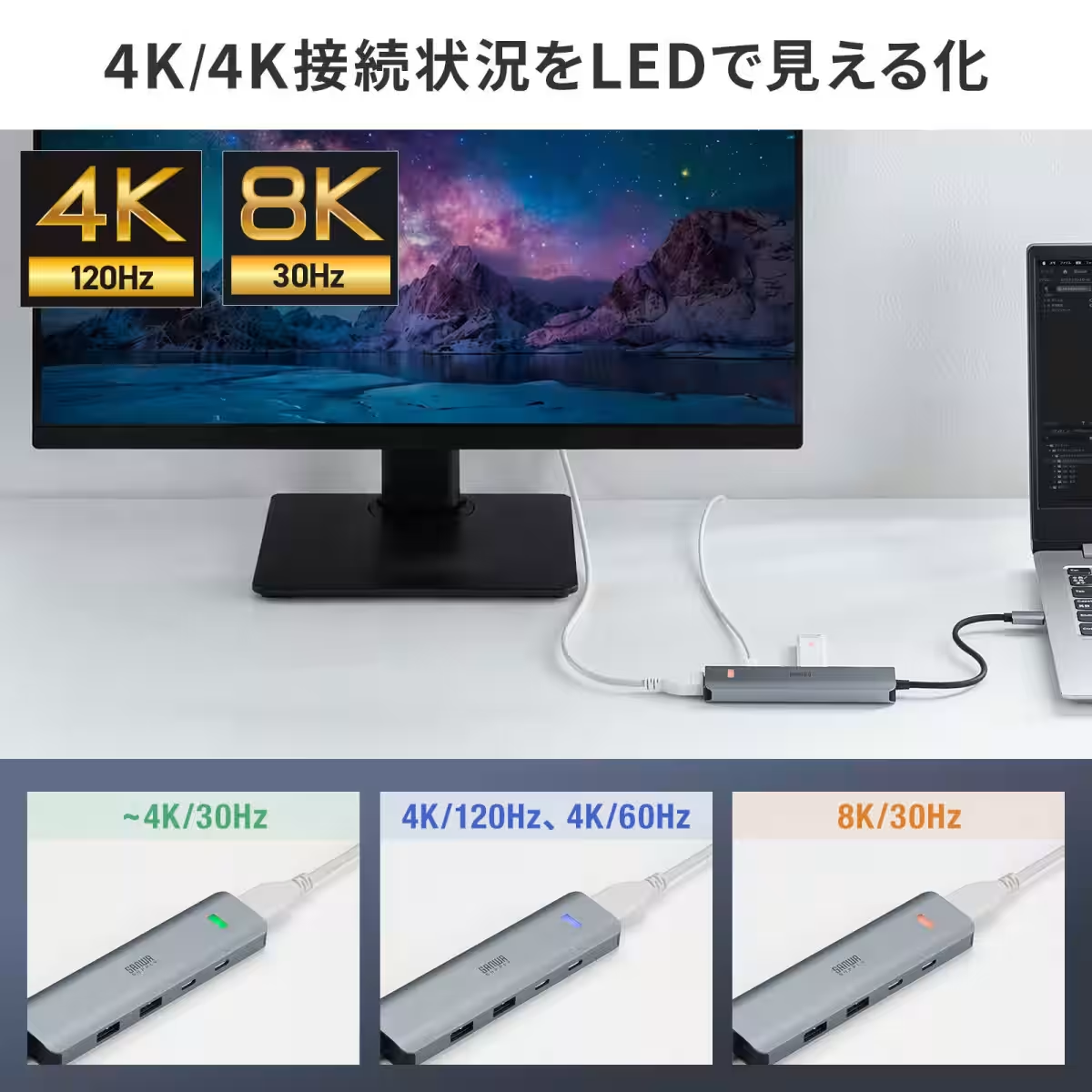
Sanwa Supply Inc., headquartered in Okayama, has recently introduced an impressive evolution in connectivity: the USB 10Gbps Type-C hub, model USB-10TCHPS39S. This new device stands out by supporting 8K/30Hz video output through an HDMI port, making it perfect for tech enthusiasts and professionals looking to modernize their setup.
Effortless Resolution Monitoring with LED Indicators
What sets this hub apart is its integrated LED feature that visually communicates the current display resolution — all without needing to dive into the settings. The LEDs change color based on the output resolution, allowing users to quickly ascertain whether they are running at 8K or 4K with just a glance. This means no more second-guessing whether your device is operating at optimum performance.
Perfect for Multi-Display Environments
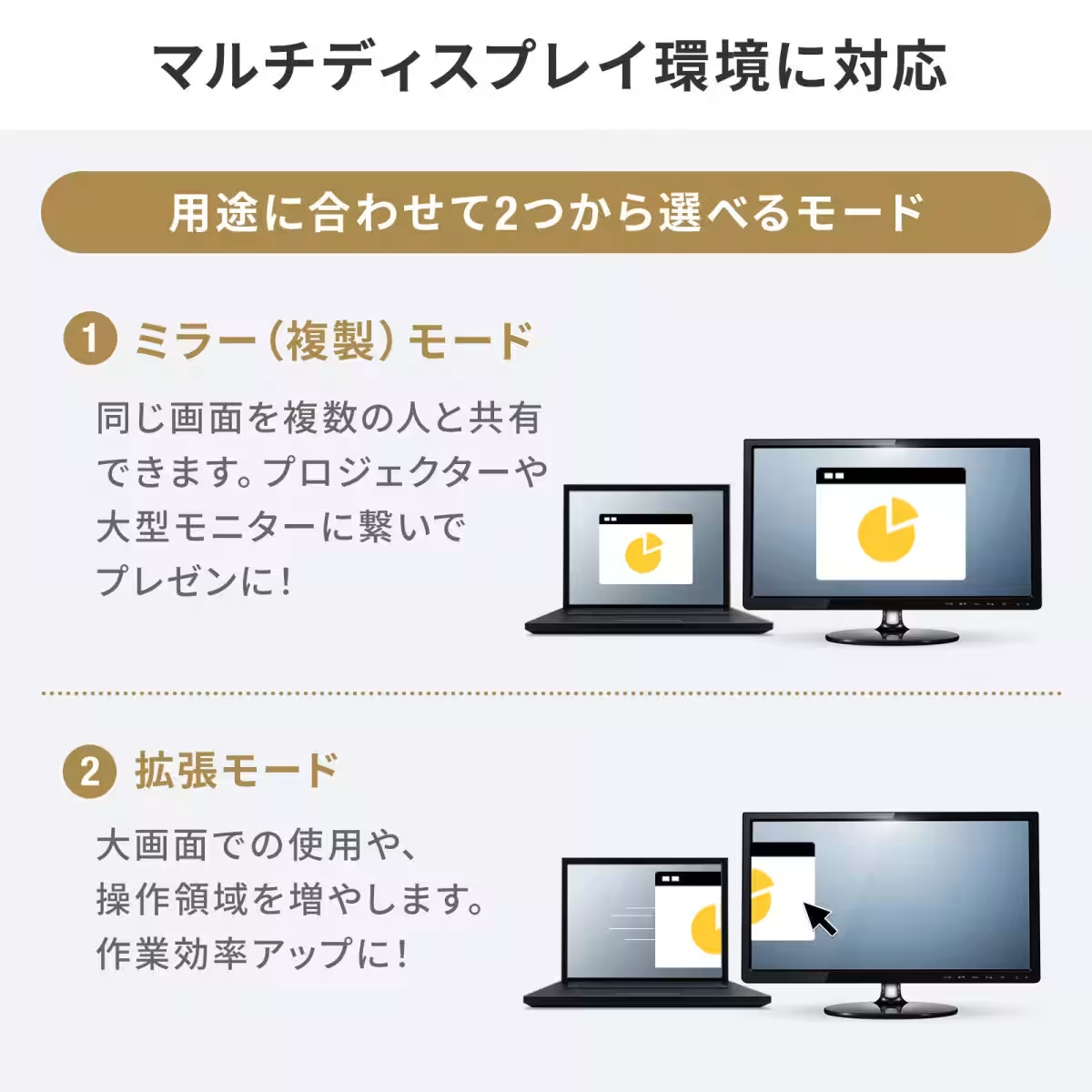
In today’s work environment, whether for design, gaming, or multitasking, multi-display setups have become increasingly popular. The Sanwa USB hub allows for seamless switching between mirror mode and extended mode, catering to various needs. Users can easily link up to multiple monitors, enhancing productivity and creating a versatile workspace.
Streamlined Connectivity with Type-C Port
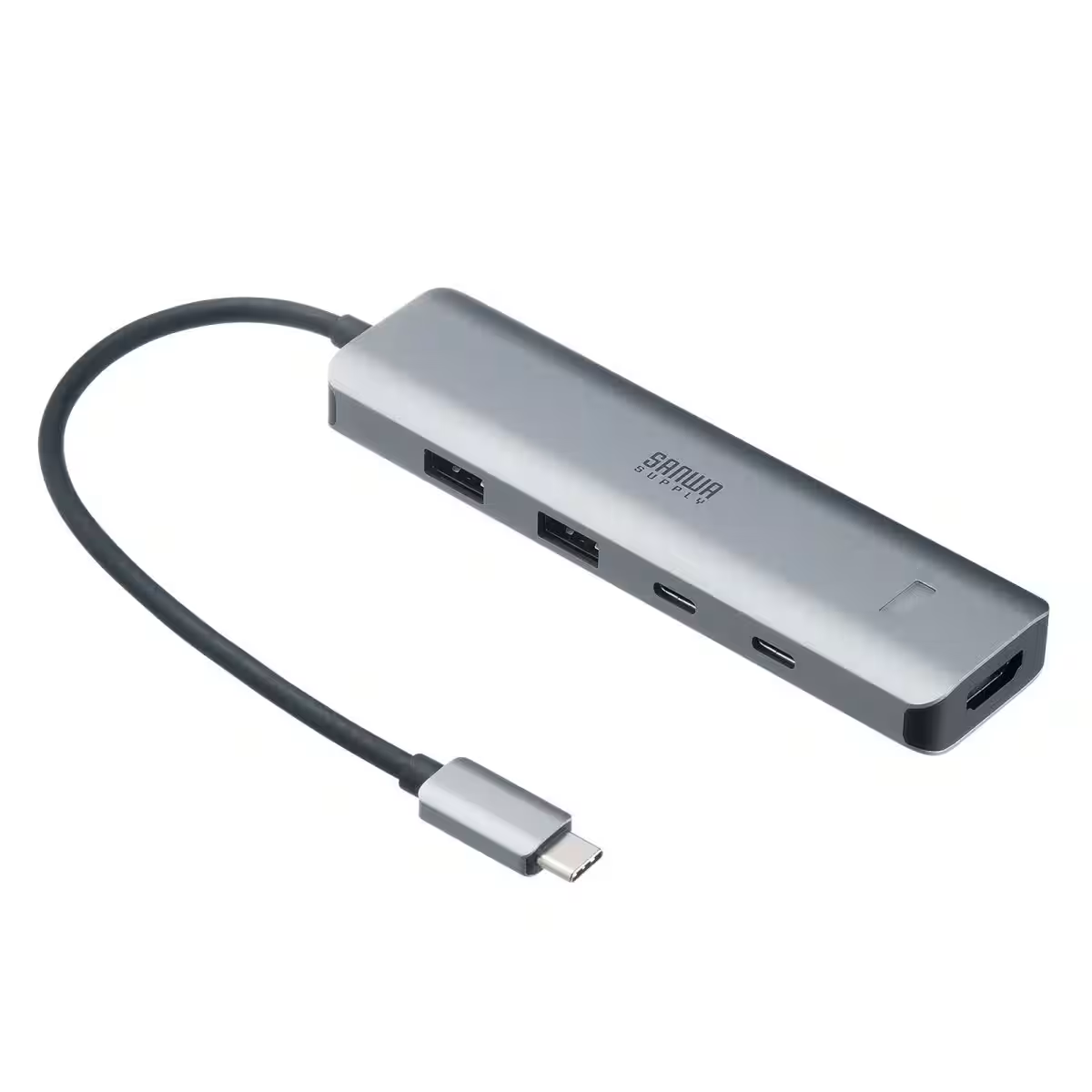
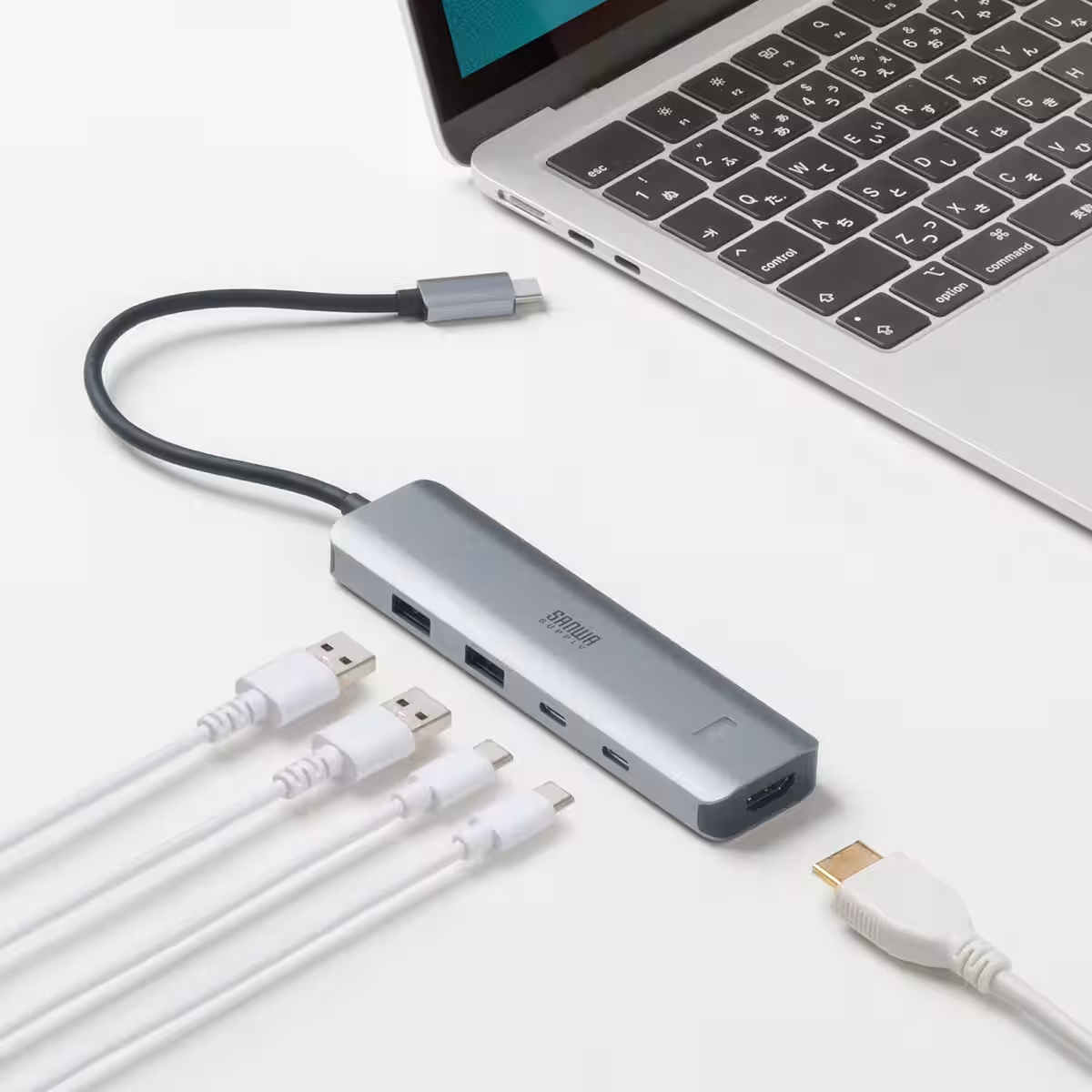
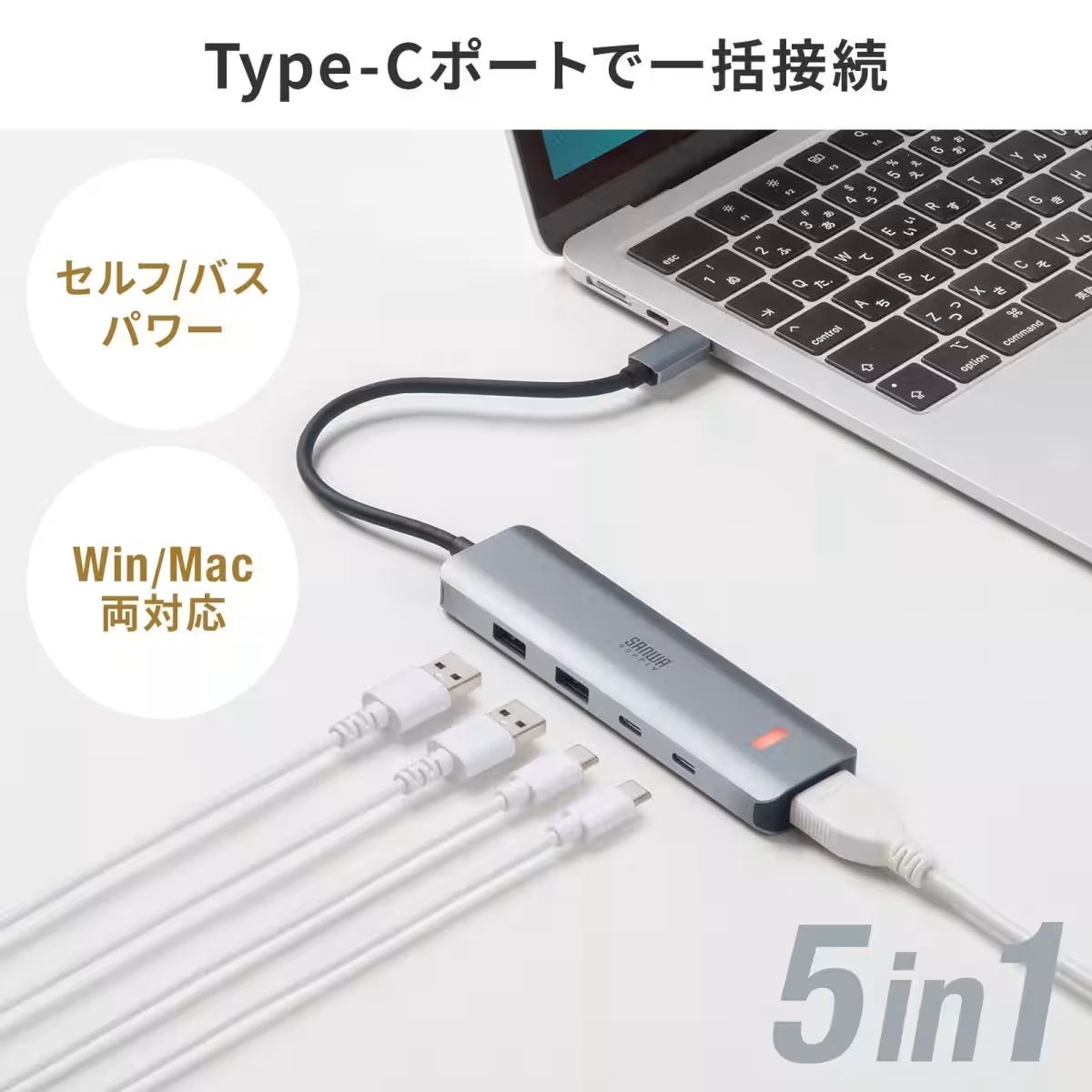
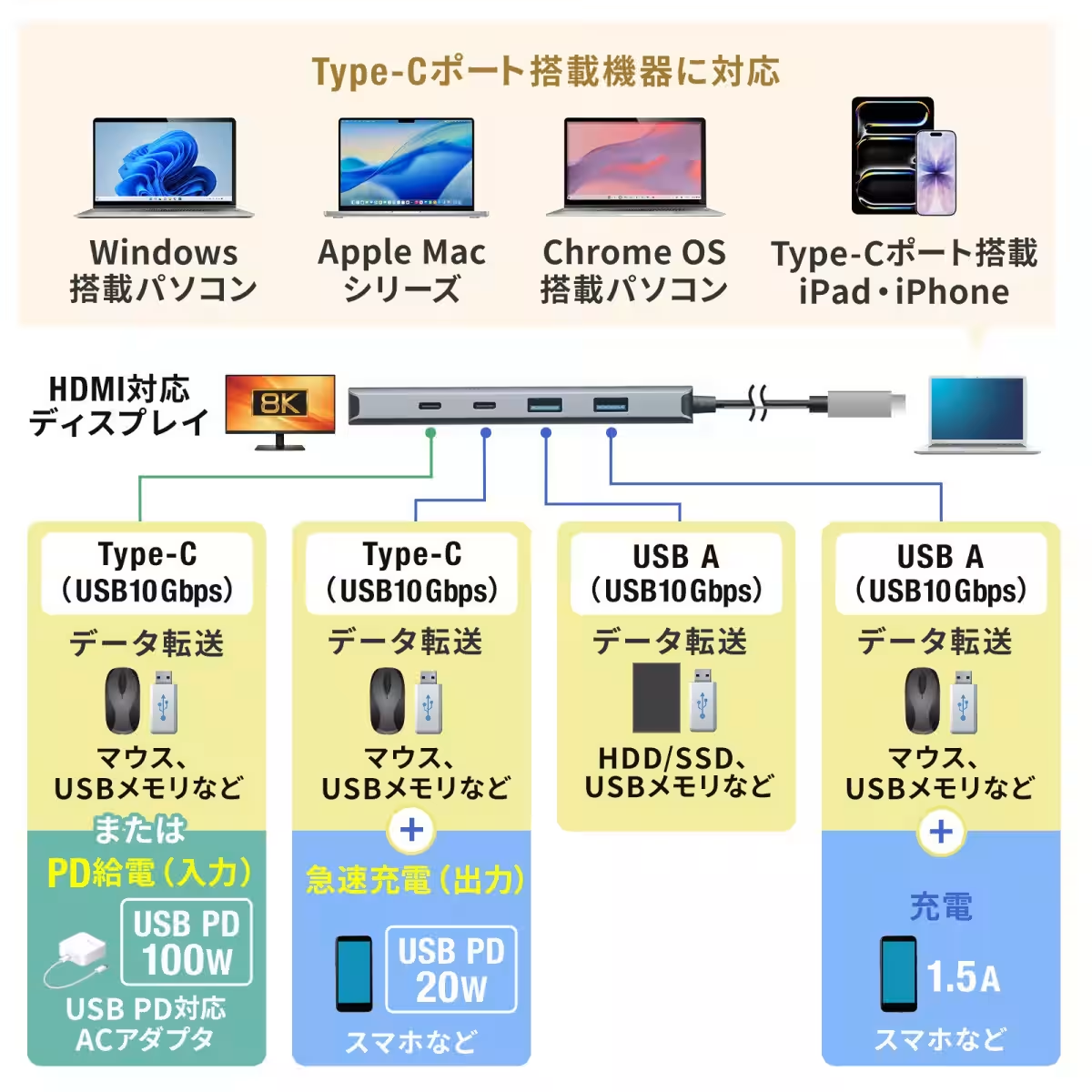
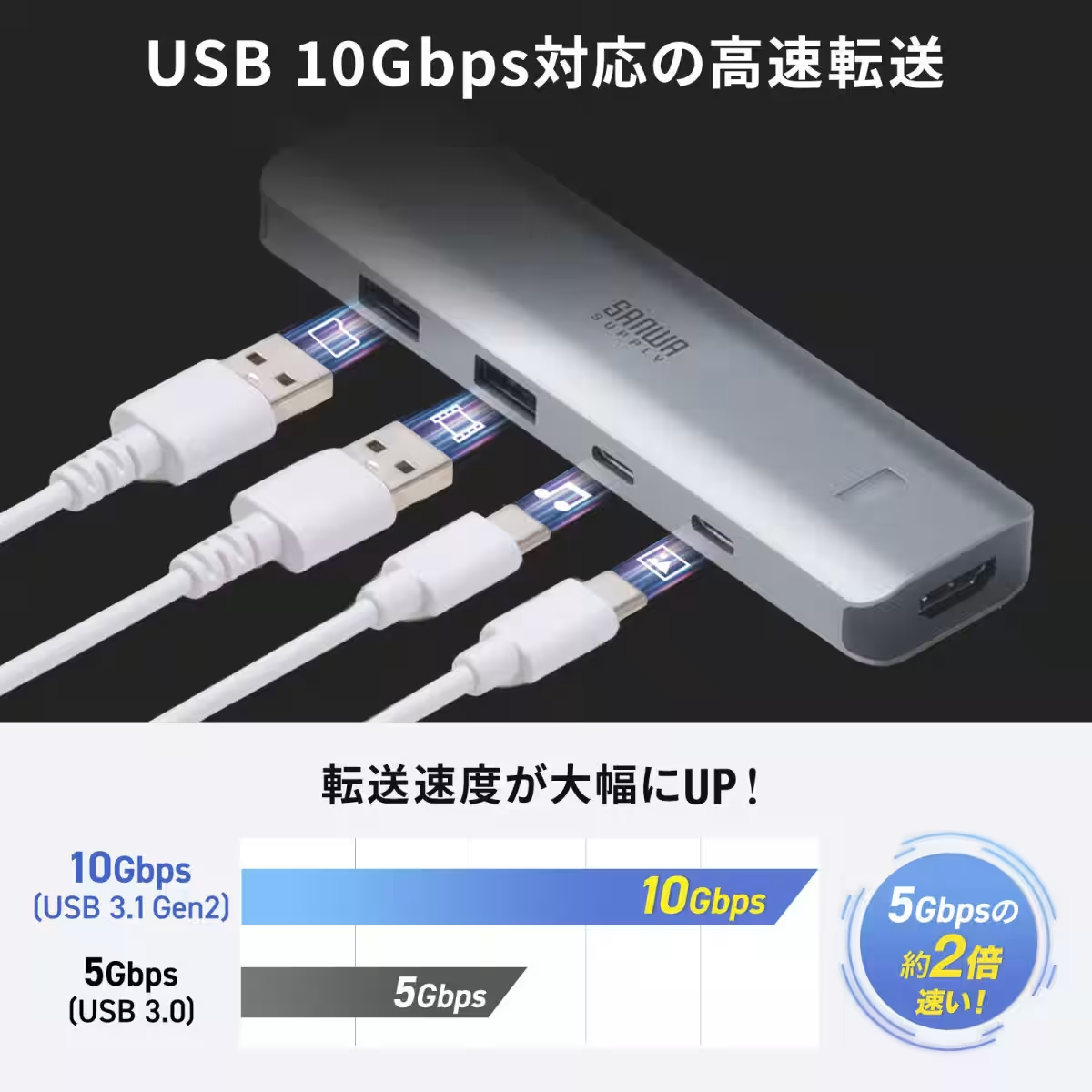
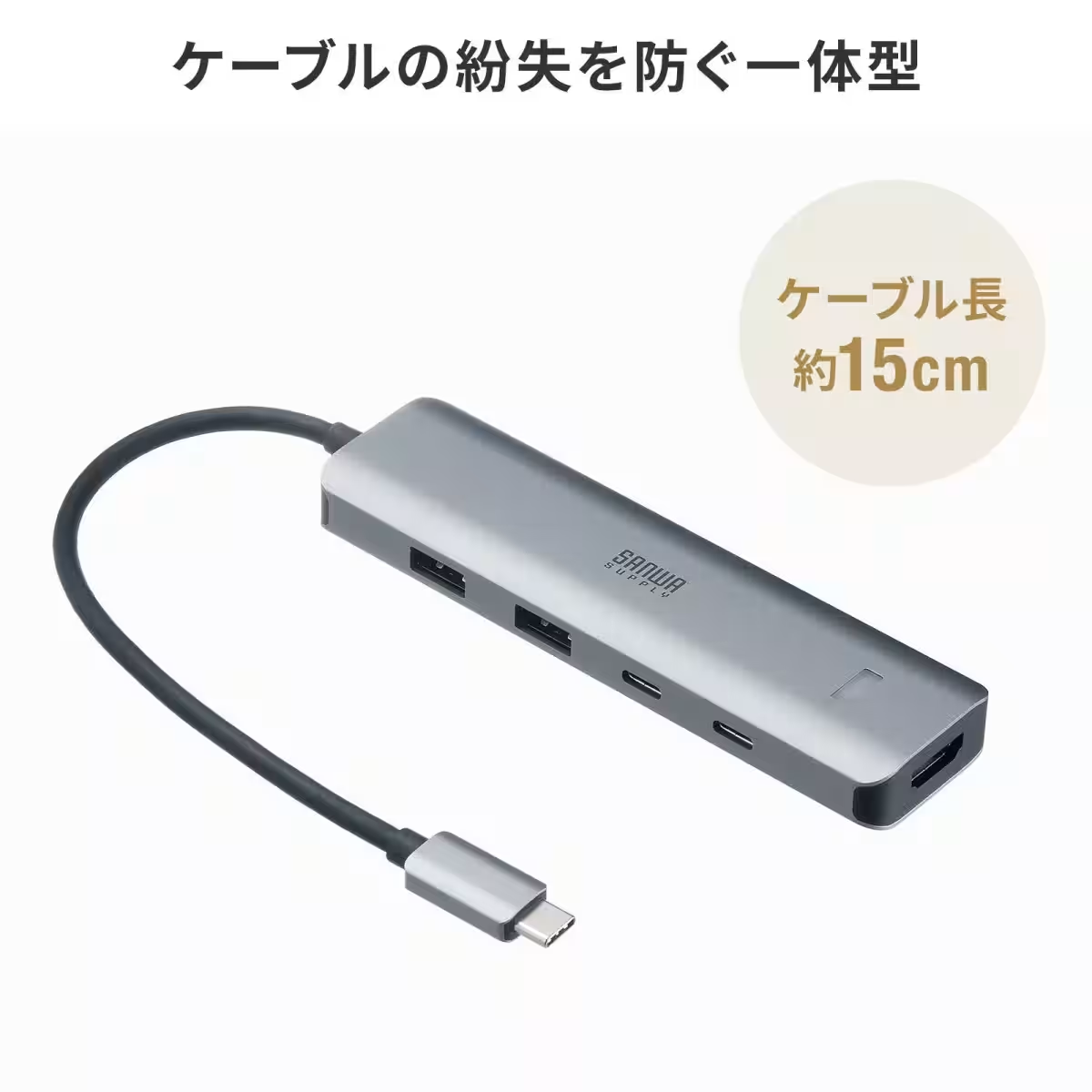
The USB-10TCHPS39S is not just about video output; it's designed for comprehensive connectivity. Featuring an HDMI port, two Type-C ports, and two USB A ports, this hub combines all your connection needs into one sleek device. This means users can connect a variety of peripherals while enjoying high-speed data transfers of up to 10Gbps, thus eliminating the clutter of multiple cables.
Powerful Power Delivery
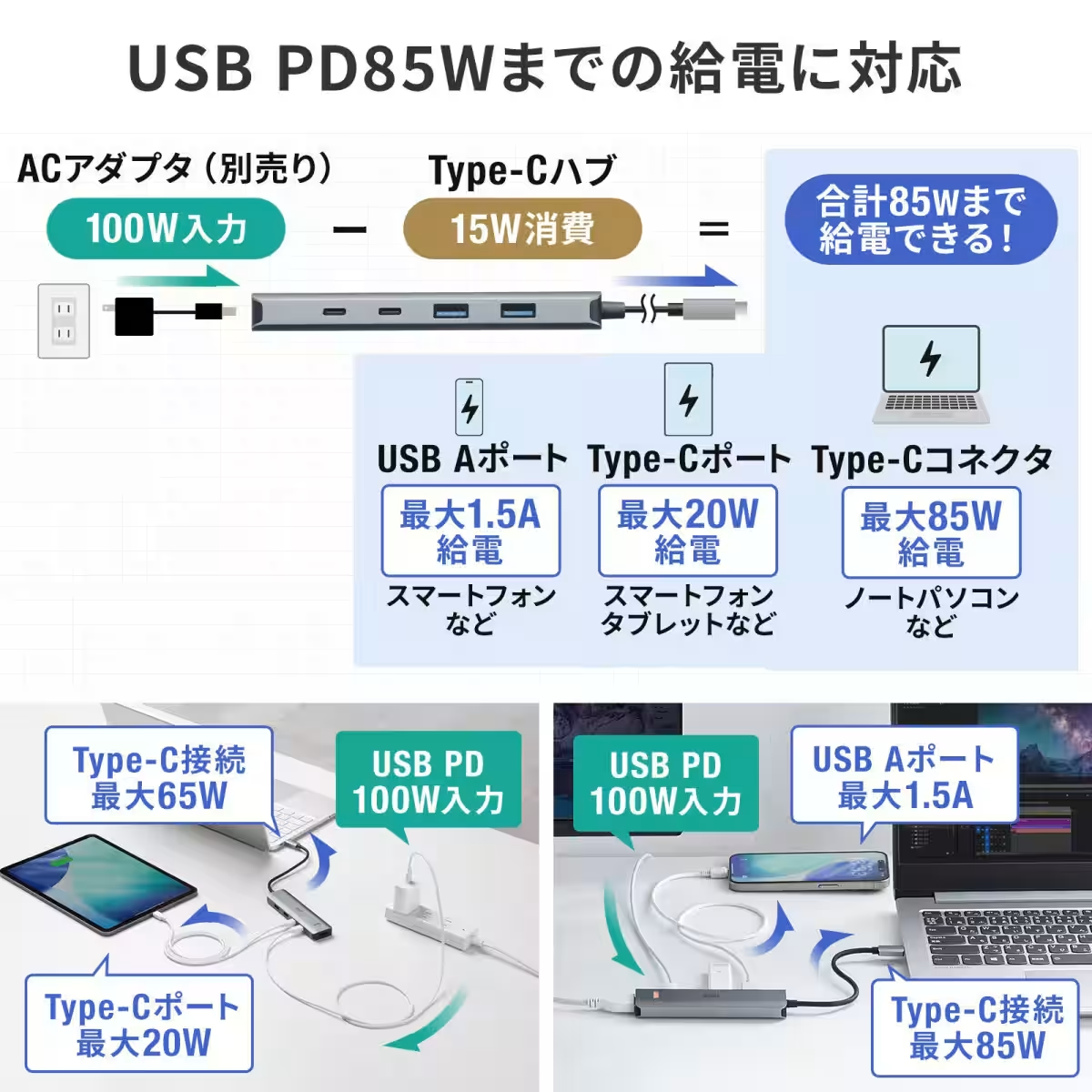
Another noteworthy aspect of this hub is its support for USB Power Delivery (PD) up to 85W. It includes one PD compatible port designed to charge laptops while simultaneously powering other devices through a separate Type-C port and a USB A port. This innovative functionality means you can efficiently charge your laptop and connect gadgets like smartphones or tablets without any hassle.
High-Speed Data Transfer at Your Fingertips
For professionals handling large files, the Sanwa hub is a game changer. With 10Gbps transfer speeds, you can rapidly exchange significant data or back up large media files without any interruptions or delays. Whether it's for photography, video production, or merely managing vast data sets, this hub doesn’t compromise on performance.
Compatibility with Ultra-Wide Monitors
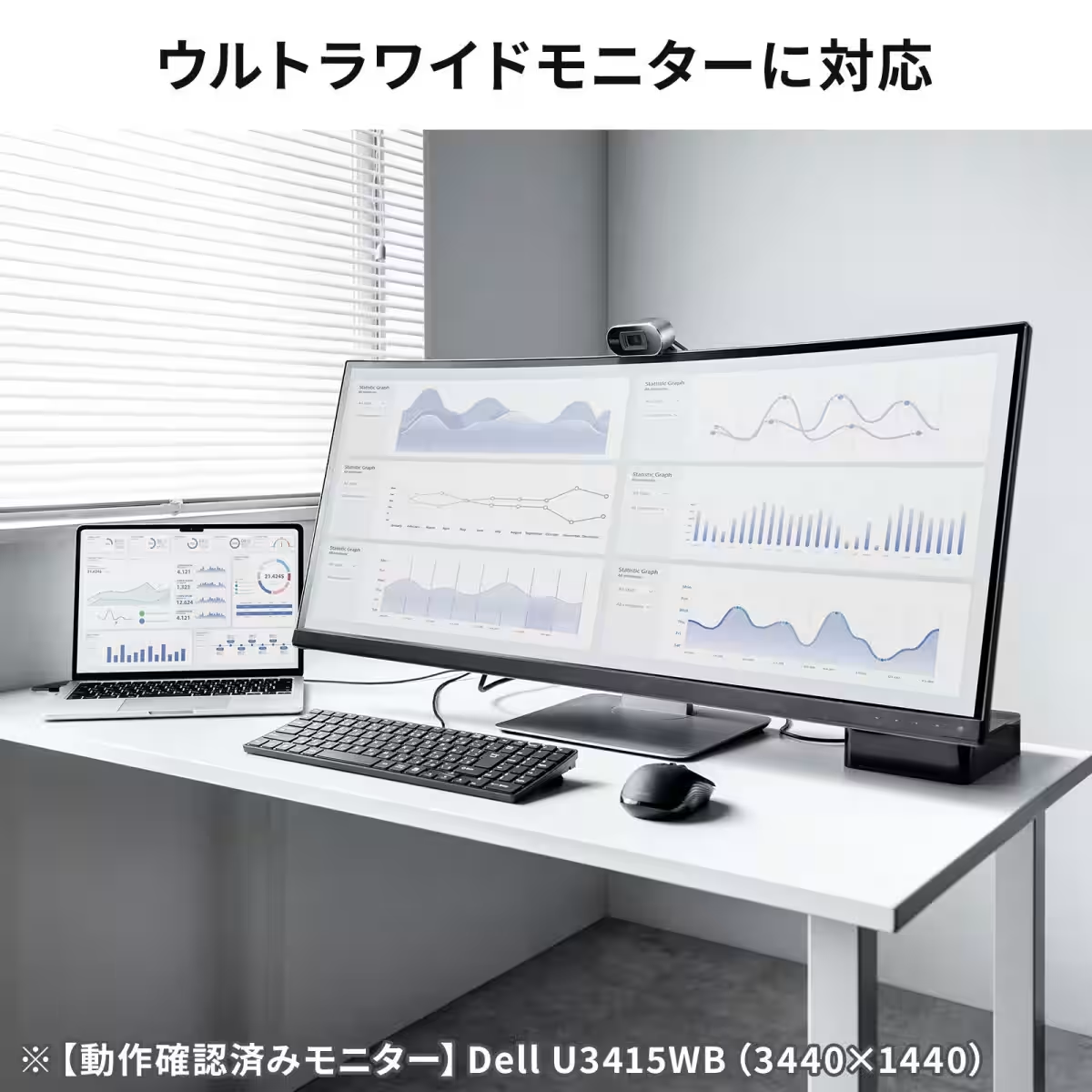
If you own an ultra-wide monitor, you’ll be pleased to know that this hub works seamlessly with UWQHD monitors (3440×1440). Not only can it manage output to ultra-wide displays efficiently, but it also minimizes desk clutter, ensuring that users have a clean workspace ready for optimal productivity. The hub has been successfully tested with models like the Dell U3415WB.
Ideal for Tablet Integration
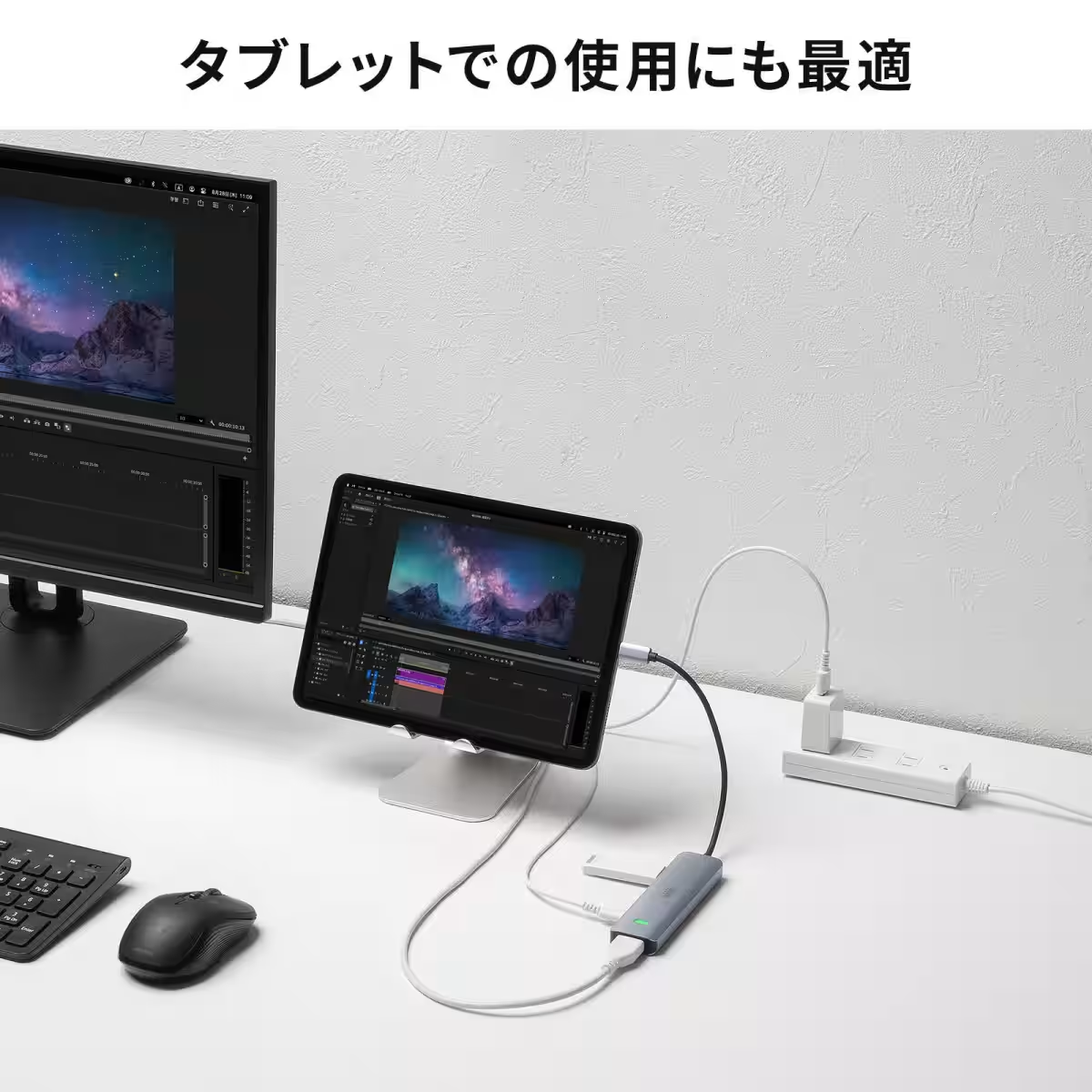
For those who enjoy utilizing tablets, this hub supports iPadOS, allowing you to use your iPad as a secondary monitor. This adds an extra layer of versatility, enhancing user experience in both professional and creative workflows.
Compact Design for Increased Portability
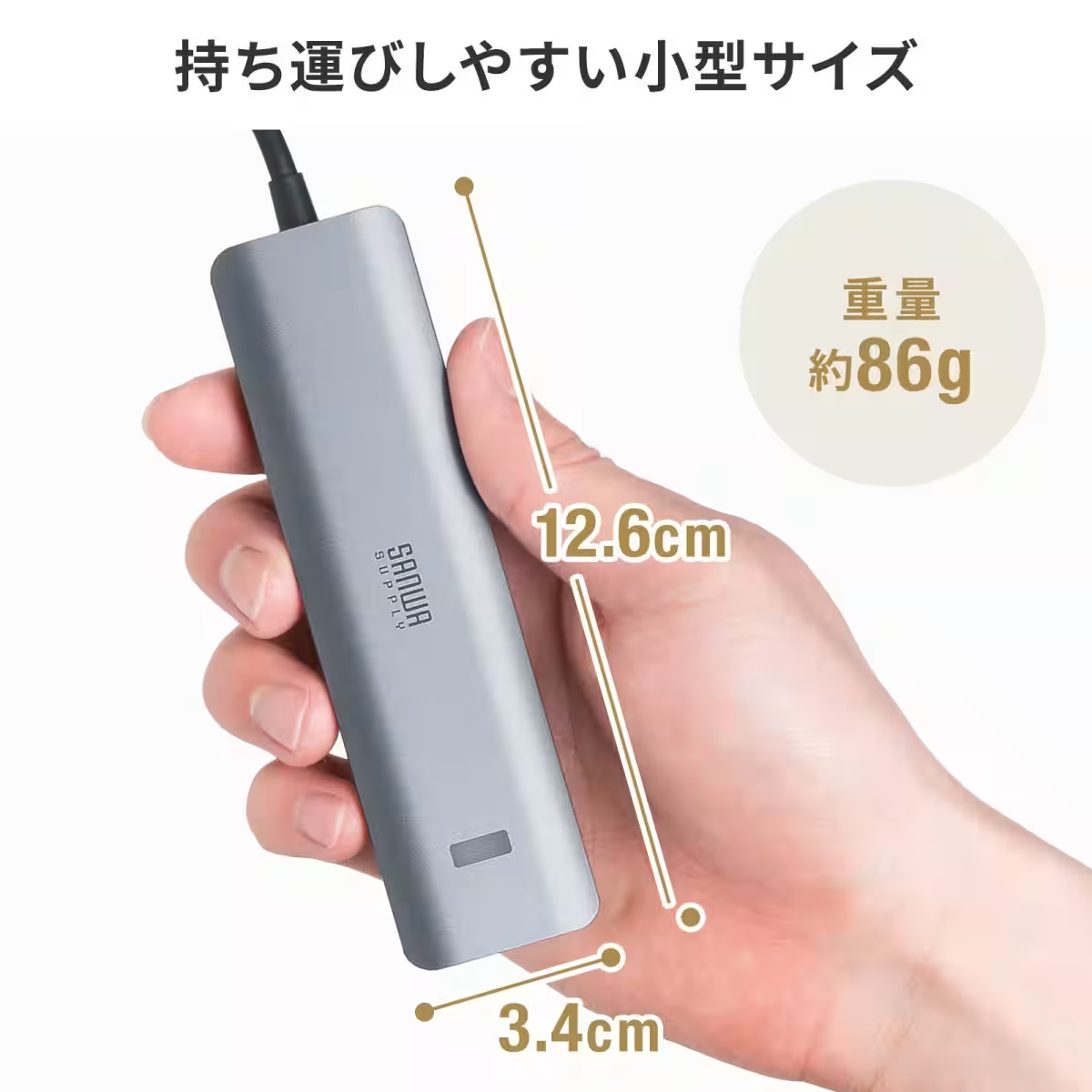
With its petite size, measuring only 15cm in cable length, this all-in-one device eliminates the risk of losing a cable that often accompanies traditional hubs. Its compact design makes it easy to carry around, ideal for users on the go or those who frequently shift their workstations.
In conclusion, the Sanwa USB 10Gbps Type-C hub is a robust solution poised to elevate connectivity in any tech setup. Its emphasis on high-performance standards coupled with user-friendly features makes it a must-have for anyone looking to enhance their digital workspace.
For more information, visit Sanwa Supply or shop directly at Sanwa Direct.
Topics Consumer Technology)
【About Using Articles】
You can freely use the title and article content by linking to the page where the article is posted.
※ Images cannot be used.
【About Links】
Links are free to use.