



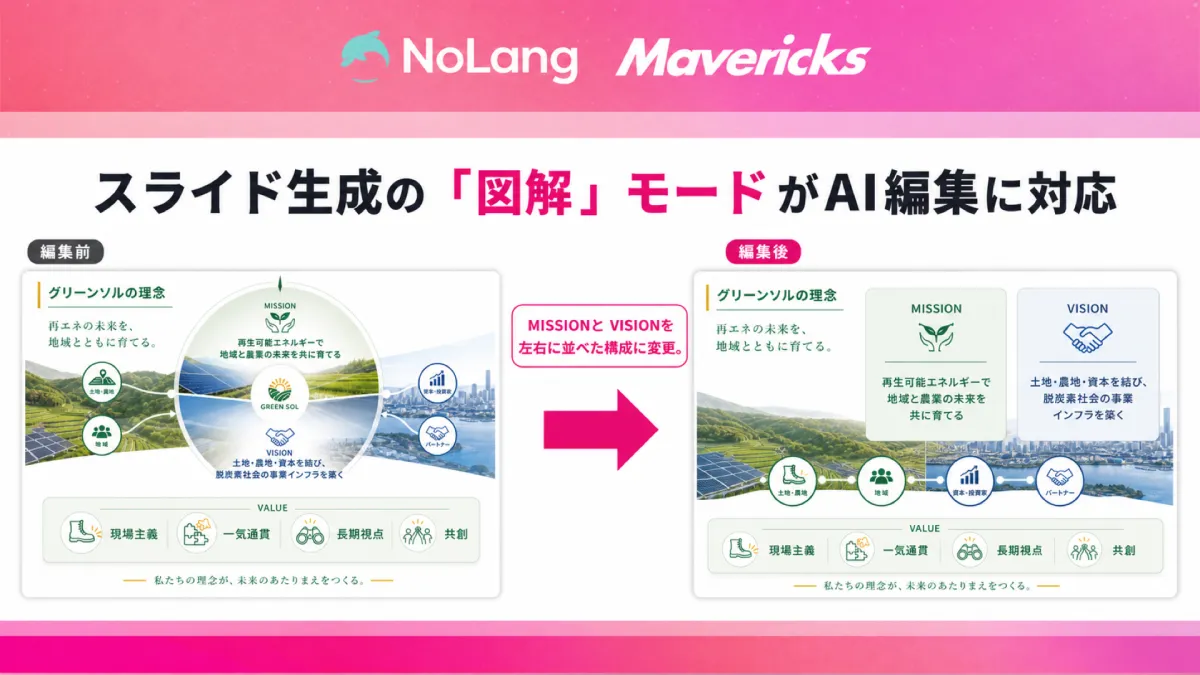
Revolutionizing Slide Creation: Mavericks Introduces AI Editing for NoLang's Visualization Mode
Mavericks Enhances NoLang with AI Editing Feature
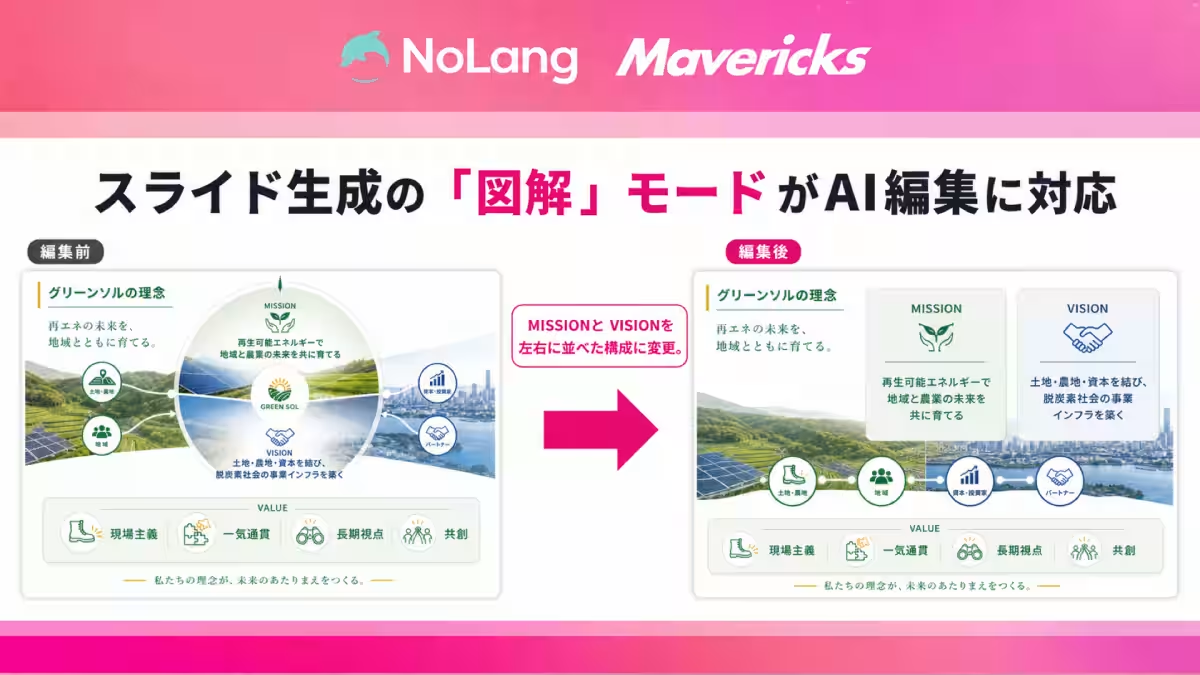
Mavericks, a noteworthy player in the AI landscape, has recently upgraded its video generation AI, NoLang, by introducing an innovative AI editing feature for its slide generation capabilities. This new functionality, specifically tailored for the "Visualization" mode, allows users to make page-specific modifications and add new slides using simple Japanese commands. This marks a significant step forward for anyone looking to create visually appealing presentations without the hassle of complicated design tools.
Introduction to NoLang's Slide Generation Feature
The essence of NoLang's slide generation lies in its ability to create presentation materials effortlessly. Users can either input text or upload PDFs, and the AI swiftly assembles slides. The platform offers three modes based on user needs: Fast Mode, which facilitates quick slide creation; Visualization Mode, which emphasizes graphic-heavy slides; and PPTX Mode, designed for seamless conversion into PowerPoint format. Additionally, the AI can generate slides in various aspect ratios to fit different platforms, whether horizontal for presentations or vertical for social media sharing.
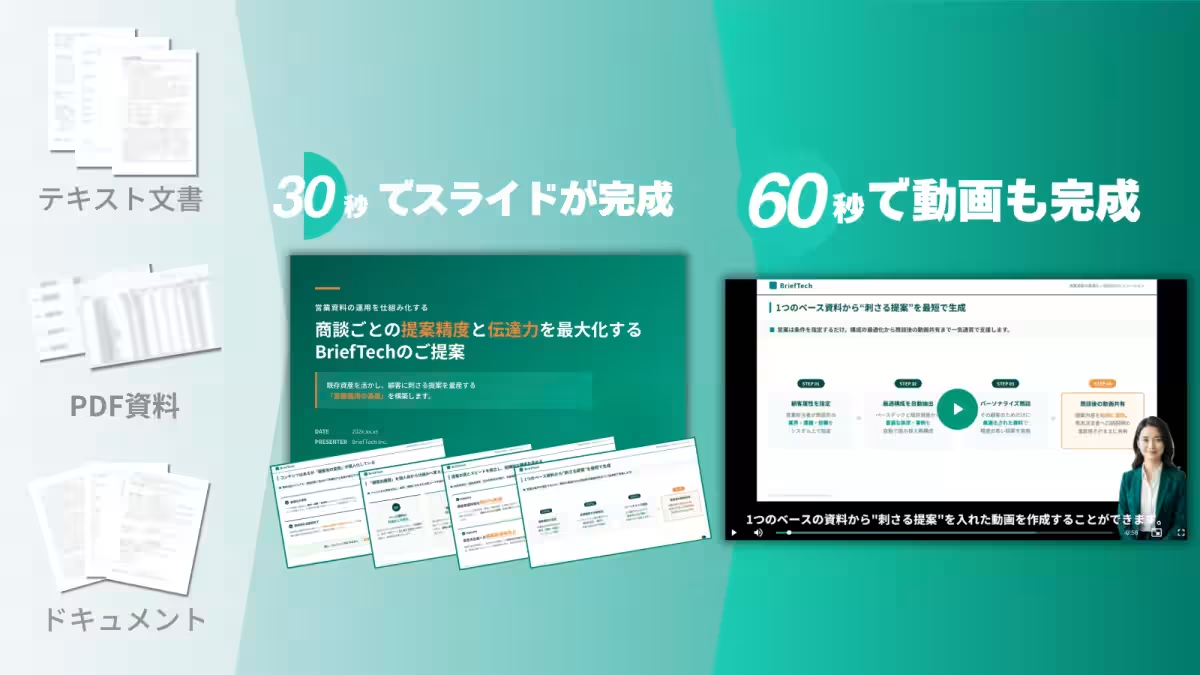
In just 30 seconds, a complete slide can be generated, followed by the ability to create a video from the slides in another 60 seconds. Notably, NoLang is specifically designed to accommodate Japanese text, minimizing issues common in foreign-made tools, such as font substitution or text misalignment that often occur with Japanese inputs. The end result is a polished slide product capable of being used directly in a business environment, without the need for extensive rework or manual adjustments.
The Speed and Efficiency of NoLang
One of the standout features of NoLang is its speed. Users can create a slide in approximately 30 seconds without needing detailed pre-planning on structure. With the AI-generated slide in front of them, users can refine ideas based on what is presented, facilitating an organic approach to creation.
Additionally, NoLang retains its roots as a video generation AI, allowing for the smooth transformation of created slides into videos. This connectivity alleviates fatigue from switching between different tools, streamlining the content creation process considerably.
AI Integration Marks a New Era for Material Creation
The adoption of generative AI for material preparation has become commonplace in many workspaces. According to a survey by the Ministry of Internal Affairs and Communications in Japan, 47.3% of businesses reported using generative AI for assistance with emails, minutes, and material creation. This trend sees teams drafting initial frameworks using AI before enhancing them with human input.
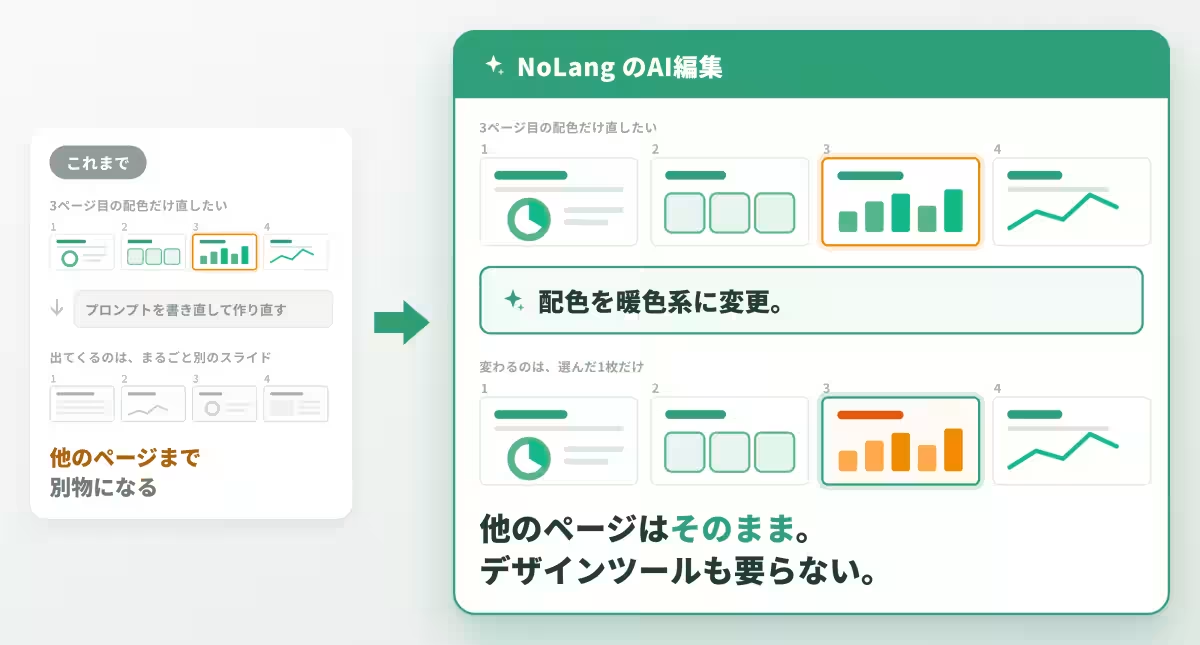
However, challenges frequently arise during the editing phase when human intervention is needed. If there are problematic areas in an AI-generated document, users often have no option to adjust just that section, resulting in the frustrating dilemma of either starting over or manually correcting each element. Particularly for slides that prioritize visuals, even minor changes in color schemes could necessitate a full redesign or the use of additional design tools. This situation contrasts sharply with the newly enhanced Visual Mode, which allows for targeted edits and revisions via AI-driven commands.
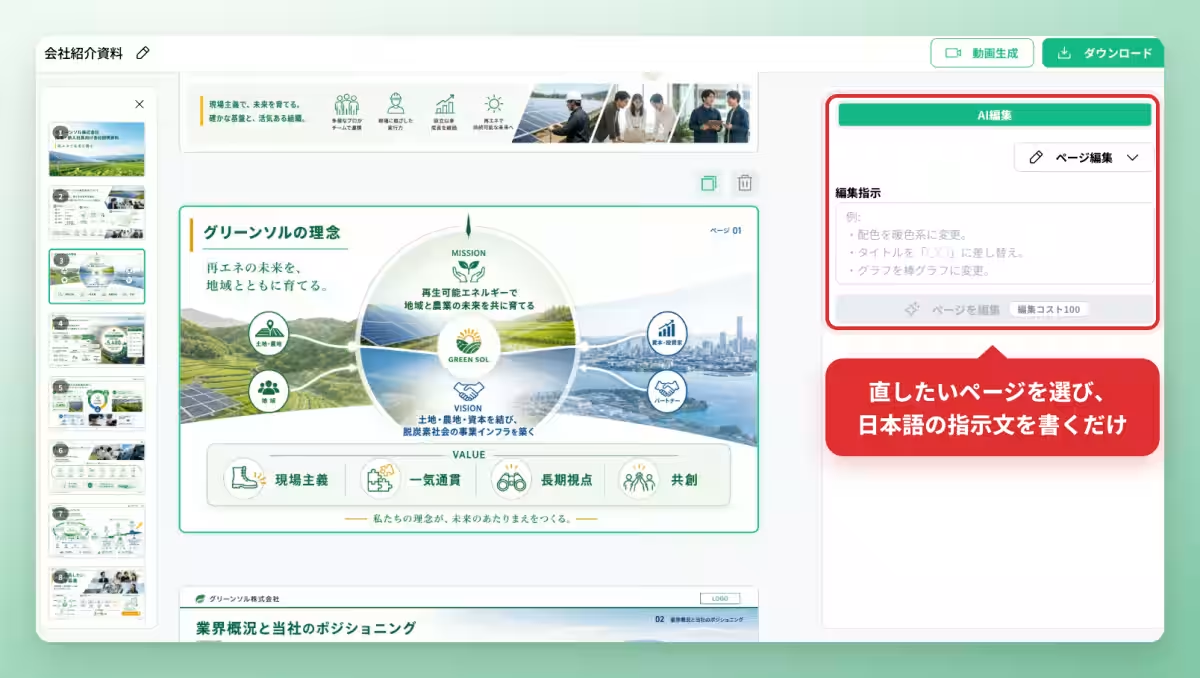
With the new update, users can now directly edit slides created in Visualization Mode, drastically improving the AI editing experience previously limited to Fast Mode. This means a user can now modify specific pages or insert new slides simply by providing Japanese instructions.
Precision Editing with AI
In the Visualization Mode, once a slide is generated, an editing sidebar appears offering the option for AI editing. Users need only select the slide they wish to amend and input their desired changes in Japanese. Instructions like "change color scheme to warm tones" or "replace the title with 'XXXX'" can be executed with just one line of text, making adjustments straightforward without needing to overhaul the entire presentation.
This feature enables users to methodically refine slides, allowing for easy iteration on a specific page, such as adjusting colors or graph types, without losing the integrity of the rest of the presentation. Such adjustments can be made without prior knowledge of design tools, making it accessible for those who might not have a dedicated design team available.
Adding and Rearranging Pages with Ease
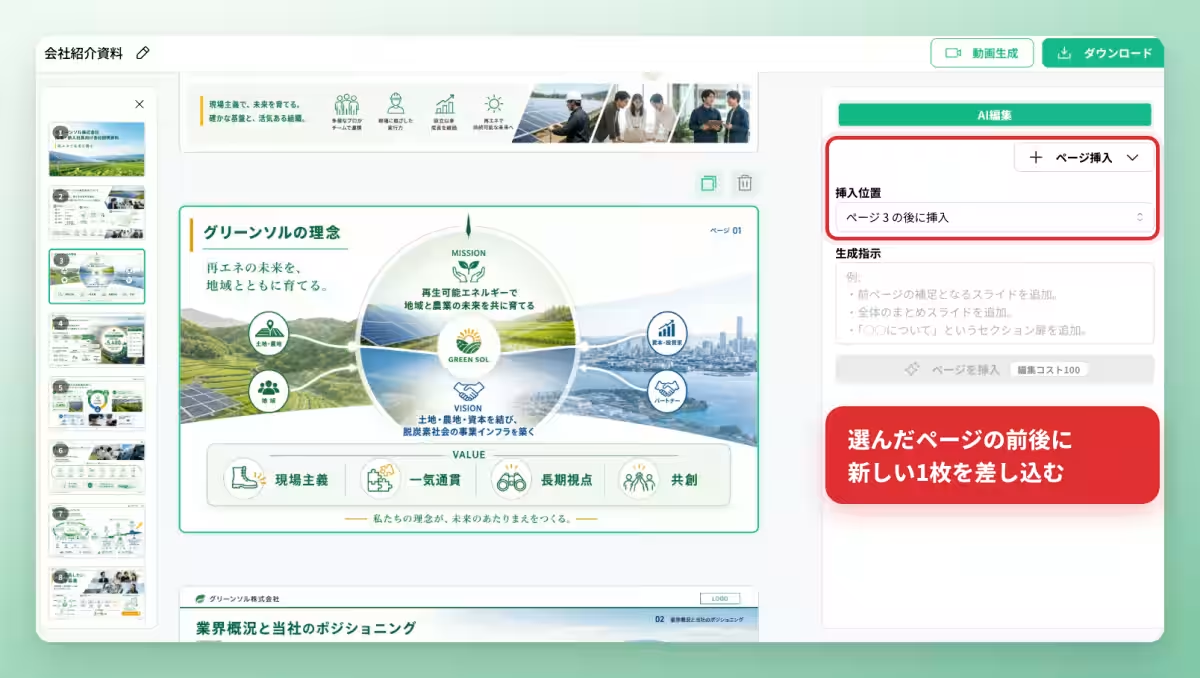
The AI editing capabilities extend beyond simple corrections; users can also add additional pages. By providing directives in Japanese regarding what new content is needed, users can seamlessly insert new slides while maintaining the design consistency of existing materials. For example, commands like "add a slide summarizing previous content" or "insert a section header slide" can be executed easily. This flexibility ensures the continuity and flow of information without the need for additional adjustments post-generation.
This feature alleviates the pressure of achieving the perfect initial output. By generating slides first and making iterative enhancements based on feedback, the workflow closely mirrors real-world processes in material preparation.
Streamlined Collaboration and Feedback Implementation
Visualization Mode is particularly beneficial for creating visually organized materials, whether they be service brochures, internal proposals, or training resources. The recent AI editing enhancement means that the independent work cycle of "drafting, reviewing, and revising" can now be directly integrated into business processes.
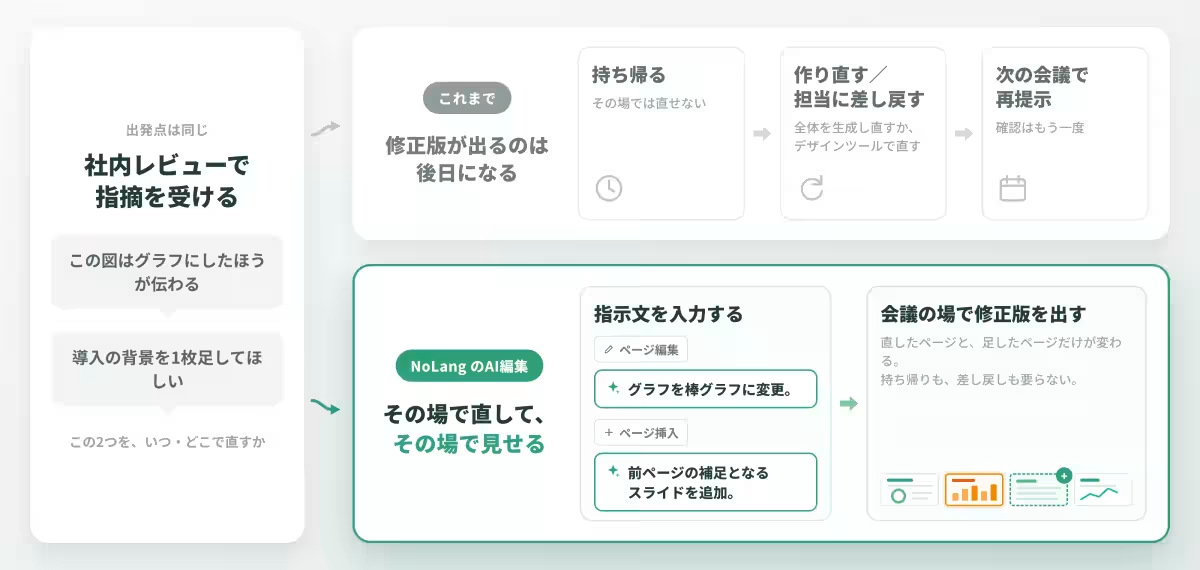
For instance, if a team identifies areas for improvement during a review, such as suggesting that a graphic be converted into a chart, users can promptly address this by entering the necessary edits without needing to restart the project or revert to design personnel.
The outcome allows for immediate modifications in meetings, reducing the time required to implement feedback that previously might have required follow-up sessions. This capability is especially advantageous for small organizations or educational institutions that might lack dedicated design resources, enabling them to produce effective visual materials independently.
Moreover, the finalized slides can be downloaded as PDFs or directly converted into videos, effectively preparing both the presentation materials and corresponding explanatory videos in a unified workflow.
Looking Forward
The integration of AI editing capabilities in Visualization Mode represents a commitment from NoLang to enhance the overall user experience by ensuring that content creation is an interactive process. Rather than simply accepting AI-generated outputs, users can engage with the tool to refine their visuals further. Mavericks is eager to continue developing this feature based on user feedback, striving to make it possible for anyone to create compelling presentations with ease, regardless of their design expertise.
What is NoLang?
Launched in July 2024, NoLang is an innovative video generation AI that can create videos in seconds based on text, PDFs, or even URLs, as well as images, audio, and video files. Since its introduction, NoLang has reached over 200,000 registered users and attracted more than 100 corporate clients, solidifying its position as one of the largest video generation AI products emerging from Japan. With an extensive library of over 100 avatars and 300 voice options, NoLang allows for personalized video creation at high quality without requiring specialized knowledge.
Contact Mavericks for More Information
Whether you're interested in NoLang for business, looking for ways to incorporate AI solutions into your organization, or seeking expert advice on system development tailored to your specific needs, Mavericks is here to support you. For inquiries and further information, please reach out directly via the provided contact methods.
Topics Consumer Technology)
【About Using Articles】
You can freely use the title and article content by linking to the page where the article is posted.
※ Images cannot be used.
【About Links】
Links are free to use.