



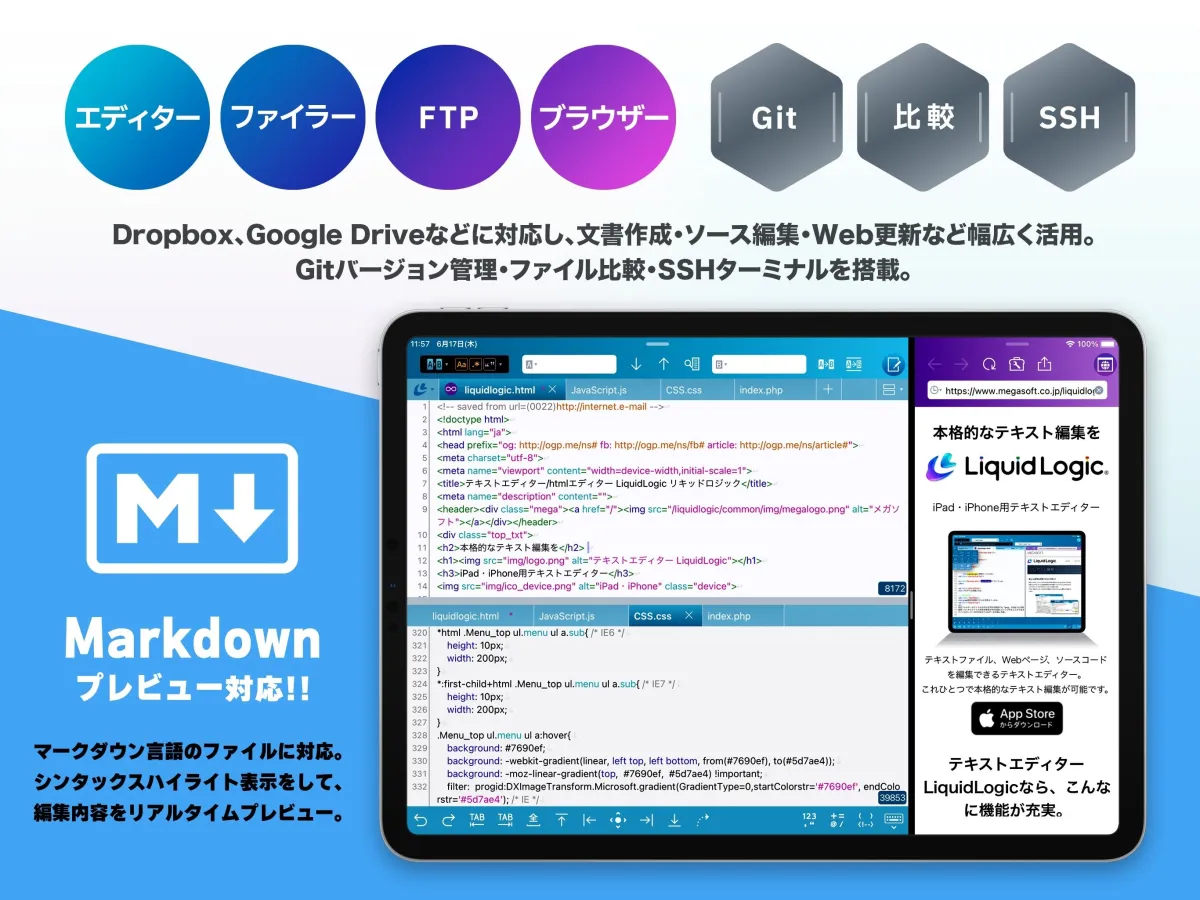
LiquidLogic Text Editor for iOS Now Supports Markdown Preview Feature
LiquidLogic: The Next-Gen iOS Text Editor
In an ever-evolving digital landscape, reliable tools for text editing are essential. Megasoft Corporation, based in Osaka, Japan, has met this demand with their iOS text editing app, LiquidLogic. Originally launched in May 2019, this powerful text editor has continuously enhanced its functionality to cater to users' needs.
Overview of LiquidLogic
LiquidLogic stands out as a versatile text editor capable of catering to various use cases, from simple note-taking to professional document preparation. It supports syntax highlighting for 15 programming languages, including HTML, Markdown, XML, CSS, and more. This makes it an ideal choice for web designers, programmers, writers, and students. Additionally, the app integrates seamlessly with cloud services like iCloud, Dropbox, Google Drive, and OneDrive, ensuring users can edit their files from virtually anywhere.
The embedded file manager, FTP, and web browser functionalities allow users to make edits and conduct maintenance on their web pages directly from their iPad or iPhone, significantly enhancing productivity.
New Feature: Markdown Preview
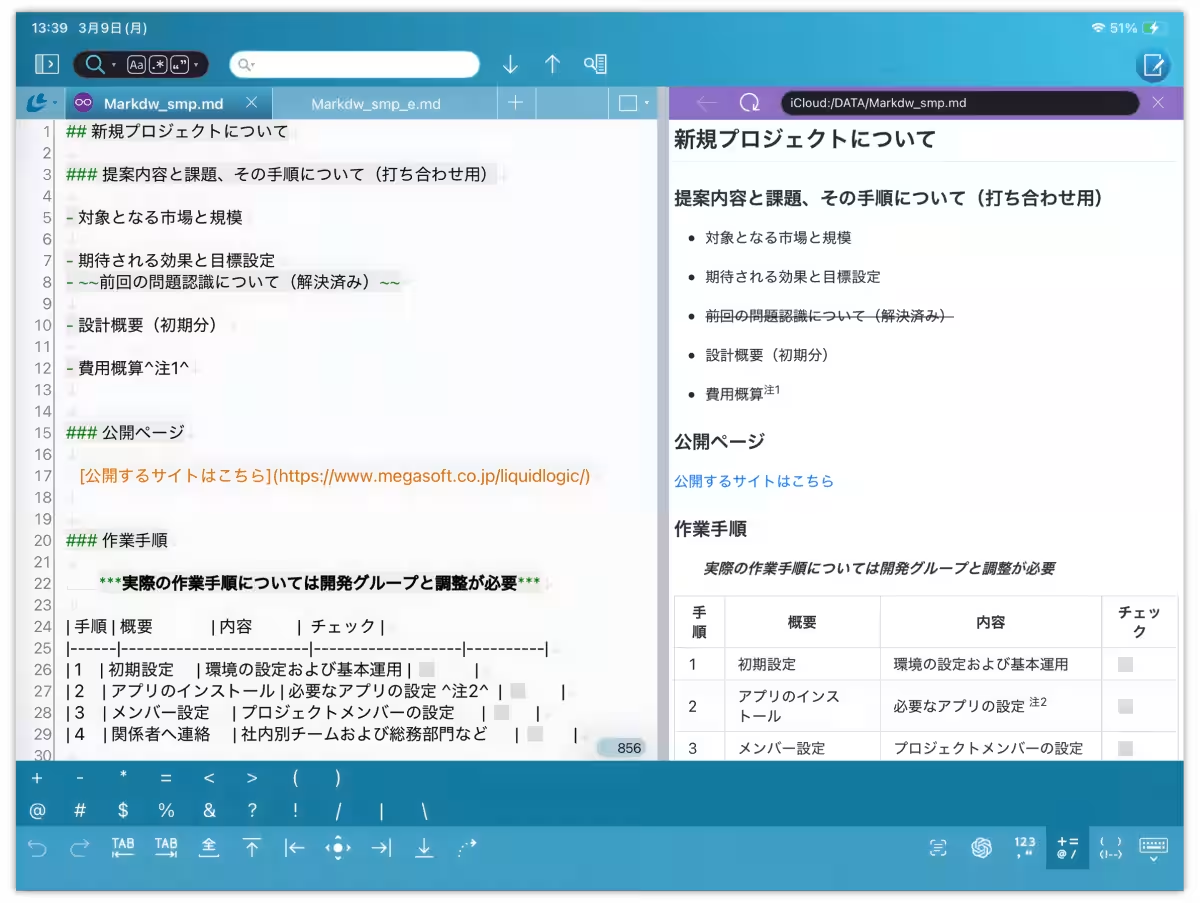
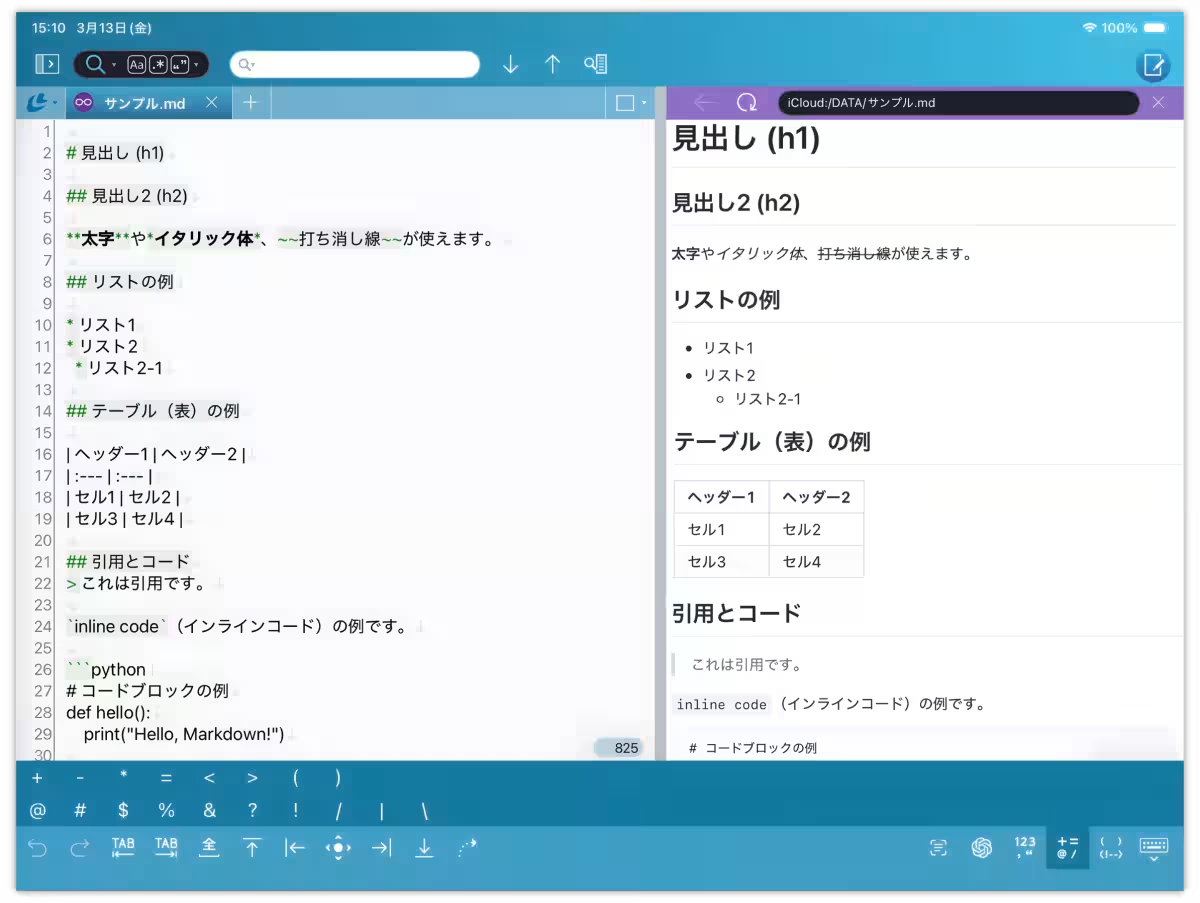
A significant addition to the latest version of LiquidLogic is the Markdown preview feature. Markdown is a lightweight markup language that enables easy formatting for headers, lists, and other content using symbols like `#` and `*`. Its user-friendly syntax has made it a popular choice for developers, writers, and content creators for efficient documentation and information sharing.
The demand for preview capabilities when editing Markdown files has been strong among users. With this update, LiquidLogic now allows real-time previews of Markdown content. Users can view the edited content instantly as they work, ensuring clarity and accuracy in document creation.
Furthermore, the app now incorporates syntax highlighting for Markdown files, allowing users to see their formatting visually as they write.
Key Features of the Update
- - Markdown File Support: Users can now edit `.md` files with enhanced visibility thanks to syntax highlighting, making complex documents easier to navigate.
- - Real-time Preview: By tapping the preview tab, users can see how their Markdown content appears in real-time, significantly improving the editing workflow.
- - Editing Bar: A new editing bar facilitates quick input of frequently used Markdown symbols and parentheses, streamlining the writing process.
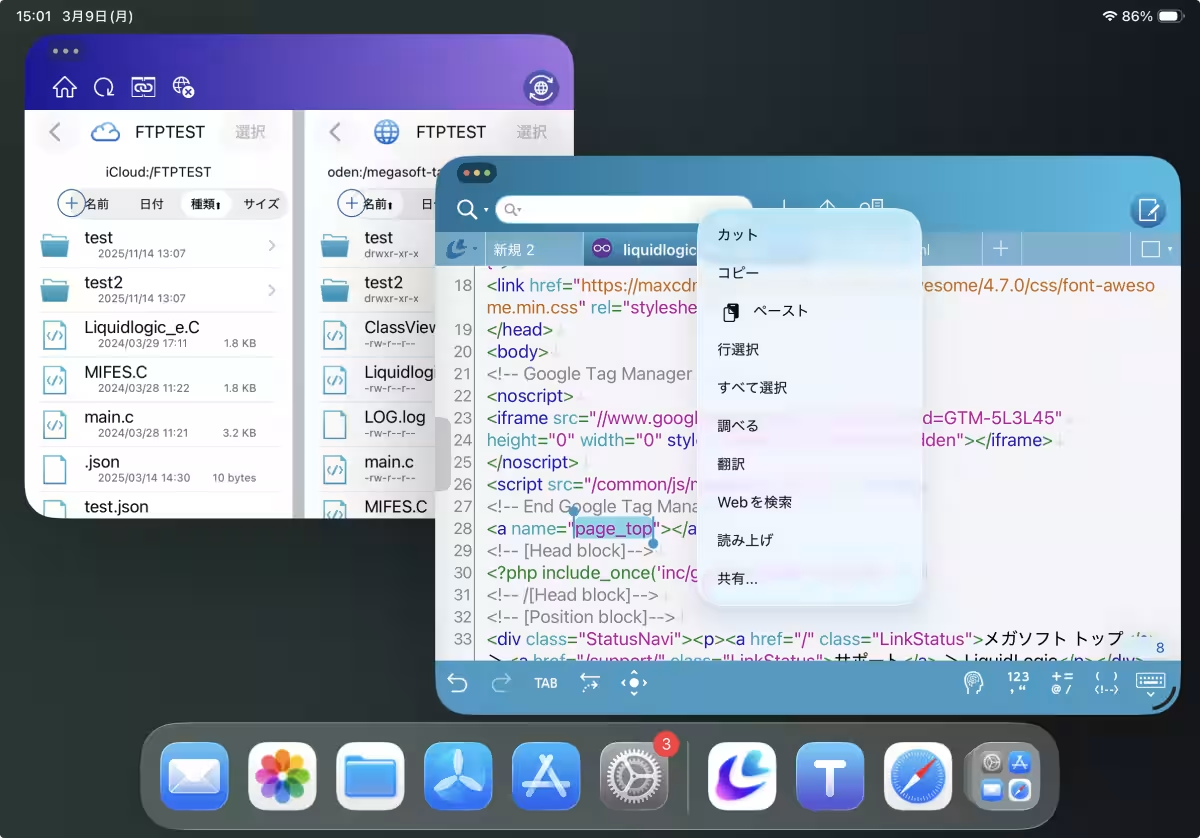
This update also aligns LiquidLogic with the latest iPadOS/iOS features, including improvements in user interface design and support for multi-window usage in iPadOS 26.
Adoption and User Feedback
LiquidLogic is available in 36 countries and has amassed around 188,000 downloads, with a notable user rating of 4.6 out of 5 based on over 1,200 reviews. Users praise its usability for small screens and its robust features, stating it’s an ideal text editor for various applications.
For those deeply invested in content creation who wish to leverage more advanced features, LiquidLogic offers a premium version with expanded capabilities, allowing users to open more files simultaneously, conduct unlimited file comparisons, and access Git remote operations.
Conclusion
As digital content creation becomes increasingly important, tools like LiquidLogic are pivotal for enhancing productivity. With its latest features, including Markdown preview and support, it caters robustly to both casual users and professionals, making it a top choice among iOS text editors. Megasoft continues to prioritize user feedback, ensuring that LiquidLogic evolves alongside the needs of its diverse user base.
For more information and to download LiquidLogic, visit the official website or check it out on the App Store.

Topics Consumer Products & Retail)









【About Using Articles】
You can freely use the title and article content by linking to the page where the article is posted.
※ Images cannot be used.
【About Links】
Links are free to use.