




Boosting Efficiency in Microsoft Teams with Copilot: A Guide from Youseful
Enhancing Productivity with Copilot in Microsoft Teams
Youseful Inc., headquartered in Chiyoda, Tokyo, has recently unveiled a guide video on its official YouTube channel, "Youseful / Professionals of Work Transformation", which focuses on enhancing business efficiency through the utilization of Copilot in Microsoft Teams. As Teams has become a primary communication medium for various organizations, the video addresses the toil many professionals face in managing excessive information and time-consuming non-core tasks. With employees dedicating 57% of their work hours to communications like meetings, emails, and chats, it is evident that finding ways to streamline these processes is crucial.
Background: Challenges in Communication Overload
While Teams serves as a critical communication tool for many companies, it brings its own set of challenges—unread messages piling up, excessive time spent preparing meeting agendas and minutes, and a general struggle to locate necessary information. The Work Trend Index 2023 from Microsoft reveals that 62% of employees feel they spend too much time searching for information. This highlights a pressing need for efficiency, enabling professionals to dedicate more time to creative and strategic tasks.
There is a growing expectation for AI tools like Copilot to help mitigate these difficulties; however, many users remain uncertain about how to utilize Copilot effectively within Teams. To address this gap, Youseful has created a video aimed at demonstrating how Copilot can significantly enhance productivity in Teams.
Content: Four Time-Saving Techniques with Copilot |
The video presents four carefully selected techniques that showcase how to use Copilot effectively in day-to-day operations within Teams, all demonstrated in an easy-to-follow format suitable for novices. Here’s a brief overview of what’s covered:
1. Chat Summary Feature:
Copilot can instantly summarize lengthy chat histories and unread messages, ensuring no critical decisions or task requests are overlooked, and significantly reducing the time required to catch up on information.
2. Message Creation via Voice Input:
Using the voice input feature, users can create and send messages in Teams without the need for a keyboard. This offers the convenience of remaining engaged in communication while on the move or during multitasking.
3. Real-Time Meeting Assistance:
By activating Copilot during meetings, users can get summaries of discussions or real-time records of key decisions. This reduces the risk of missing important points and alleviates the burden of preparing meeting minutes.
4. Automatic Meeting Report Creation and Utilization:
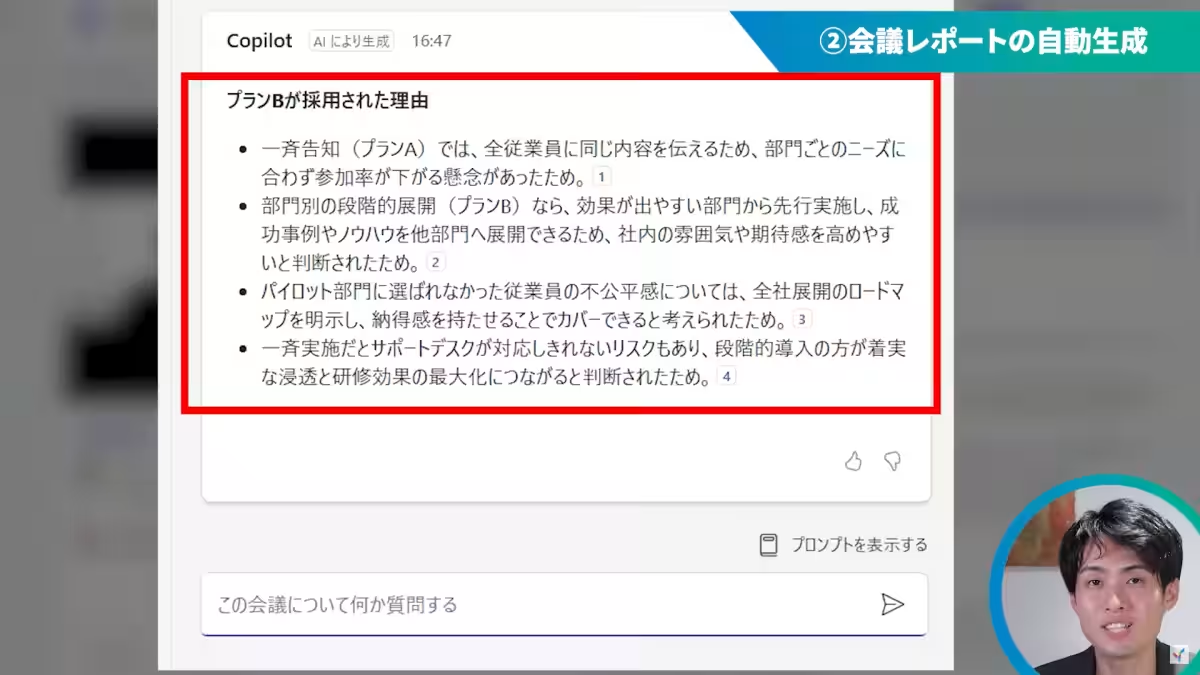
Based on recorded meeting data or transcripts, Copilot can generate comprehensive meeting reports, outlining action items per individual. Additionally, users can query specific questions about meeting content, and Copilot will draft responses based on the meeting context, making information retrieval faster and easier.
For instance, if you ask, "Please explain why Plan B was adopted in the meeting?", Copilot will provide a contextually relevant answer based on the meeting discussion.
Viewing Link:
You can view the video for free on YouTube: Youseful (Professionals of Work Transformation)
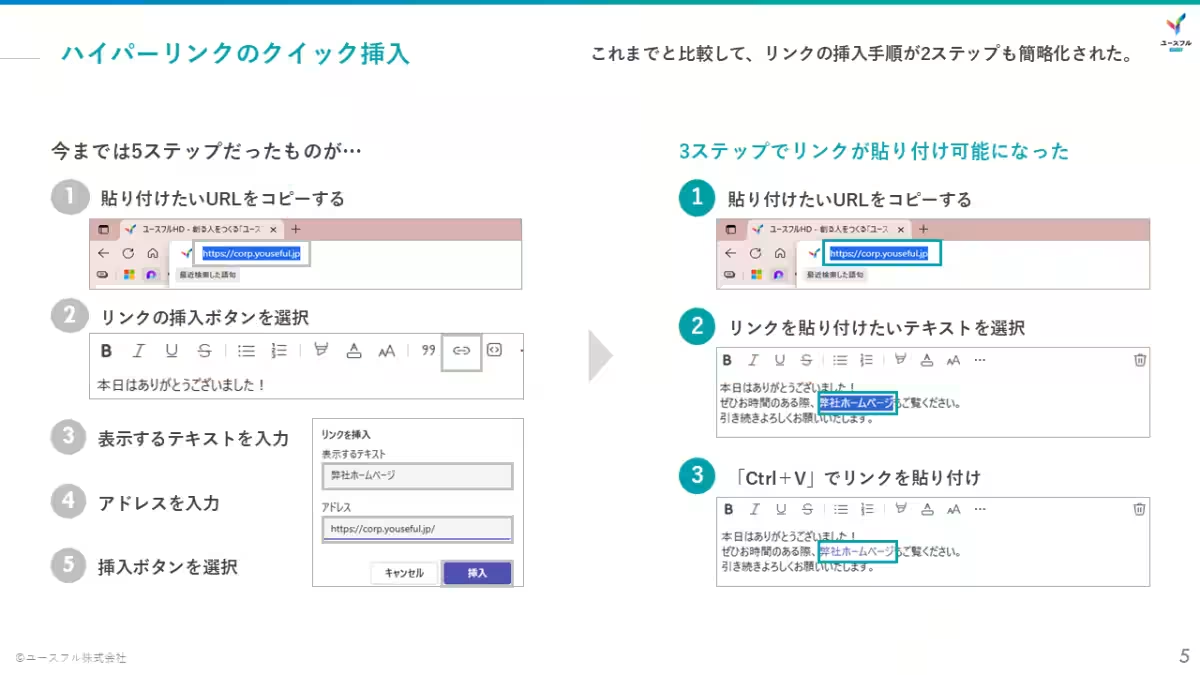
Accompanying Material: Teams Utilization Guide Latest Updates
The accompanying guide collects the latest features being added to Teams, specifically focusing on tools that improve workflow and team collaboration. Download this guide to help enhance efficiency in your day-to-day operations and increase productivity across your organization.
Watch Effectively: Reducing 'Wasted Time' in Teams
While Teams is a fantastic tool, it can often lead to distractions through constant notifications and chaotic meeting schedules, which detracts from the time users should be focusing on core tasks. The techniques introduced in this video serve as remedies to reduce such inefficiencies. By outsourcing non-core tasks like chat summarization and meeting preparations to Copilot, professionals can concentrate more on creative, high-value work. We hope that this video serves as a catalyst for transforming the way you work in Teams.
— Rin Taro Ogaki, CEO of Youseful Inc.
Future Outlook: Training and Content Development for Practical Transformation with AI
Looking ahead, Youseful aims to accelerate its initiatives to bring AI-driven business improvement into widespread practice under the concept of creating inspiring future work experiences. We are committed not only to continuing free content distribution on YouTube but also to developing corporate training programs tailored to businesses' needs and content for individual skill enhancement. Our goal is to ensure that all professionals can harness the benefits of AI through various learning opportunities, combining Microsoft 365 with generative AI.
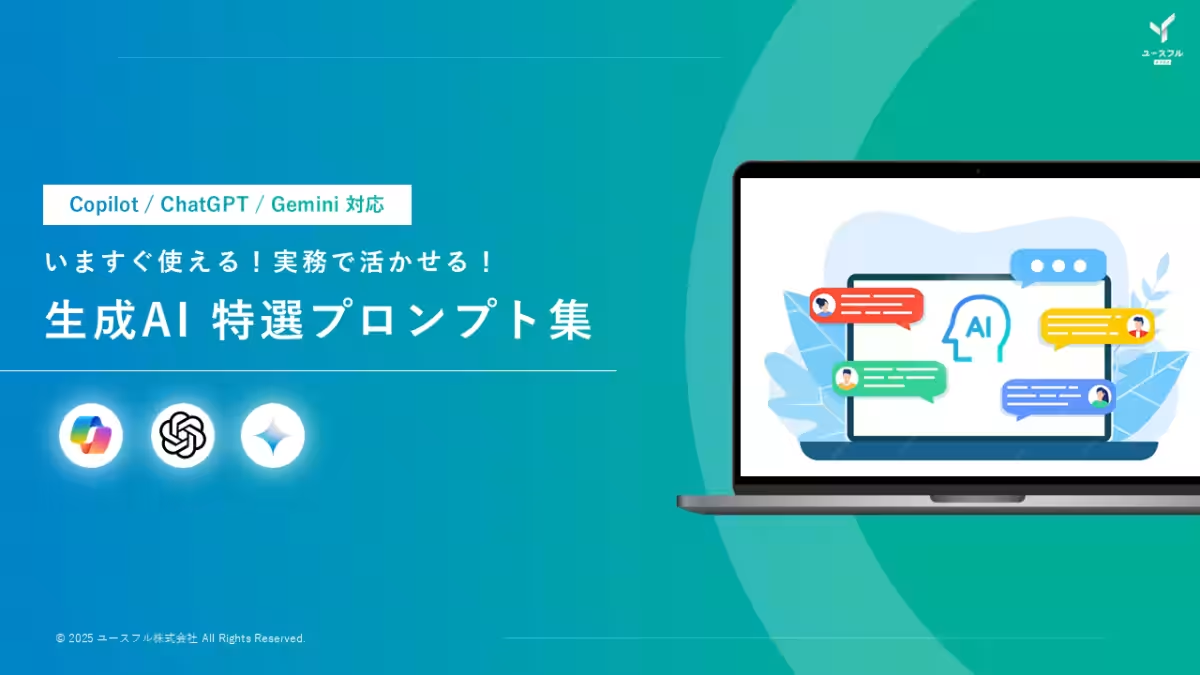
Additionally, we are providing a freely downloadable knowledge resource titled "Selected Prompts for Generative AI," which can be readily utilized within your organization.
Related Information: Selected Prompts for Generative AI
Download the Selected Prompts for Generative AI for free, containing ten curated prompts to help streamline everyday generative AI use—from text-based minutes to Excel function creation.
Download Selected Prompts for Generative AI

Topics Consumer Technology)
【About Using Articles】
You can freely use the title and article content by linking to the page where the article is posted.
※ Images cannot be used.
【About Links】
Links are free to use.