



Revolutionizing Office Work with MSI's New 27-Inch Business Monitor PRO MP275PG E14
Transforming Your Workspace: The New MSI PRO MP275PG E14 Monitor
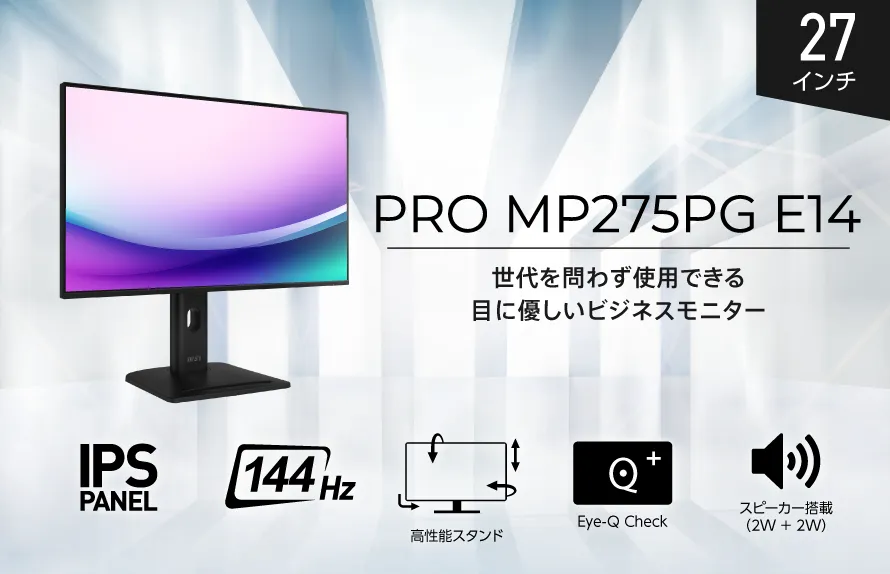
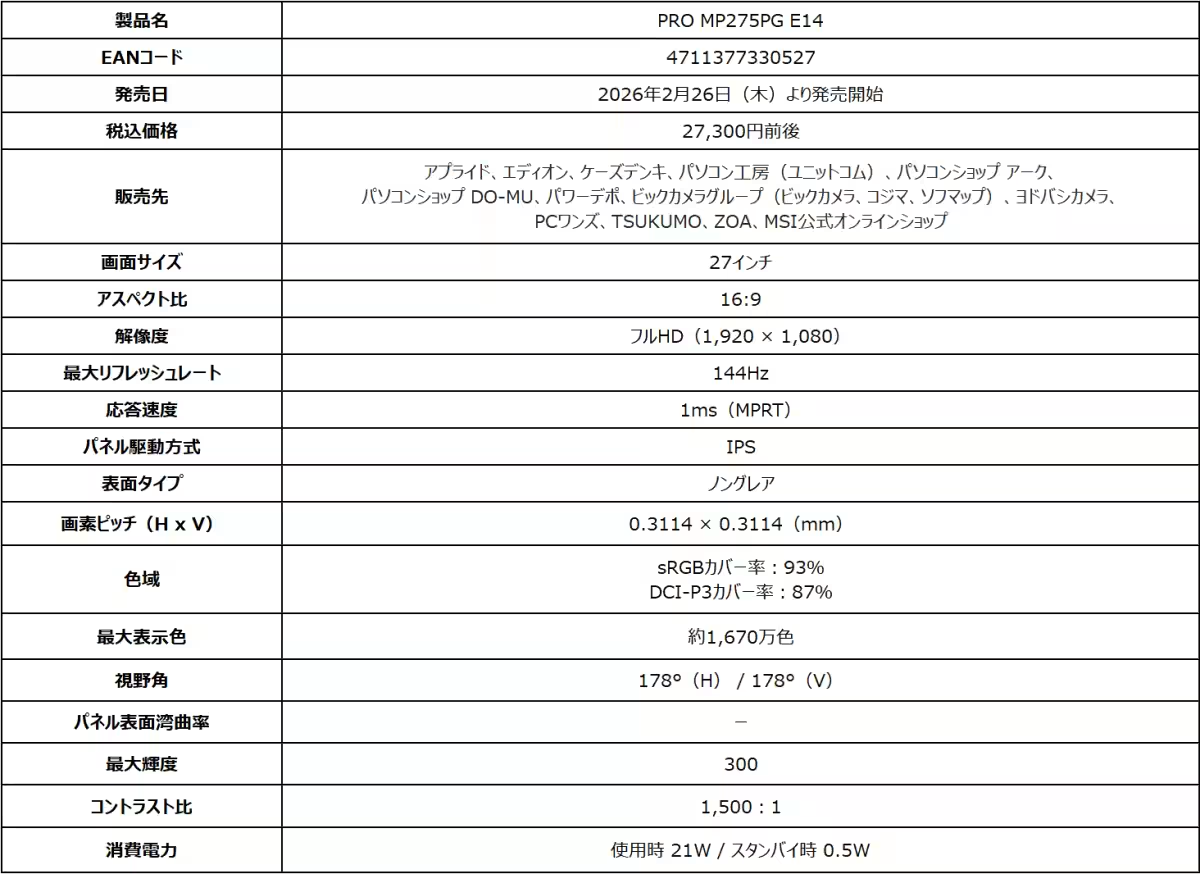
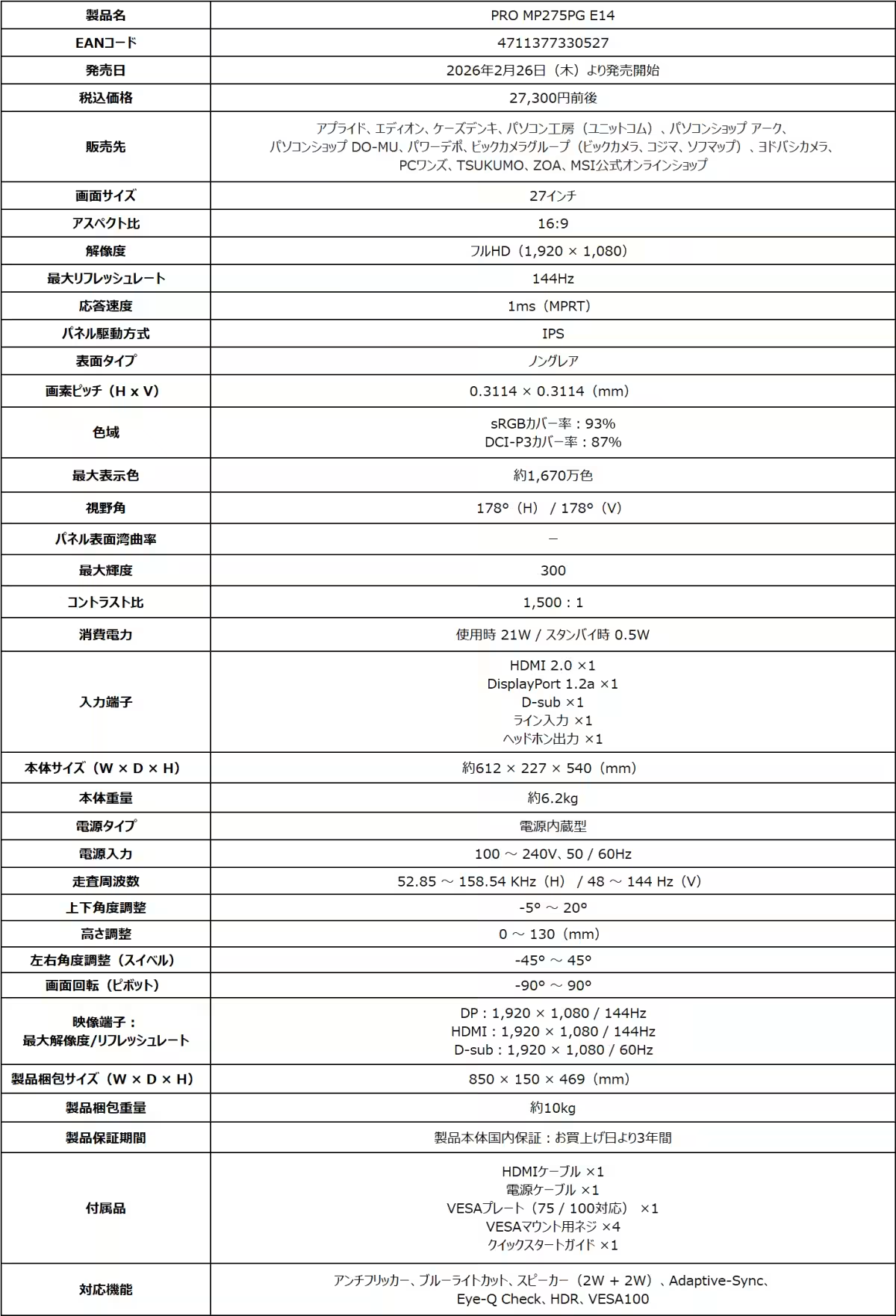
In an era where efficient and ergonomic office setups are paramount, MSI Computer Japan has unveiled its latest offering, the PRO MP275PG E14. Set to hit the market on February 26, 2026, this impressive 27-inch business monitor is designed to meet the evolving demands of office work. With a focus on clarity, usability, and advanced features, this monitor aims to create a seamless work environment.
Key Features of the PRO MP275PG E14
Large, Eye-Friendly Display
The 27-inch screen strikes the perfect balance between size and clarity. Whether reviewing documents or multitasking with multiple windows, the generous display ensures that even the finest text remains legible, drastically alleviating eye strain during prolonged use.
High-Quality IPS Panel with 144Hz Refresh Rate
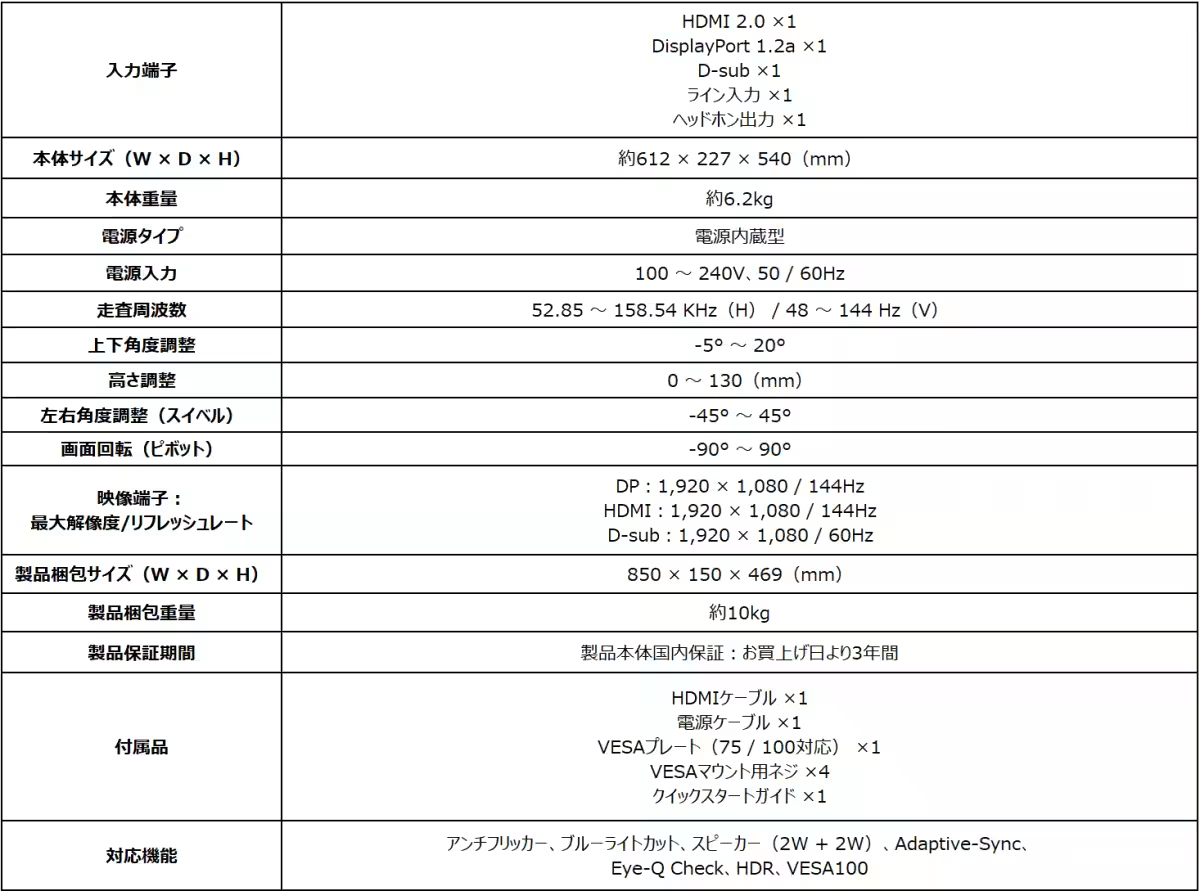
Equipped with a high-definition IPS panel, the PRO MP275PG E14 boasts a refresh rate of 144Hz, providing a remarkably smooth visual experience. This refresh rate is more than twice that of conventional monitors, making it an excellent choice for users keen on minimizing visual fatigue. With a wide viewing angle of 178°, this monitor maintains consistent color and brightness from various perspectives, making it ideal for collaborative work.
Sleek and Functional Design
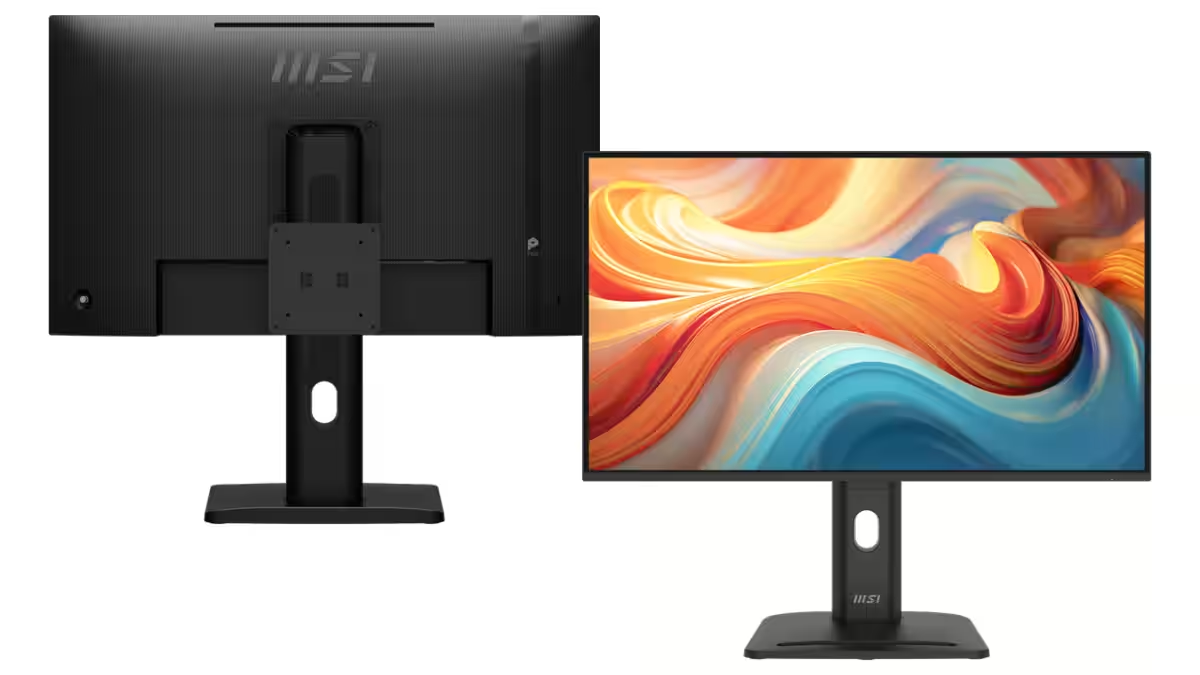
The monitor features a stylish four-bezel-less design, ensuring a modern appearance that blends effortlessly within multi-monitor setups. The enhanced aesthetic is paired with functional advantages that allow users to maximize their desk space.
Ergonomic Performance
The PRO MP275PG E14 includes a high-performance stand that facilitates height adjustment and a 90° rotation for portrait mode viewing. This flexibility not only enhances comfort during use but also supports a better ergonomic posture, reducing fatigue and boosting productivity throughout the workday.
Integrated Audio and Smartphone Support
Gone are the days of needing external speakers; the PRO MP275PG E14 features built-in speakers capable of delivering quality audio directly from a PC or streaming device. Additionally, the innovative base incorporates a designated slot to securely hold smartphones, allowing users to easily check notifications and incoming calls without disrupting their workflow.
Connectivity and Functionality
Built with adaptability in mind, the monitor supports VESA mounting for mini PCs on its back. When paired with MSI's Cubi series PCs, users can enjoy power synchronization between the monitor and PC, streamlining their setup. This integration enhances convenience and simplifies office organization.
Eye-Care Technology
Understanding the importance of eye health, MSI has equipped the PRO MP275PG E14 with features such as anti-flicker, blue light reduction, and a non-glare panel. These elements work harmoniously to mitigate eye fatigue, making the monitor a practical choice for extended use.
Eye-Q Check Feature
Lastly, the monitor includes the Eye-Q Check, which allows users to evaluate their eye strain with three distinct metrics. This feature serves as a crucial reminder for breaks, promoting healthier work habits over time.
Conclusion
The PRO MP275PG E14 stands as a testament to MSI's commitment to delivering innovative technology that meets the needs of modern professionals. With a blend of user-friendly design, powerful performance, and health-conscious features, this monitor promises to elevate work experiences for individuals and teams alike. For more information and specifications, visit MSI's official product page.
MSI continues to lead in the gaming and tech space, offering exceptional products that enhance user performance and experience. As they expand their lineup, the PRO MP275PG E14 is a prime example of how technology can evolve to support better productivity in our work environments.
Topics Consumer Technology)
【About Using Articles】
You can freely use the title and article content by linking to the page where the article is posted.
※ Images cannot be used.
【About Links】
Links are free to use.