




Introducing AutoMemo Copilot: Revolutionizing Meeting Data Management with AI Integration
Revolutionizing Meeting Efficiency with AutoMemo Copilot
As businesses continue to implement new technologies to streamline workflow, the introduction of AutoMemo's AI-powered Copilot Agent is a landmark development. On May 18, SOURCENEXT Corporation unveiled this innovative feature that integrates seamlessly with Microsoft 365 Copilot, marking a significant leap in how meeting data is processed and utilized.
A New Era of Meeting Data Management
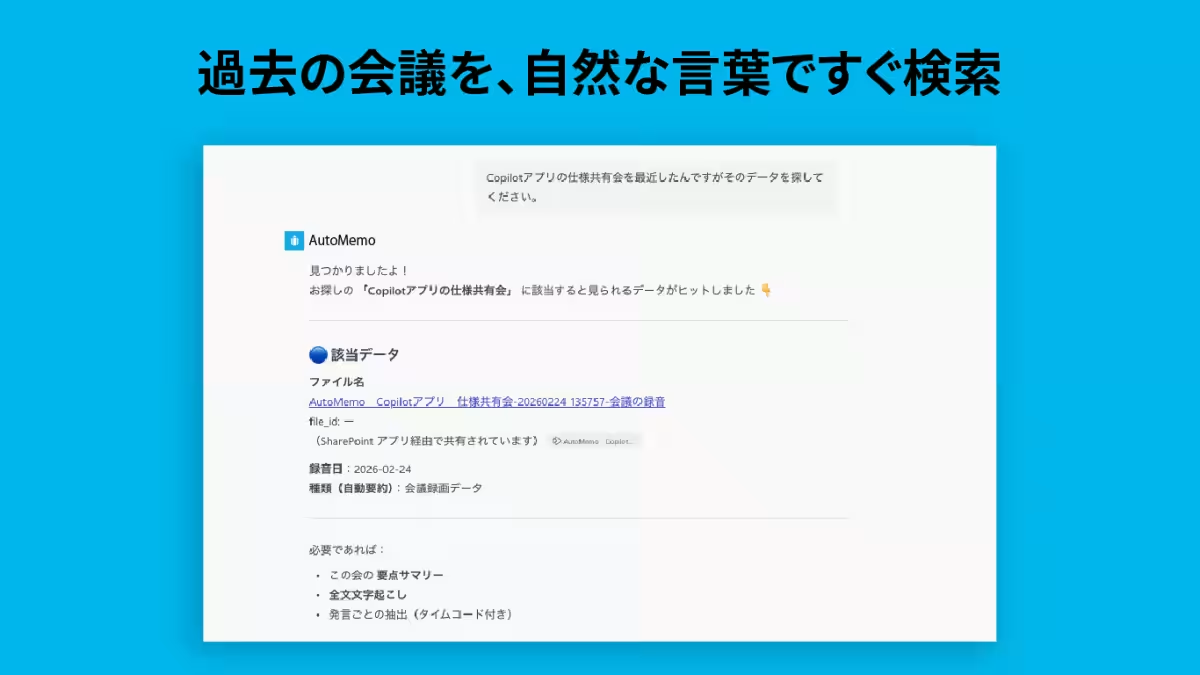
The AutoMemo service, renowned for its AI meeting transcription capabilities, is now augmented by the Copilot Agent. This powerful tool allows users to directly search and analyze past meeting data recorded in AutoMemo using natural language queries within Microsoft 365 Copilot. By simply asking questions like, “Find the meeting notes regarding our discussion on project timelines,” users can swiftly access relevant discussions. No more sifting through countless files or struggling to remember specific dates; AutoMemo Copilot simplifies the retrieval process with intuitive conversational search capabilities.
Key Features of AutoMemo Copilot
The key advantage of the AutoMemo Copilot is its ability to enhance user interactions through natural dialogue. Here are some standout features:
1. Conversational Search
Users can query meeting data in conversational tones without needing accurate dates or file names. For instance, you might ask for details on a topic discussed in a previous meeting, and AutoMemo Copilot will pinpoint the exact meeting and provide direct links, significantly decreasing the time spent locating specific statements or decisions.
2. Tailored Output for Specific Needs
The Copilot is not limited to search functionality; it also produces varied outputs tailored to the user’s needs. Examples include:
- - Creating meeting minutes: “Compile the agenda, decisions, and next actions based on last week's regular meeting.”
- - Summarizing discussions: “What did Mr. Tanaka say regarding the budget in the kickoff meeting for Project A?”
- - Listing recent issues: “List the challenges mentioned in the latest marketing meeting.”
- - Identifying action items: “What are the to-dos from the meeting on [specific date]?”
With these capabilities, drafting comprehensive summaries or formatting meeting minutes is as simple as instructing Copilot within the chat interface.
How to Get Started with AutoMemo Copilot
To leverage the capabilities of the AutoMemo Copilot, follow these straightforward steps:
1. Open the Microsoft Teams app.
2. Select “Apps” from the sidebar.
3. Search for “AutoMemo” in the search bar and add the app.
4. Launch AutoMemo and enter your queries in the chat feature.
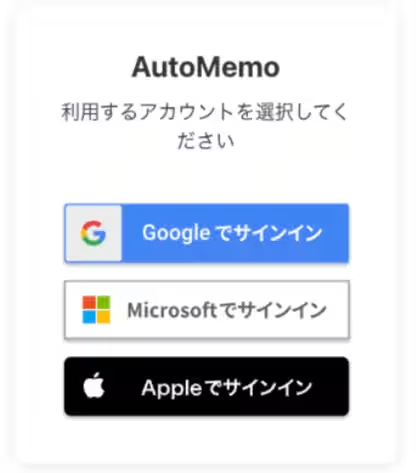
5. Log in with your AutoMemo account when prompted to link your service.
For an added convenience, users can access the app via this link: AutoMemo for Microsoft Teams.
Important Note
To utilize the AutoMemo Copilot agent, users must have an AutoMemo account and a Microsoft 365 Copilot license.
Conclusion
The introduction of the AutoMemo Copilot Agent marks a pivotal step toward making meeting data management more efficient and user-friendly. By harnessing AI technology to facilitate natural conversations around past meeting data, SOURCENEXT continues to innovate, helping businesses save time and increase productivity. For those interested in learning more about AutoMemo, visit their official site at AutoMemo for comprehensive support and product information.
Customer Support
For more inquiries, reach out to the SOURCENEXT Customer Center, or contact their pre-purchase consultation services through this link.
© SOURCENEXT CORPORATION

Topics Consumer Technology)
【About Using Articles】
You can freely use the title and article content by linking to the page where the article is posted.
※ Images cannot be used.
【About Links】
Links are free to use.