



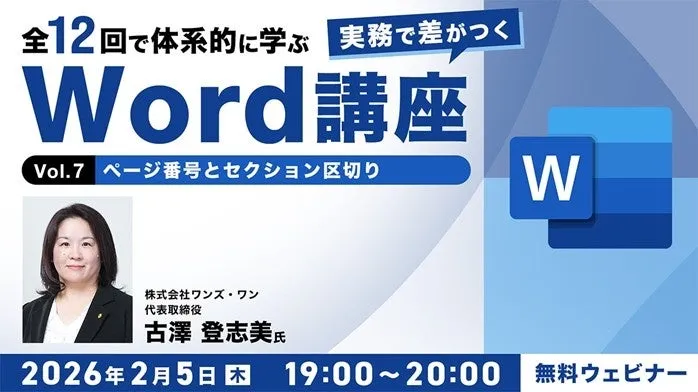
Enhance Your Word Skills: Free Online Seminars for Professionals!
Discover the Power of Microsoft Word with C&R Corporation's Free Seminars
As professionals increasingly rely on Microsoft Word for diverse tasks such as creating reports, résumés, and flyers, there lies a unique opportunity to enhance your skills. C&R Corporation, a pioneer in creative agency solutions, is excited to announce two free online seminars aimed at intermediate users of Word. Scheduled for February 5th and 19th, 2026, these sessions titled “Word Mastery Seminar Vol. 7 & 8” will delve into essential features that elevate document creation to a professional level.
What to Expect
The seminars are designed for individuals who utilize Word in their daily professional life but may lack formal training. The focus will be on thoroughly understanding the mechanics of Word and improving overall document coherence.
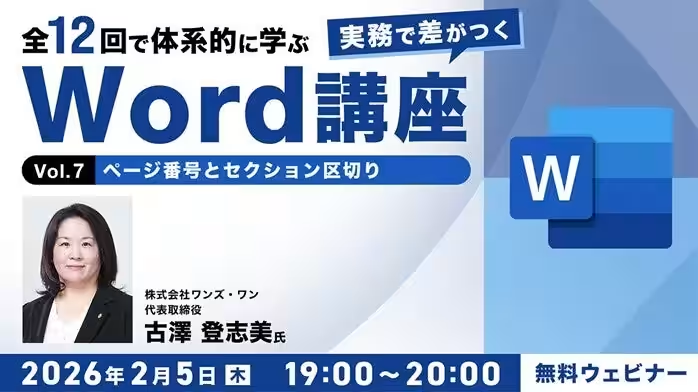
Seminar Vol. 7: Page Numbers and Section Breaks
On February 5th, 2026, from 19:00 to 20:00, attendees will explore the intricacies of managing page structure in their documents. Topics covered will include:
- - Inserting headers and footers
- - Understanding and applying page numbers
- - Fundamentals of columns and section breaks
This session provides the foundational skills crucial to structuring multi-page documents effectively and achieving a polished, professional appearance.
Seminar Vol. 8: Unifying Styles and Themes
On February 19th, 2026, from 19:00 to 20:00, participants will shift their focus to ensuring a cohesive presentation across their documents. Key subjects will include:
- - Correctly applying and customizing styles
- - Changing document themes for visual consistency
- - Managing footnotes and figures
This session is recommended not only for beginners looking to learn the correct usage of styles but also for those wishing to refine their self-taught methods.
Who Should Attend?
These free webinars are ideal for a range of participants, including:
- - Professionals who use Word informally without formal training
- - Individuals frequently utilizing Word in their work
- - Anyone interested in gaining a structured understanding of the software’s capabilities
Future Webinars
This is just the seventh and eighth installments in a comprehensive twelve-part series. Upcoming sessions will focus on topics such as:
- - Setting up headings for easy navigation
- - Structuring text and generating tables of contents
- - Boosting efficiency with mail merges
- - Document review, protection, and PDF outputs
Expert Guidance
Leading these seminars will be Toshimi Furusawa, a certified small business consultant and IT coordinator with over 20 years of experience in providing computer support services. Toshimi, who launched a successful PC support business in 2001, is recognized for his ability to simplify complex concepts to beginners. His expertise spans Office applications, website creation, and image processing, making him an ideal guide for these Word seminars.
Registration Details
Participation is free, with a limit of 60 attendees per session. Don’t miss out on the opportunity to refine your Word expertise.
- - For Vol. 7: Sign up here by February 5th, 2026, at 20:00.
- - For Vol. 8: Register here by February 19th, 2026, at 20:00.
For further inquiries or to explore additional training opportunities, please contact the C&R Corporation PEC seminar team at [email protected].
A Legacy of Support
Since its establishment in 1990, C&R Corporation has been dedicated to supporting the growth of creators and professionals in various fields. By organizing seminars, workshops, and consultations, we aim to enhance skills and career development. The mission remains clear: to elevate the lifelong value of professionals through comprehensive training and resources.
To stay updated on future events, visit our dedicated site, CREATIVE VILLAGE, or sign up for our newsletter.

Topics Other)
【About Using Articles】
You can freely use the title and article content by linking to the page where the article is posted.
※ Images cannot be used.
【About Links】
Links are free to use.