




New Updates for Mirai Koji's Construction Photo App Enhance User Experience
Mirai Koji's Construction Photo App Gets Major Update
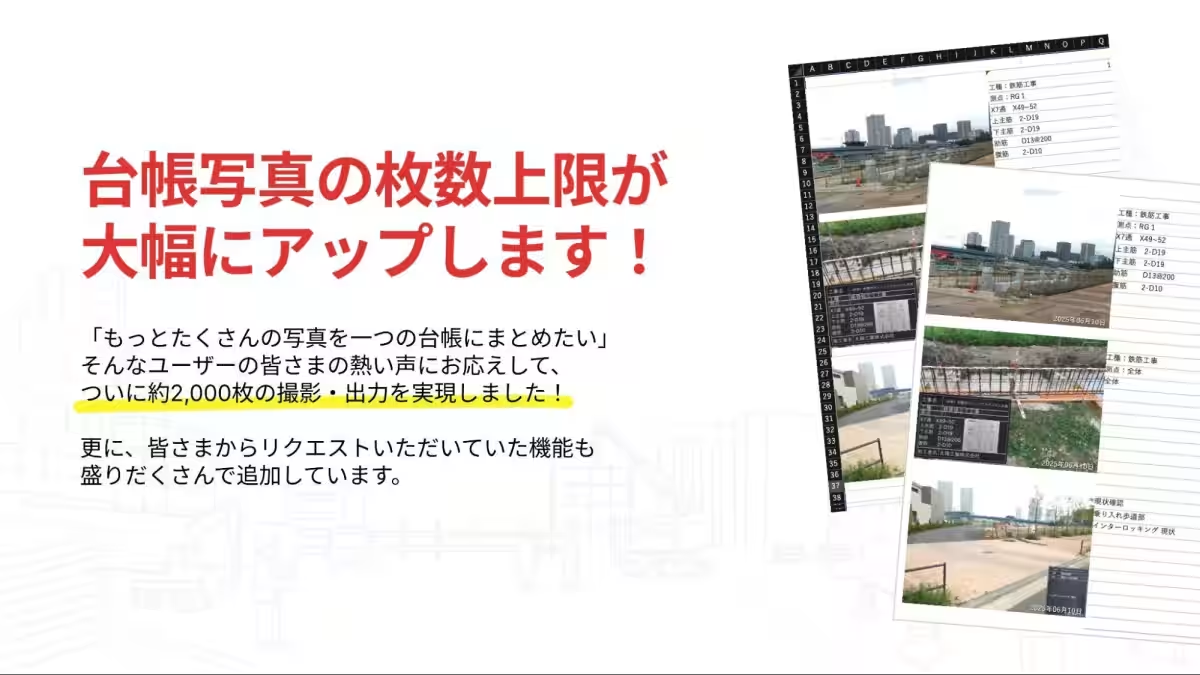
Mirai Koji, headquartered in Meguro, Tokyo, is excited to announce significant enhancements to its construction photo app, "Mirai Koji Photos." This latest update introduces a key function enabling users to consolidate approximately 2,000 images into a single construction photo ledger, generating PDF or Excel outputs efficiently.
Responding to User Needs
The demand for meticulous documentation at construction sites has surged, resulting in an increase in the number of images taken per site. Previously, the operational nature of our service—emphasizing mobile completion, real-time editing, and unlimited invitations for partner companies—imposed restrictions on the number of photos that could be outputted. Users faced challenges such as ledger division and managing multiple files, particularly in mid-sized projects.
Responding to feedback, this update allows users to set Excel layouts specified by contractors through simple operations, facilitating a more seamless photo-output process. By increasing the output capacity to 2,000 images, we significantly reduce the cumbersome ledger creation tasks while offering practical usability for day-to-day operations.
Zero Wait Time for Operations
Previously, the limit for photos outputted as a ledger was around a few hundred. However, this update now allows one ledger to incorporate up to 2,000 photos. Although the processing time for PDF/Excel output takes approximately 16 to 18 minutes, users can engage in other tasks during this time, effectively eliminating wait times and minimizing impacts on productivity. If no updates are made post-output, ledger members can immediately output PDF/Excel files.
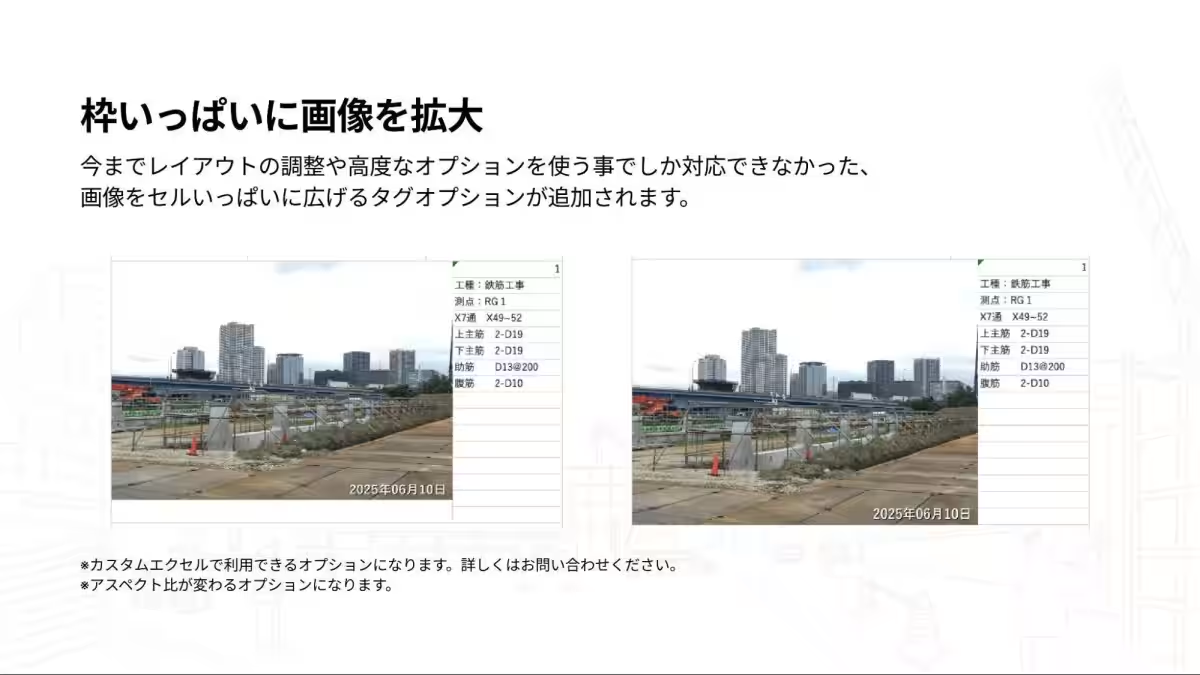
Enhanced Options for Image Expansion in Excel
In the past, users had to navigate complex custom layout features to expand images across the cell boundaries in Excel outputs. With the introduction of this new functionality, users can now simply select a tag option to automatically enlarge images to fit cell frames, allowing anyone to create visibility-optimized reports easily.
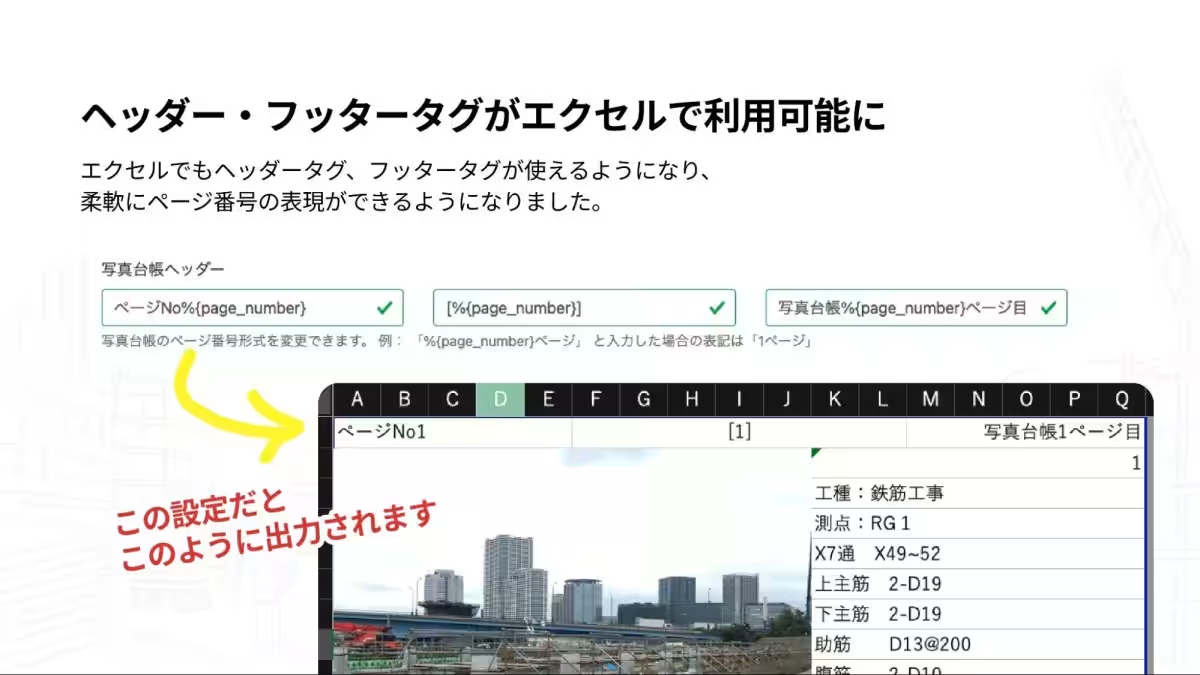
Intuitive Header and Footer Editing
Users can now add and edit headers and footers directly in Excel, allowing them to flexibly present page numbers and project names. This upgrade greatly enhances the customization capabilities for reports.
Unified PDF and Excel Layouts
Historically, discrepancies existed between the layouts of PDF and Excel outputs, leading to confusion over similar content appearing differently. This update resolves this issue by standardizing layouts, providing consistent formats for review and printing in both applications, and alleviating confusion in fieldwork and administrative tasks.
Streamlined Features and Options Review
With the system update, we have also refined older specifications and options that were underused. Features like displaying page numbers and the older macro Excel format for CSV output have been discontinued, consolidating the current specifications. This reduces the complexity of settings, making operations clearer and simpler.
Future Outlook
Mirai Koji is dedicated to minimizing the effort involved in recording site work, allowing supervisors to focus on their core responsibilities. While maintaining flexibility in terms of inviting unlimited subcontractors, enabling ledger edits in Excel, and responding to layout requests, we will continue to improve our services by expanding AI capabilities and enhancing mobile operational efficiency with digital boards.
Company Overview
Founded by President Yō Kamiyama, Mirai Koji aims for innovation in construction documentation. For more information, visit our company website at Mirai Koji or explore our services at Mirai Koji Photos and Mirai Koji Management.


Topics Consumer Technology)
【About Using Articles】
You can freely use the title and article content by linking to the page where the article is posted.
※ Images cannot be used.
【About Links】
Links are free to use.