



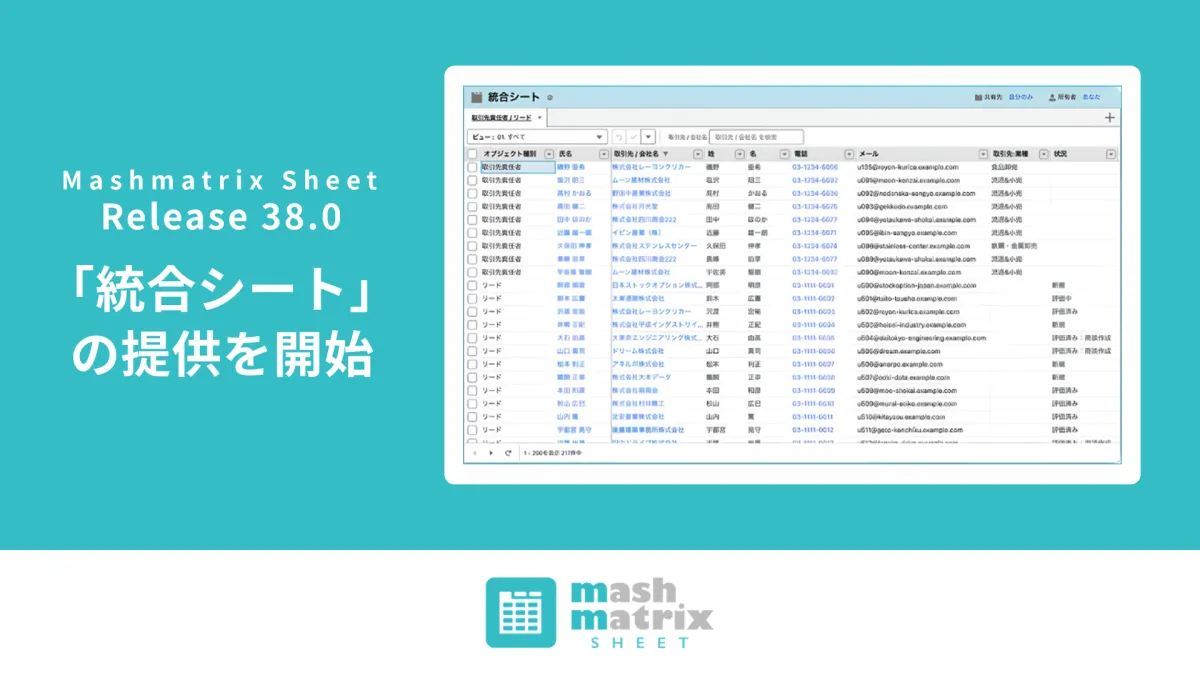
Mashmatrix Unveils Integrated Sheet for Seamless Salesforce Object Editing
Mashmatrix Introduces the Integrated Sheet: A Game Changer for Salesforce Users
In an innovative move aimed at enhancing productivity, Mashmatrix, headquartered in Chiyoda, Tokyo, has officially launched its latest feature, the Integrated Sheet, as part of the Mashmatrix Sheet version 38.0. This new functionality, which will be available starting from August 23, 2026, allows users to view and edit multiple Salesforce objects on a single sheet, fostering a more streamlined data management experience.
What is the Integrated Sheet?
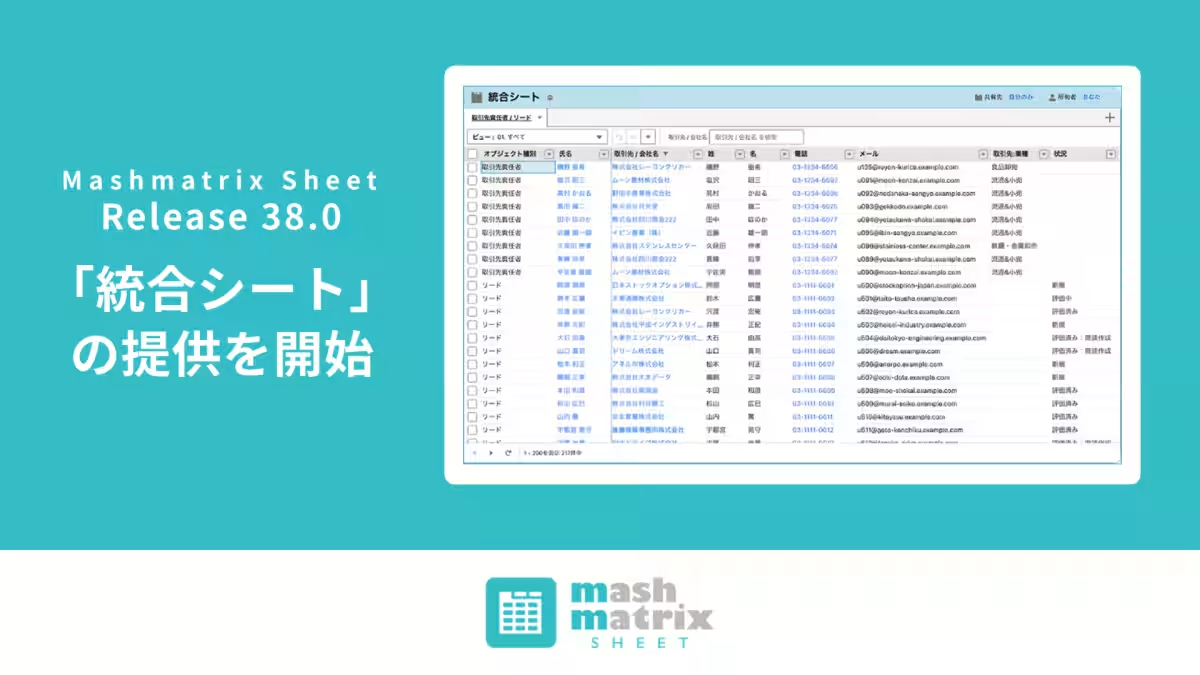
The Integrated Sheet enables users to combine information from up to three different Salesforce objects—both standard and custom—into one comprehensive overview. This integration allows for a more effective comparison and editing process, which is particularly beneficial in business environments where having information consolidated is crucial. By combining relevant fields from different objects into a single Unified Column, users can search, compare, and modify data with unprecedented ease while still maintaining Salesforce's underlying data model and permission settings.
Background of Development
Salesforce traditionally structures data across multiple objects based on specific business processes and roles. However, in practical situations, users often face the challenge of needing to access linked information across these object boundaries. For instance, wanting to view leads alongside their corresponding account managers or consolidating all ToDos and actions into a single activity log is a common necessity. Before the introduction of the Integrated Sheet, users had to switch between various screens or sheets, making the process cumbersome. This innovation aims to significantly enhance work efficiency by presenting valuable information in one cohesive view without altering existing Salesforce structures.
Key Features of the Integrated Sheet
1. Combining Up to Three Objects in One Sheet
Users can select different Salesforce objects to include in a single sheet. The Object Type indicator for each row clarifies which record belongs to which object, allowing for effective filtering, sorting, grouping, and styling.
2. Unified Columns for Different Object Fields
Fields that share compatible data types can be merged into a single column display/edit. For instance, both leads and account contacts can have their email addresses viewed in one column, making searching and comparing data across objects possible.
3. Direct Editing and Saving from One Sheet
Unlike previous versions, the Integrated Sheet allows users to not just view data, but also create, edit, save, and delete records directly. Mashmatrix Sheet recognizes each record's object type and ensures that changes are mirrored in the corresponding Salesforce records, while maintaining any settings pertaining to security or required fields.
Practical Use Cases
Scenario 1: Identifying Duplicates Across Leads and Contacts
By consolidating names, email addresses, and phone numbers for leads and account contacts into common columns, users can swiftly identify duplicates, streamlining the data management process without toggling between multiple screens.
Scenario 2: Merging ToDos and Actions into a Unified Activity List
Separate management of ToDos and Actions in Salesforce can now be amalgamated. By lining up subjects, responsible persons, associated parties, and dates into corresponding columns, a cohesive activity log becomes easily accessible.
Scenario 3: Displaying Parent and Child Custom Objects Together
When managing a parent project with its associated child tasks as different custom objects, users can view responsible individuals, start dates, due dates, and statuses in a combined sheet, allowing for effortless progress tracking without unnecessary screen navigation.
Scenario 4: Comprehensive Maintenance History
For organizations that manage distinctions between inspection, repair, and parts replacement in custom objects, the Integrated Sheet can compile equipment, implementation dates, responsible personnel, and tasks into a singular maintenance history, all while preserving the original Salesforce data structure.
Availability of the Integrated Sheet
Scheduled to launch with version 38.0 of Mashmatrix Sheet, the Integrated Sheet will be automatically available for users who are already subscribed to the service as of the release date, without the need for additional contracts or procedures.
About Mashmatrix Sheet
The Mashmatrix Sheet is a powerful data management tool that offers Salesforce users an Excel-like interface for inputting, viewing, and editing data intuitively. Available through Salesforce AgentExchange, it allows users to handle Salesforce data with familiar operations like searching, filtering, sorting, bulk-editing, and copy & paste.
Mashmatrix’s mission is to provide the ultimate experience in information access globally, aiming to facilitate seamless business interactions through our product offerings.
Company Overview
Company Name: Mashmatrix Inc.
CEO: Shinichi Tomita
Established: January 2008
Location: 3F Kanda Iwamotocho Plaza, 2-4-1 Iwamotocho, Chiyoda, Tokyo
Business: Development and sales of enterprise software systems, consulting for application development in cloud environments.
For more information visit Mashmatrix Company Info


Topics Other)
【About Using Articles】
You can freely use the title and article content by linking to the page where the article is posted.
※ Images cannot be used.
【About Links】
Links are free to use.