



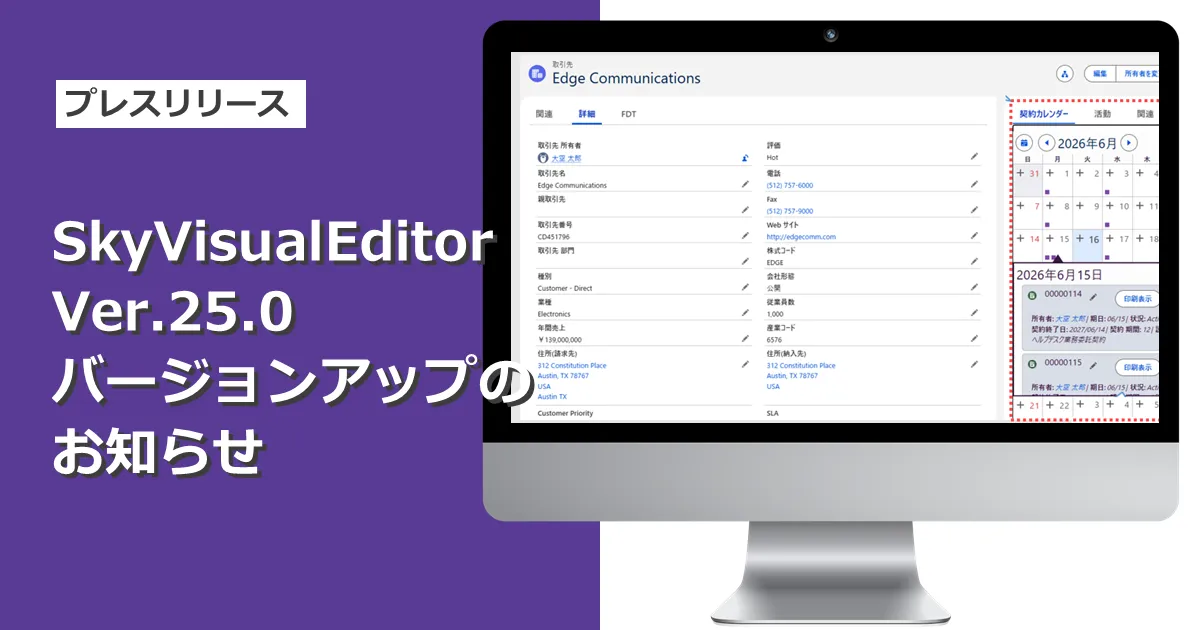
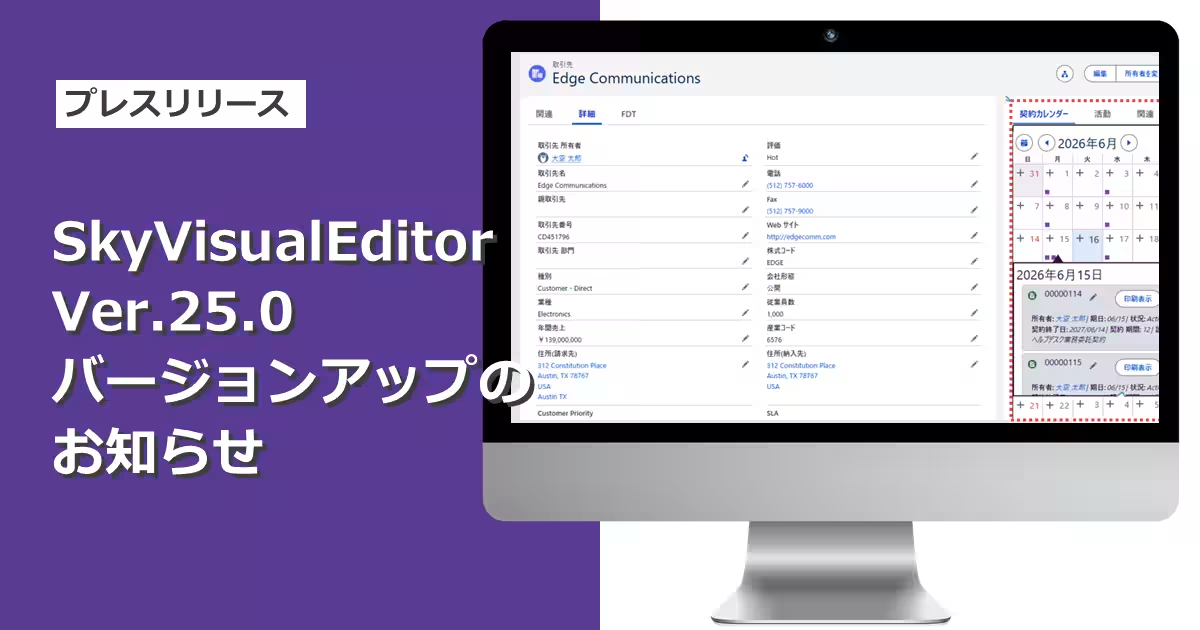
Terrasky Launches Version 25.0 of SkyVisualEditor with New Features
Overview of SkyVisualEditor Version 25.0
Terrasky, a prominent technology company based in Chuo-ku, Tokyo, has recently released the highly anticipated Version 25.0 of its Salesforce screen development tool, SkyVisualEditor. This update, which rolled out on July 19, 2026, includes an array of enhancements designed to improve user experience and functionality.
New Features in SkyVisualEditor LC
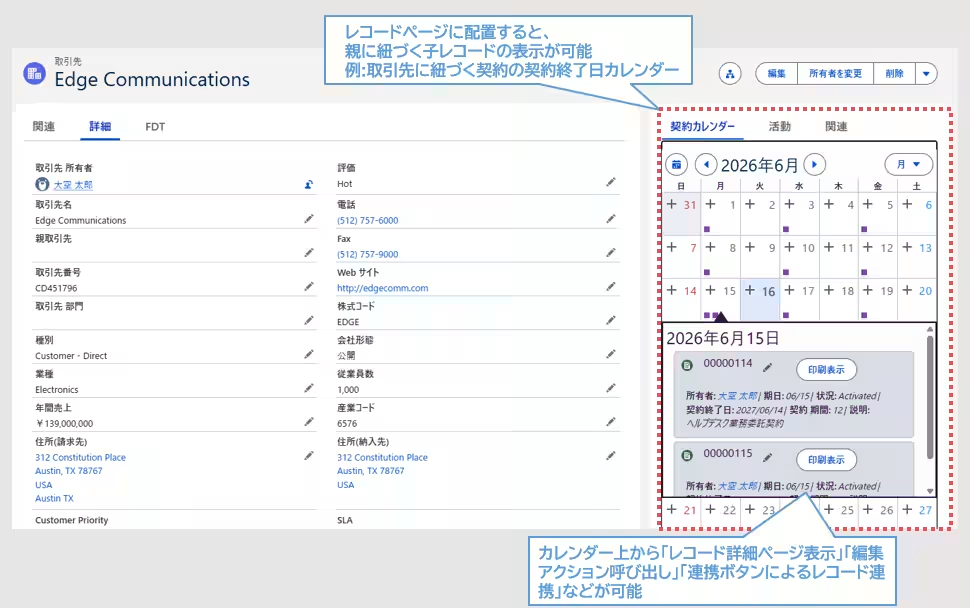
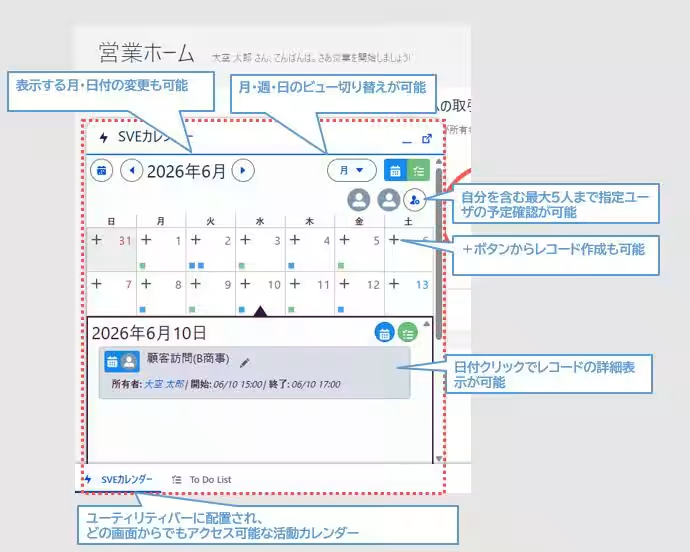
The headline feature in this update is the introduction of an advanced calendar function within SkyVisualEditor LC. This isn't just a regular calendar; it is designed to facilitate specific record integrations, allowing users to track contract end dates and coordinate tasks more efficiently. Here are some significant highlights of this calendar feature:
- - Integration Capabilities: Users can display various standard and custom objects within the calendar framework, enabling more holistic task management.
- - User-Friendly Interface: The calendar is accessible through the Lightning Application Builder, making it easy to deploy and customize.
- - Three Viewing Modes: The calendar can switch views among monthly, weekly, and daily layouts.
- - Versatile Placement Options: It can be organized on utility bars, record pages, and home pages, enhancing its accessibility.
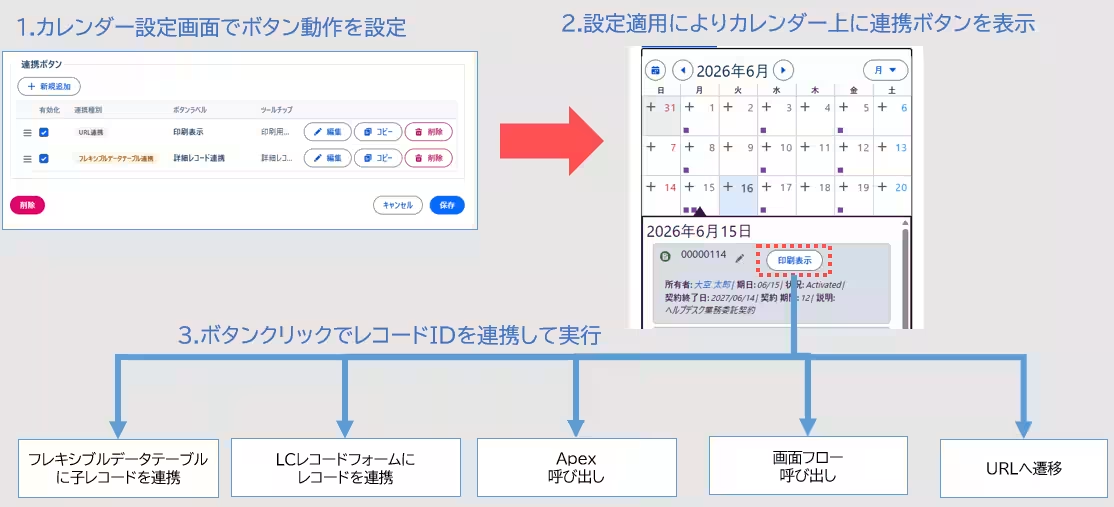
- - Record Linking: By configuring integration buttons, users can link multiple records directly through the calendar interface, streamlining processes.
For example, users can check the expiration dates of contracts associated with clients directly on the calendar and initiate related workflows without navigating away from their tasks.
Enhancements in Flexible Data Tables
In addition to the calendar feature, the update brings significant improvements to flexible data tables:
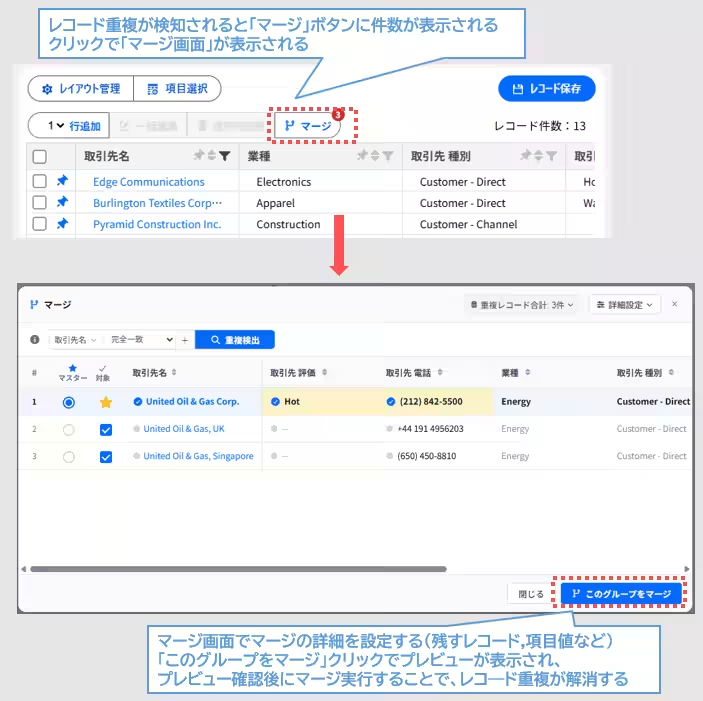
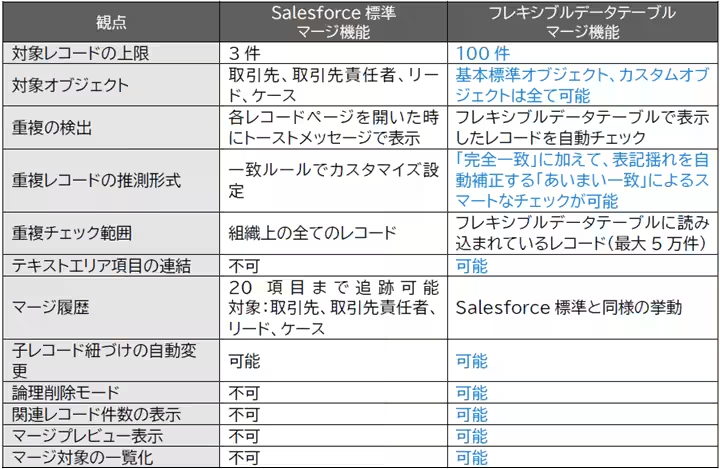
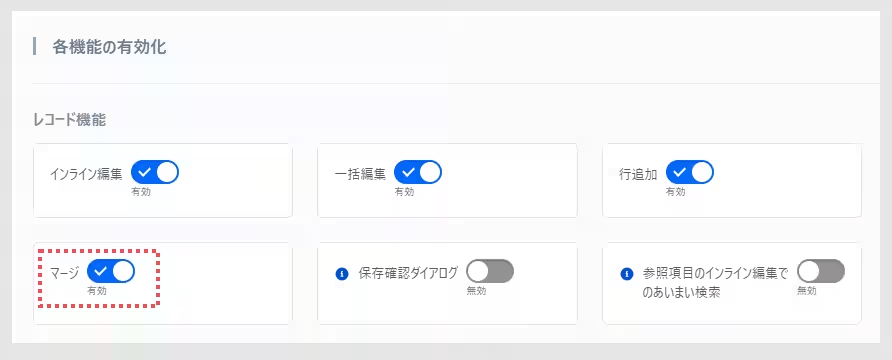
- - Duplicate Record Checks and Merging: The ability to identify and merge duplicate records allows users to maintain data integrity seamlessly. Users will see alerts for duplicates in their displays and have the option to retain specific records when merging.
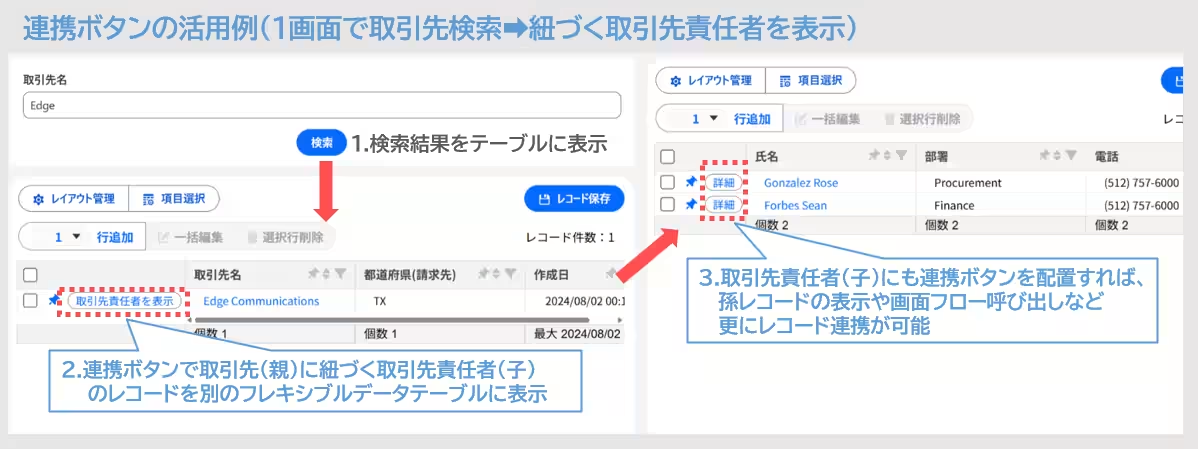
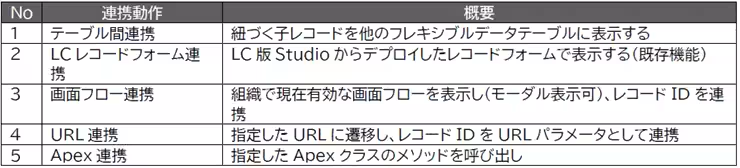
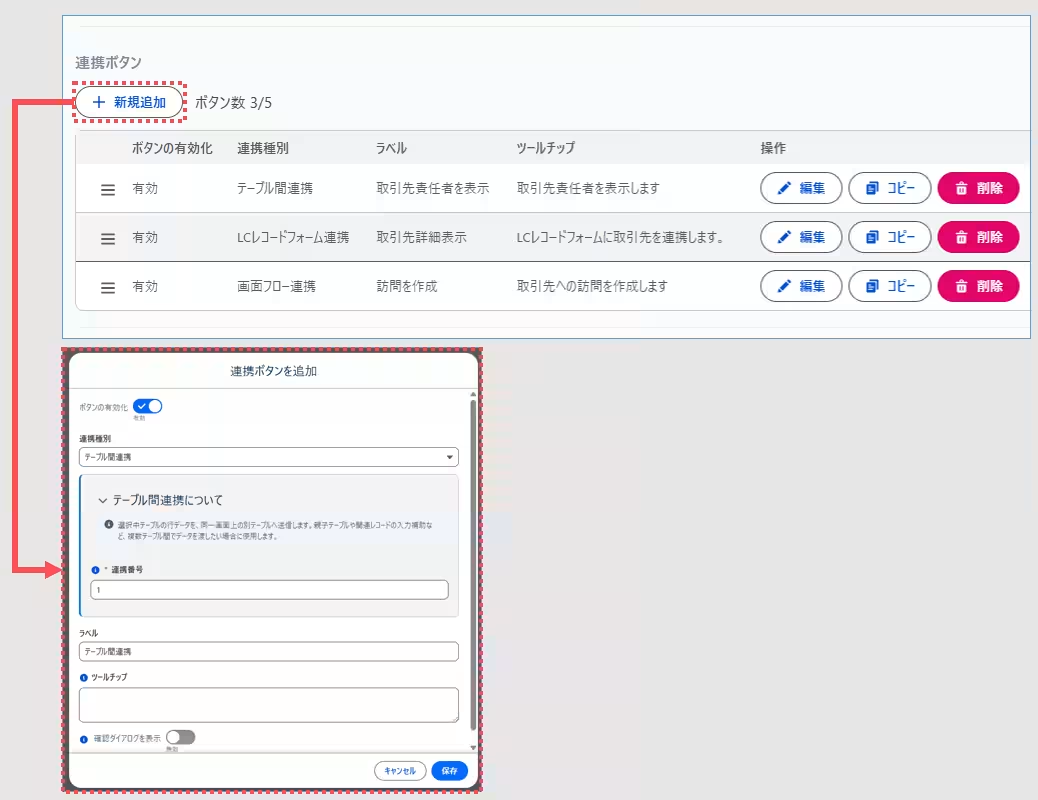
- - Integration Buttons: New functionality enables users to create integration buttons within flexible tables, allowing connections to other tables and workflows. This feature facilitates streamlined operations across parent and child records in a single page environment.
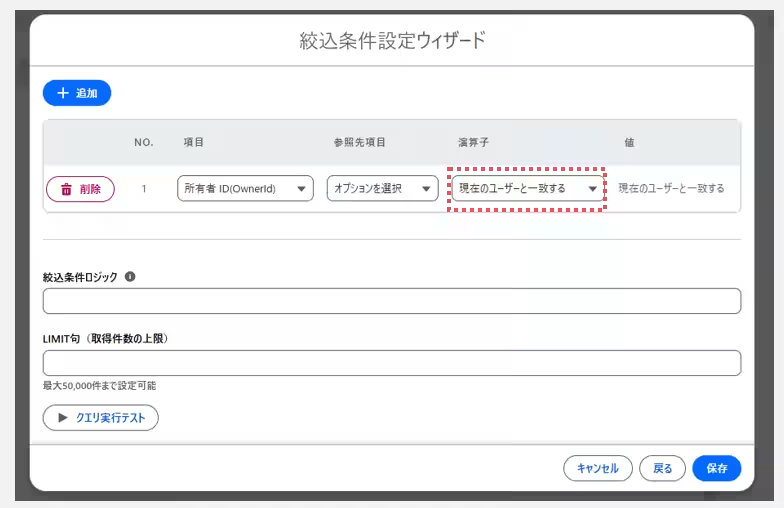
- - User-Specific Filtering: A new operator is introduced to filter records based on the currently logged-in user, which helps in easily managing assignments and ownership within the organization.
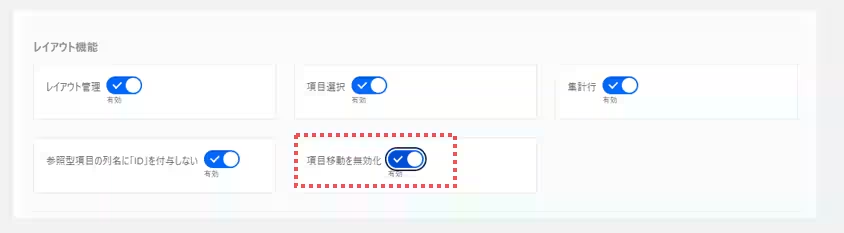
- - Column Movement Control: Mistakes due to accidental column movement during data entry can now be avoided by enabling or disabling this feature.
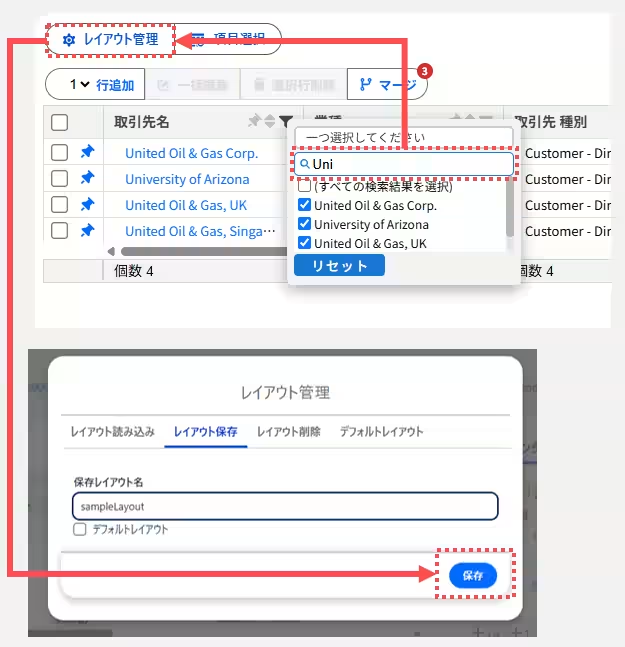
- - Layout Management for Filter Settings: Users can now save and load their preferred filter settings, ensuring that they can quickly retrieve frequently used configurations.
New Features in SkyVisualEditor VF
The SkyVisualEditor VF sect also saw significant improvements, including:
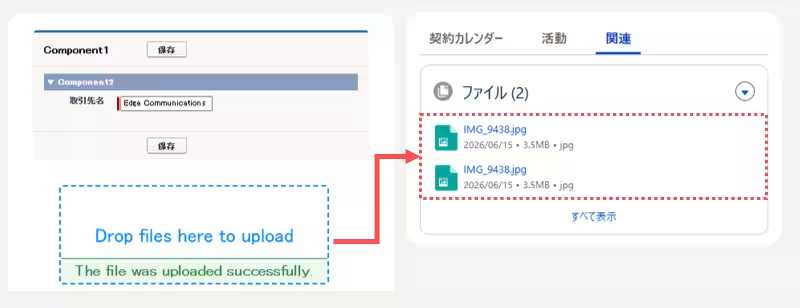
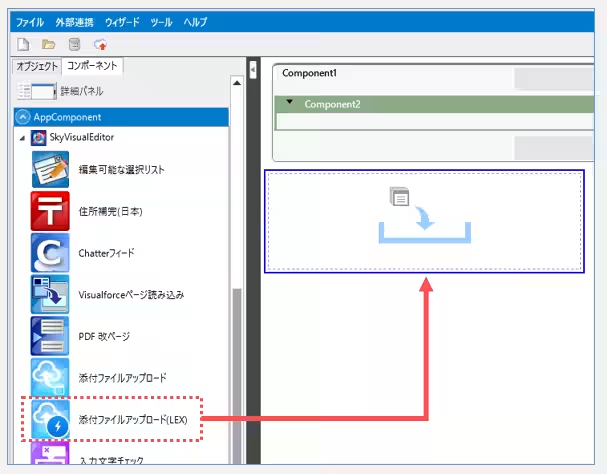
- - File Upload Component: The addition of a standard app component for uploading attachments makes managing files easier, allowing users to preview uploaded documents within the Salesforce interface.
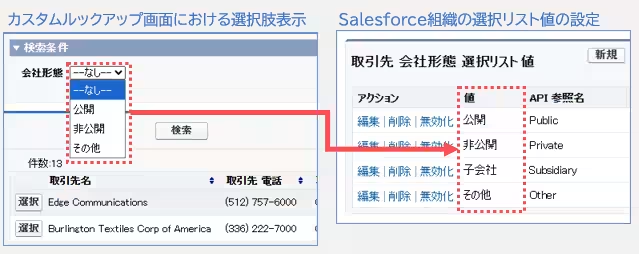
- - Updated Lookup Interface: The custom lookup screen will now display value labels instead of API reference names when configured, making it intuitive for users who have customized their options.
Conclusion
SkyVisualEditor continues to position itself as a leading tool for Salesforce users looking to develop screens without any coding. With the 25.0 update, Terrasky enhances flexibility and usability, ensuring that users can rapidly adapt to their evolving business needs. More detailed information can be found in the full release notes, accessible here.
For additional resources, including product basics and implementation guidelines, visitors are encouraged to explore the comprehensive guide at SkyVisualEditor Navi.
Topics Consumer Technology)
【About Using Articles】
You can freely use the title and article content by linking to the page where the article is posted.
※ Images cannot be used.
【About Links】
Links are free to use.