



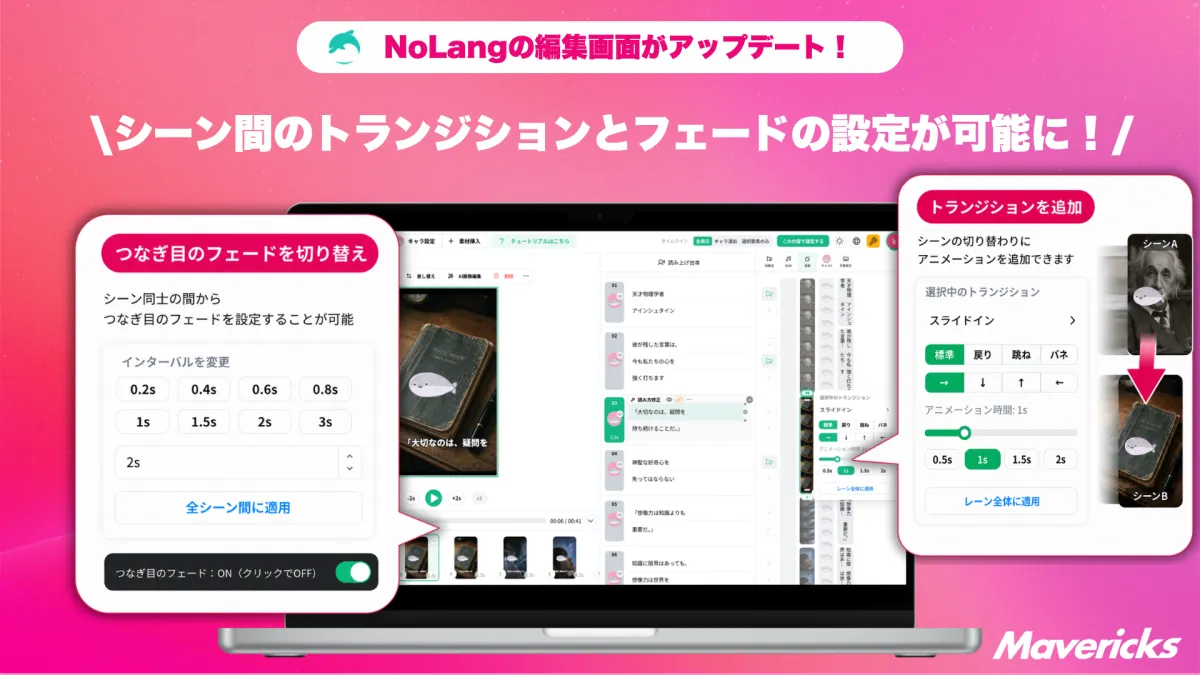
Mavericks Introduces New Transition Features in NoLang for Smoother Scene Changes
Mavericks Enhances NoLang with Transition Features
Mavericks Inc., the Japanese company behind the video generation AI "NoLang", has recently introduced two exciting features to enhance the video editing experience. These new functionalities, known as "Transition" and "Fade" options for smoother scene changes, allow users to make more precise adjustments to how scenes shift from one to another. With the ability to choose from 18 different types of transitions—such as slide, zoom, and wipe—users can select effects that fit the tone of their video while achieving a polished final product without needing external editing software.
The Need for Enhanced Video Editing
As companies increasingly integrate video into their communication strategies—spanning advertising, promotions, e-commerce, recruitment, and training—there's a growing demand for consistent, high-quality video production. According to a study by Yano Economic Research Institute, the domestic market for video production services in Japan is estimated to be worth approximately 423.8 billion yen for the fiscal year 2024, reflecting a 106.2% increase from the previous year. Projections indicate that this figure could reach 458 billion yen by 2025 and skyrocket to 540 billion yen by 2027.
Research from Vimeo supports this trend, revealing that 65% of organizations have increased their video production volumes, with 73% expecting this growth to continue. However, nearly half (48%) of respondents struggle to maintain consistent quality while expanding their production capabilities, highlighting the challenge of balancing quantity and quality.
Despite the growing emphasis on in-house video production, editing remains a significant challenge for many companies. A survey by Hikakubiz and Mteam indicated that 44.7% of respondents practicing complete in-house production find it difficult to implement and use editing tools, and 31.6% face constraints due to insufficient staff resources. Furthermore, a separate study by Appribo found that 41.1% of users consider editing tools overly complex, with basic functions like adjusting duration and trimming being the most commonly used features.
Innovations in NoLang: Transition Settings
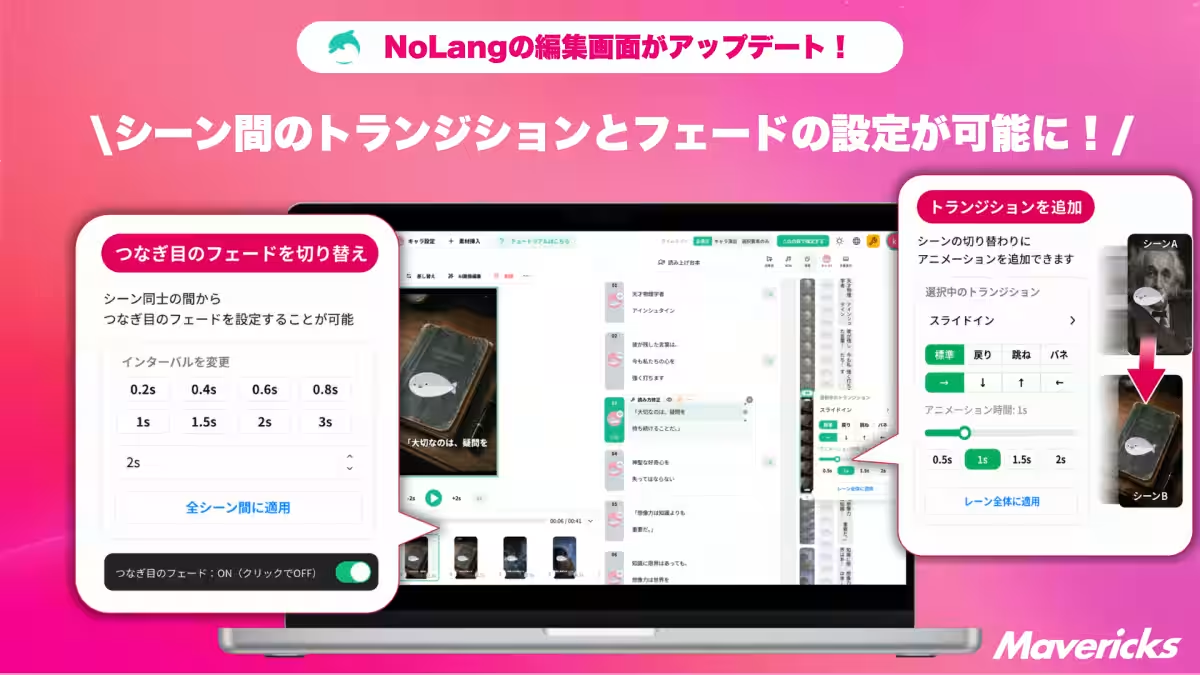
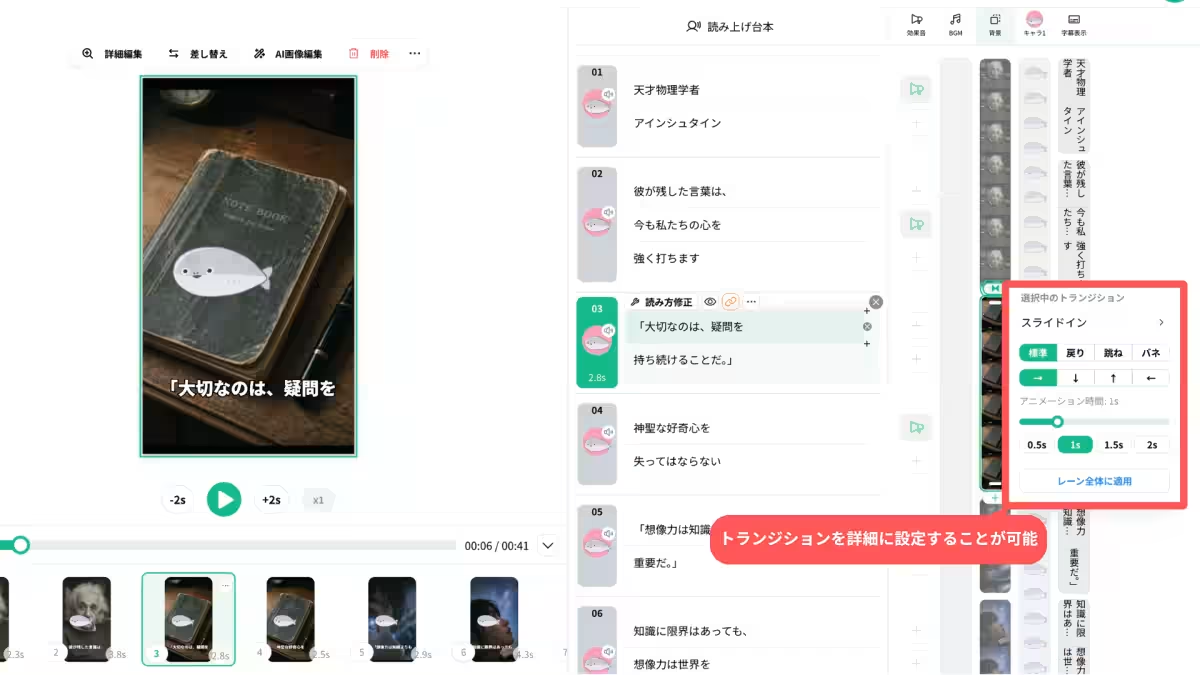
NoLang has introduced a dynamic transition feature that enhances scene changes within videos. This enables users to apply motion effects at the junction of adjacent scenes, transforming what might otherwise be straightforward transitions into more engaging shifts that align with the video's narrative and message. Users can preview the transitions live, making intuitive choices even with little editing experience.
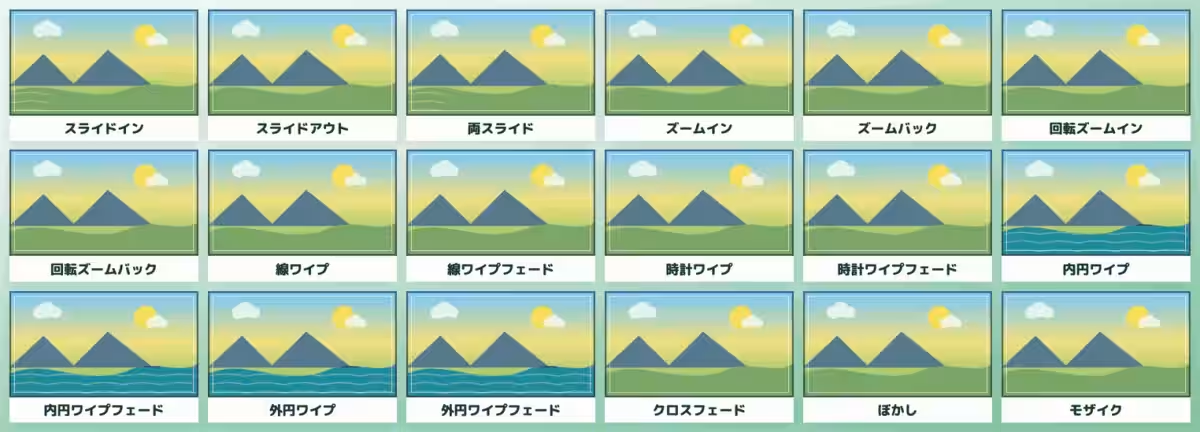
The editing interface now offers 18 distinct transitions, including:
- - Slide: "Slide In", "Slide Out", "Both Slides"
- - Zoom/Rotation: "Zoom In", "Zoom Back", "Rotating Zoom In", "Rotating Zoom Back"
- - Line/Clock Wipe: "Line Wipe", "Line Wipe Fade", "Clock Wipe", "Clock Wipe Fade"
- - Circular Wipe: "Inner Circle Wipe", "Inner Circle Wipe Fade", "Outer Circle Wipe", "Outer Circle Wipe Fade"
- - Cross Effects: "Cross Fade", "Blur", "Mosaic"
Additionally, adjacent video and image materials can smoothly transition into the next scenes, making it easier for the audience to follow the content. Each effect includes preset options to adjust the finish based on the desired quality of motion, allowing for comprehensive customization.
Fade Transition for Seamless Edits
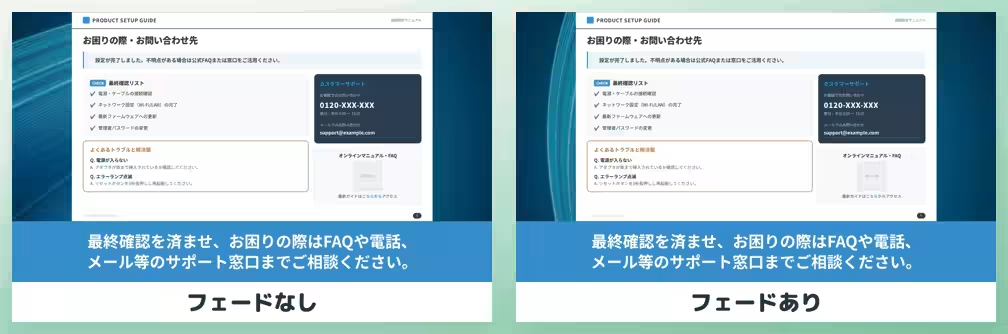
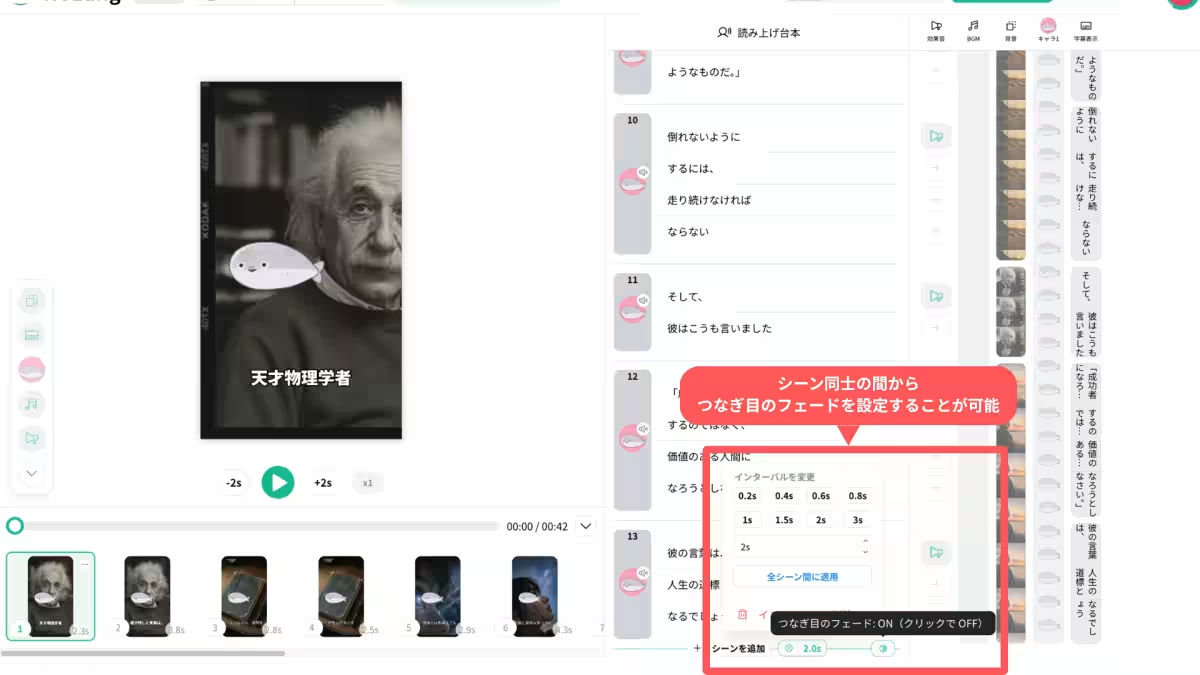
In conjunction with the transition feature, NoLang now includes a Fade function that softens the junctions between scenes. This new function enables users to determine whether to apply a fade effect between scenes based on the interval set in the script area. Activating the Fade feature allows for a natural darkening effect between scenes, enhancing perceived fluidity.
When users set an interval at a scene's boundary, a toggle button appears, making it easy to switch the Fade option on or off. When enabled, users can achieve a consistent and aesthetically pleasing flow of content—ideal for tutorial videos where clear transitions signal new topics, or for promotional videos showcasing different product features.
Wider Applications of the New Features
The new transition options are beneficial across various video formats. In training or instructional videos, adding transitions like cross fades can effectively signal topic shifts, while in marketing videos, using zoom transitions helps convey a detailed understanding seamlessly. For social media clips, quick transitions allow for maintaining viewer interest without a jarring static effect. Even for recruitment and PR videos, using softer fades ensures a natural flow that aligns with the overall tone.
By providing these advanced editing options directly within NoLang, Mavericks empowers users to refine the connections and visual transitions between scenes without switching between multiple editing platforms.
Future Directions
Mavericks remains committed to enhancing video editing capabilities within NoLang, continuously refining the user experience to allow seamless adjustments regardless of prior editing knowledge. The objective is to let users infuse their intent and creativity into AI-generated content easily, from creation through to review and final edits.
What is NoLang?
NoLang is an innovative video generation AI service that allows users to create videos in seconds by simply inputting text, PDF, PPTX files, URLs, and even images or audio/video files. Launched in July 2024, it has already grown to over 200,000 registered users and more than 100 corporate clients, catering to a vast array of applications including news summaries, social media content creation, and internal training material.
The service boasts an extensive library of over 100 avatars and more than 300 voice options, including tools for users to create custom avatars and expressive voice synthesis capabilities. NoLang enables anyone to produce high-quality videos quickly, regardless of their technical expertise.
For more information about NoLang and how it can benefit your business, visit the official website.
Topics Consumer Technology)
【About Using Articles】
You can freely use the title and article content by linking to the page where the article is posted.
※ Images cannot be used.
【About Links】
Links are free to use.