



Accelerating Initial Responses with immedio Box's New Chrome Extension for Tracking URLs
Enhancing Lead Nurturing Speed with immedio Box
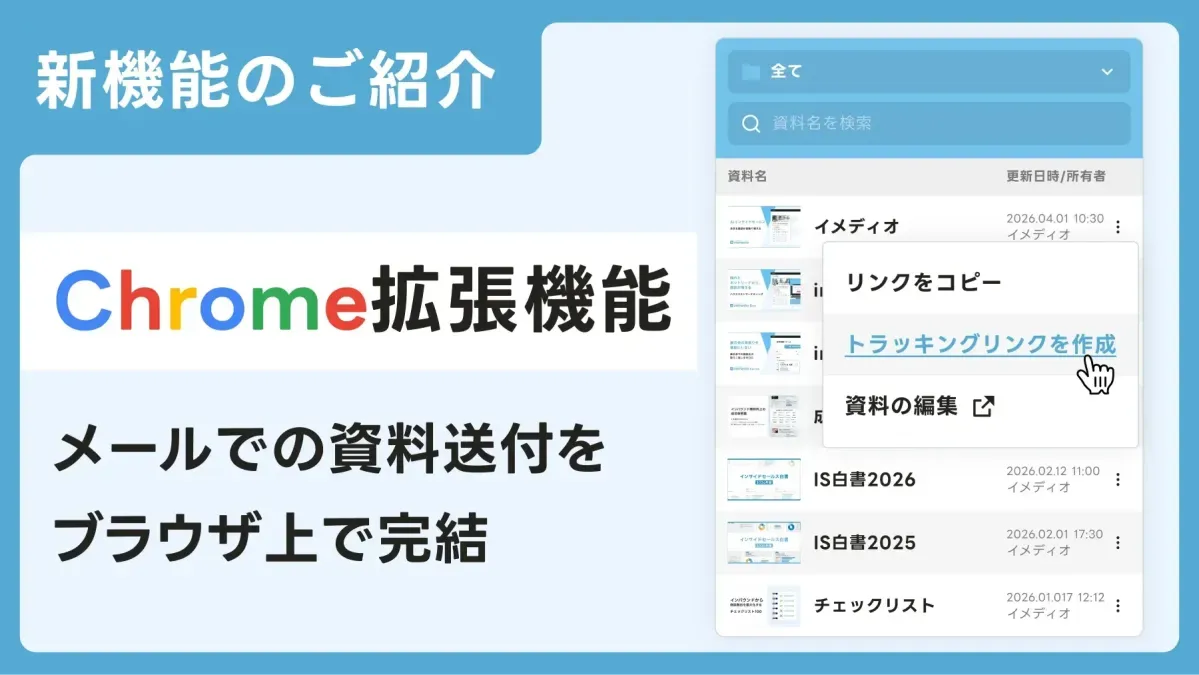
In a bold move to streamline the lead nurturing process, 株式会社immedio has introduced a new feature to their popular AI tool, immedio Box. This Chrome extension allows sales professionals to generate and send tracking URLs attached to their materials swiftly, significantly enhancing the speed at which they can respond to inquiries.
The Cost of Delays
In the world of sales, timing can be everything. Following an inquiry or a meeting, potential clients are often in a prime position to engage. However, due to delays in sending materials, valuable opportunities can slip away. These delays can lead to a variety of issues, such as:
- - Lost interest from clients due to prolonged waiting times.
- - Possibilities of competitors getting in touch first.
- - Fading enthusiasm among potential customers when materials are not sent promptly.
These setbacks do not stem solely from the sales representatives' decisions but rather from disruptions in the material distribution process. The immedio Box addresses these shortcomings effectively.
Seamless Connection from Inquiry to Action
The immedio Box's new feature allows sales reps to issue tracking URLs directly while composing an email, thereby eliminating the usual fragmented approach to sending materials. This innovation empowers sales teams to act swiftly, leading to a notable increase in the chances of the materials being reviewed by the client—all while maintaining their initial interest.
Overview of the Chrome Extension Functionalities
The newly launched Chrome extension enables users to select their desired materials directly from the email creation interface, instantly generating and sending tracking URLs. By doing away with the need to navigate between different screens—such as:
- - Moving to the management dashboard to find links
- - Copying and navigating back to the email interface
This functionality significantly accelerates the material distribution process and helps to prevent opportunities from being missed due to delays.
Features That Save Valuable Seconds
- - Streamlined Operations: The new extension reduces the steps needed to generate a URL; users can now locate and share materials directly from their browser without switching tabs.
- - Tracking Capabilities: This allows sales teams to monitor how recipients engage with the materials sent, facilitating more informed follow-up actions.
- - Uninterrupted Workflow: Sales professionals can seamlessly insert materials while drafting emails, ensuring that workflow is not disrupted.
Practical Use Cases
This tool is designed for various scenarios, including:
- - Sending materials promptly after inquiries
- - Facilitating follow-up communications in inside sales
- - Sharing additional resources post-meeting
In all these instances, the immedio Box empowers sales teams to alter the outcome based on immediate delivery capabilities.
Future Ambitions
With the release of this Chrome extension, 株式会社immedio aims to eliminate minor delays in the sales process that can result in significant opportunity losses. This innovation enhances both the speed and accuracy of responses, ultimately elevating the overall quality of sales activities.
For more details or to experience a demo, visit the official website or reach out for inquiries.
About 株式会社immedio
Founded to create more fruitful encounters that lead to successful meetings, 株式会社immedio is on a mission to transform the landscape of AI inside sales. Their offerings, including the immedio Box and Forms, are designed to meet the evolving needs of modern sales professionals. With a focus on imagination and technology, they strive for a future where seamless connections are the norm.
Contact details and more information can be found on their website at immedio.




Topics Business Technology)
【About Using Articles】
You can freely use the title and article content by linking to the page where the article is posted.
※ Images cannot be used.
【About Links】
Links are free to use.