




Introducing 'Ikinari AI Voice Typing for Mac': Transform Your Writing Speed with Revolutionary Speech Input
Unleash Your Writing Potential with Ikinari AI Voice Typing for Mac
On April 24, 2023, SourceNext Corporation launched its cutting-edge voice input software, 'Ikinari AI Voice Typing for Mac.' Priced at just 495 yen per month, this innovative application enables users to input text three times faster than traditional typing. This software promises to streamline tasks such as emails, chat responses, and AI prompts, thereby enhancing efficiency in various business environments.
What is 'Ikinari AI Voice Typing'?
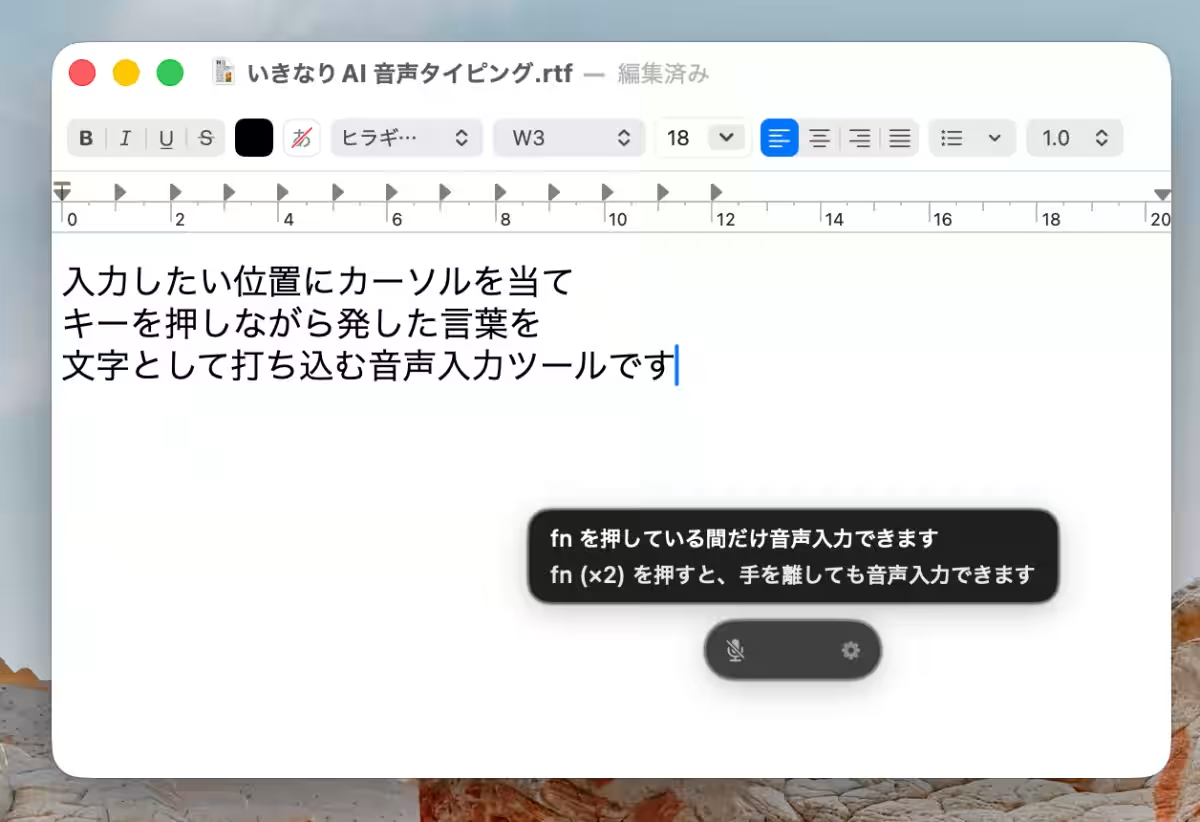
'Ikinari AI Voice Typing' is a revolutionary voice input tool designed to convert spoken words directly into text right where your cursor is positioned. Whether crafting replies to emails or generating AI prompts, this tool is versatile enough to assist in numerous situations.
Simple Two-Step Operation
1. Position your cursor at the desired input location and hold down the Fn key while speaking.
2. Release the Fn key to have your speech converted into text automatically.
Practical Use Cases
- - Drafting replies to emails and chat messages.
- - Creating prompts for generative AI.
- - Composing various documents such as proposals and reports.
Unique Features of 'Ikinari AI Voice Typing'
No Typing Required: The primary draw of this tool is the ability to transcribe spoken language into text instantly, eliminating the hassle of typing. This leads to smoother and faster document creation.
Offline Usability: The software operates offline, ensuring that sensitive information remains secure. All voice data is processed locally on the computer, with no transmission to the cloud, allowing it to be used safely in environments with stringent security policies.
Flexible Operational Modes
Users can choose between two operational modes to suit their tasks:
- - Shortcut Input: Capture speech only while the key is pressed, ideal for short phrases such as chat responses.
- - Hands-Free Mode: Initiate continuous recording with a single button press, perfect for drafting long texts or brainstorming ideas.
Enhanced Text Quality
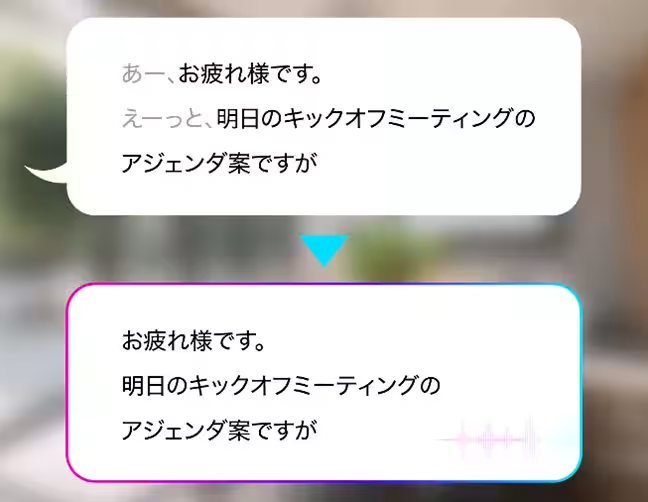
The software also excels at eliminating fillers—words like “um” and “like”—to ensure that the resultant text is clean and polished. It intuitively detects pauses and incorporates punctuation, reducing the need for extensive editing afterward.
Text History Functionality
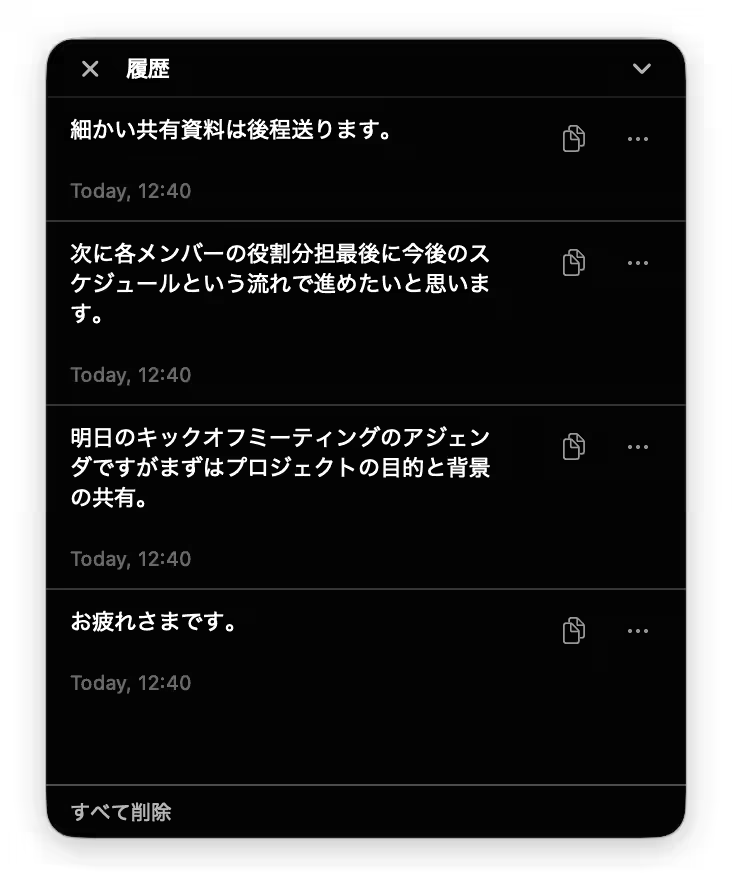
An additional feature allows users to automatically save their text input history. This is beneficial for revisiting past ideas or reusing previously drafted content.
Product Overview
- - Name & Pricing:
- Annual Plan: 4,950 yen (tax included)
- Permanent Plan: 9,900 yen (tax included)
- - Content: Voice input tool
- - Development and Support: SourceNext Corporation
- - Product Information: Ikinari AI Voice Typing
System Requirements
- - Supported OS: macOS 15 (Sequoia) or later
- - CPU: Exclusive for Apple Silicon (M1 chip or newer); not compatible with Intel-based Macs
- - Memory: Must meet the OS requirements
- - Installation Size: Approximately 900 MB
- - Internet: Required for license activation and updates
- - License Limitations: Allows installation on up to three computers per license
Copyright Notice
For screen displays and related copyright attributions: © SOURCENEXT CORPORATION
Customer Support
For inquiries and guidance before purchase, visit the SourceNext Customer Center: Support Page


Topics Consumer Technology)
【About Using Articles】
You can freely use the title and article content by linking to the page where the article is posted.
※ Images cannot be used.
【About Links】
Links are free to use.