



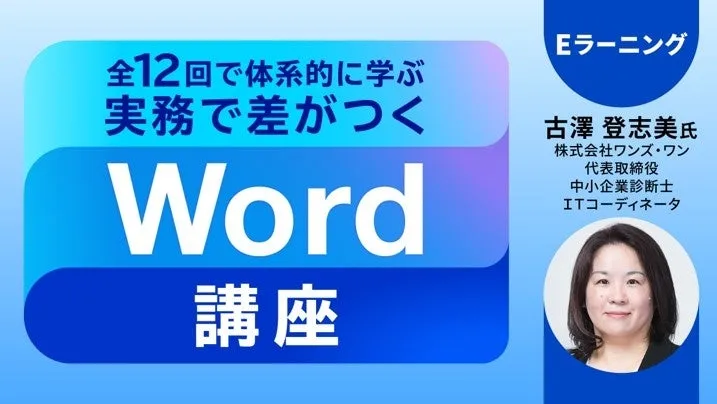
Enhance Your Word Skills with PEC's Comprehensive 12-Session e-Learning Course
Elevate Your Word Proficiency with PEC
In an increasingly digital environment, being proficient in Microsoft Word is no longer optional; it's essential for professionals across various fields. The Professional Education Center (PEC), part of Creek & River Company, has launched an innovative e-learning course titled "Upgrade from Basic to Practical Microsoft Word Skills in 12 Comprehensive Sessions". This program is designed for individuals who use Word on a basic level and want to deepen their understanding and skills for effective document creation.
Course Overview
Microsoft Word is a powerful document creation software widely used in business for reports, resumes, and various professional documents. PEC’s e-learning course aims to transform users from casual users to competent professionals. Over twelve sessions, participants will systematically revisit the fundamentals of Word and learn how to apply these skills in real-world scenarios.
Course Content
The course is meticulously structured into twelve engaging sessions, covering essential features and functionalities of Microsoft Word:
1. Basic Operations and Page Formatting (58:09) - Understand the user interface and basic setup.
2. Creating Professionally Formatted Business Documents (58:49) - Learn the best practices for business correspondence.
3. Aligning Text for Presentation (59:16) - Master text alignment techniques.
4. Using Bullets and Numbering for Clarity (57:03) - Make your documents more readable and organized.
5. Organizing Information with Tables (56:17) - Discover how to present data effectively.
6. Incorporating Images and Shapes in Documents (56:52) - Enrich your documents visually.
7. Page Numbers and Section Breaks (49:46) - Maintain structure with page numbers and section breaks.
8. Using Styles and Themes for Cohesion (55:05) - Ensure consistency in your documents’ appearance.
9. Setting Up Headings for Navigation (51:52) - Facilitate easy navigation within lengthy documents.
10. Document Structure and Table of Contents Generation (44:03) - Learn how to create intuitive document structures.
11. Boosting Efficiency with Mail Merge (51:03) - Automate repetitive tasks using mail merge.
12. Document Review, Protection, and PDF Output (57:50) - Understand how to finalize and protect your documents.
Who Should Enroll
This course is suitable for:
- - Individuals who have been using Word in their own way but haven't formally learned its features.
- - Professionals who frequently utilize Word in their daily work.
- - Anyone wishing to gain a systematic understanding of Word's functionalities.
Instructor Background
The course is led by Toshimi Furusawa, a small business consultant, and IT coordinator, who brings years of experience in IT support and training. Since 2001, she has been helping individuals comprehend complex IT tools including Microsoft Office. Her expertise lies in simplifying technical concepts for beginner learners.
Enrollment Information
- - Fee: 33,000 yen (including tax)
- - Access Duration: 60 days after purchase
- - Total Video Length: 10 hours 56 minutes
- - Creation Dates for Videos: From October 2025 to April 2026.
For those interested, you can find more details and enroll through the following link: Word Course Details and Registration.
Connecting with PEC
PEC also offers various services for creators, including training programs in IT and programming. For ongoing updates on these programs and more, you can register for their email newsletter and stay informed on upcoming events: C&R Event Information Newsletter Registration.
A Pioneering Company
Creek & River Company was established in 1990 with a mission to enhance the lifelong value of professionals and contribute to client value creation. They specialize in a wide variety of sectors, including video, games, web, and more. To learn more about their diverse range of services, visit their official website.

Topics Consumer Products & Retail)




【About Using Articles】
You can freely use the title and article content by linking to the page where the article is posted.
※ Images cannot be used.
【About Links】
Links are free to use.