



Enhancing Your Gaming Setup with MSI's MPG CORELIQUID P13 Series Cooler
Elevate Your Gaming Experience with MSI’s MPG CORELIQUID P13
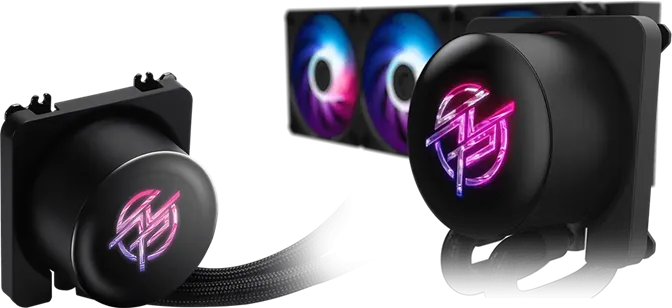
The latest release from MSI, the MPG CORELIQUID P13 series, showcases a stunning water cooling solution ideal for gamers and PC enthusiasts. This cooler is designed not just to deliver high frame rates but to act as the centerpiece of your setup. With gaming becoming increasingly immersive, no gamer wants to sacrifice information display for a seamless experience. But what if there was a way to gain crucial system information without cluttering your screen? The MPG CORELIQUID P13 offers this very solution.
Transformative Design
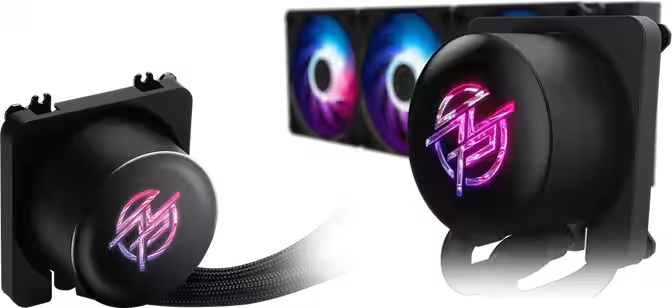
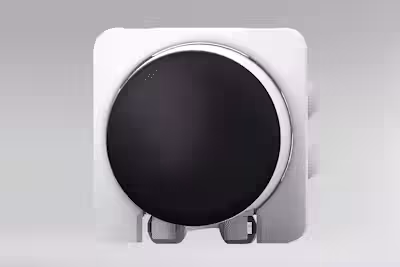
The MPG CORELIQUID P13 includes a 2.1-inch display that seamlessly integrates into the cooling system. This dynamic addition elevates the traditional components of a gaming PC to a sophisticated dashboard, providing insights in real-time. Users can enjoy a second screen at a highly visible spot—the heart of the PC—without detracting from the main display.
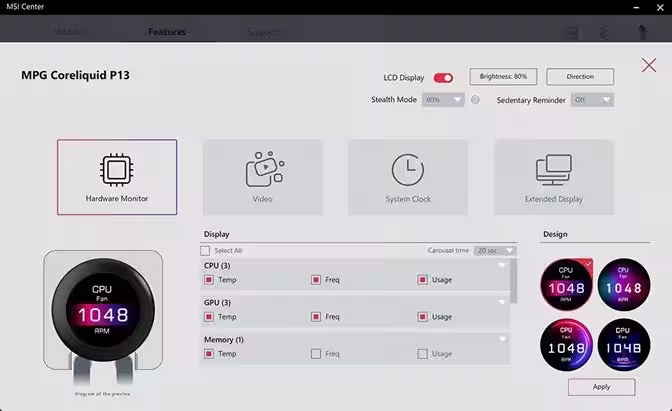
With the latest update to the MSI Center, users can access all features contained within the MPG CORELIQUID P13, offering unprecedented capabilities in customization and monitoring.
Experience Delight in Startup Animation
There’s a certain satisfaction in powering on your PC and witnessing life breathed into it. The MPG CORELIQUID P13 enhances this experience with a captivating startup animation displayed on its 2.1-inch screen. Not only does this indicate that the pump is operational and the system is booting properly, but it also sets the tone for your gaming experience.
Once Windows is up and running, users can activate the extended mode via the MSI Center (EZ Display menu) and select animations that match the room’s ambiance or showcase a personalized logo for content creators.
Real-Time Monitoring with a Clear View
Investing in a high-end GPU and monitor is to fully immerse oneself in beautifully rendered worlds—not to be distracted by numbers flickering in the corner of the screen. The MPG CORELIQUID P13 solves this issue with its handy HUD capabilities. By simply choosing what to track within the MSI Center, the display can transform into a user-friendly HUD, allowing gamers to monitor performance and temperatures during intense boss battles while keeping the game screen free of clutter.
The transparent side panel offers a glimpse into frequency, temperature, and RAM usage, all at a glance, keeping you focused on the action without distractions.
Functional Design Meets Aesthetic Value
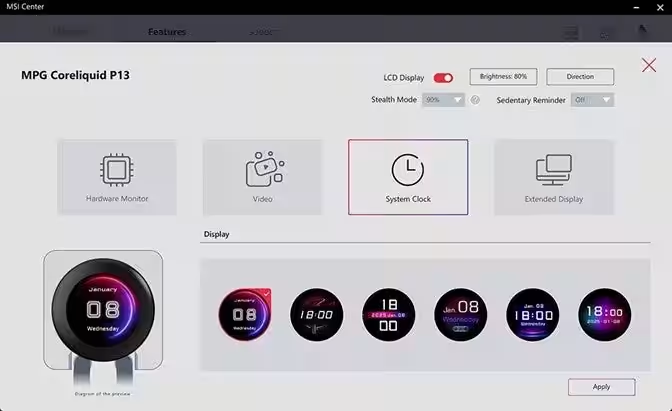
While monitoring temperatures is vital during gaming sessions, there are times—like browsing the web or answering emails—when continuous thermal monitoring isn’t necessary. Instead of watching a static temperature on the screen, why not configure the P13 to show a stylish clock using the MSI Center? The edge-to-edge design elevates even simple time displays into elegant additions, enhancing your gaming corner’s aesthetics.
Bring Your Space to Life with Video Loops
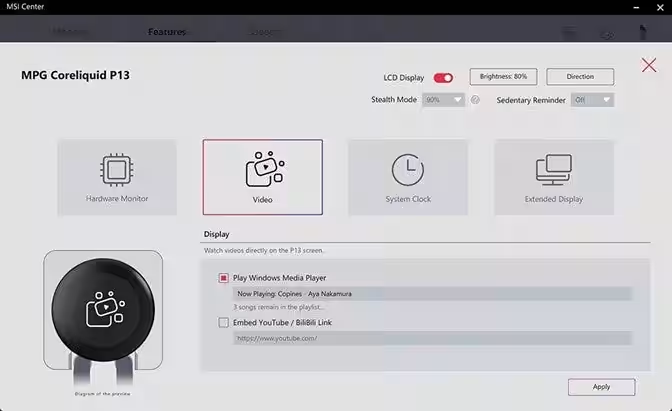
Still images are nice, but nothing breathes life into your environment quite like motion. The MPG CORELIQUID P13’s LCD can stream not just simple GIFs, but also video content directly from platforms like YouTube and BiliBili. All it takes is entering the video link within MSI Center’s EZ Display app, and your stream starts rolling!
The MSI Center is designed to maintain a single, looped video without shifting to unwanted recommendations or autoplaying the next video, ensuring your display remains focused on your chosen content.
Expanding Your Work Area: Dual Display Capabilities
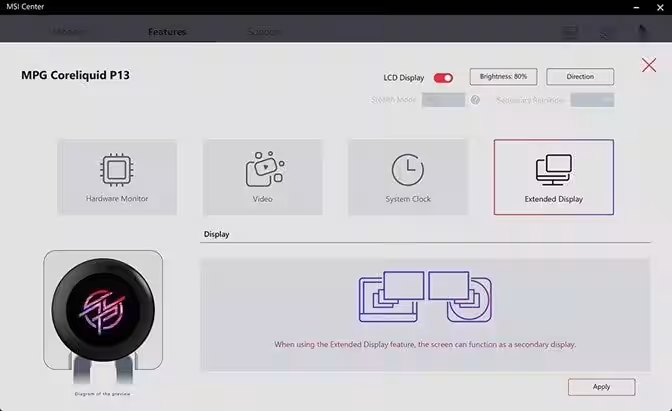
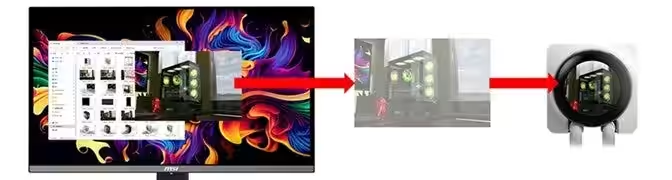
Beyond the functionalities mentioned, the MPG CORELIQUID P13 can also function as a dedicated sub-monitor when set to extended display mode. This feature allows users to drag and drop any windows onto this screen—be it a Discord chat or a Spotify player—making organization effortless.
Once you position your windows to your liking, ensure you activate the “cursor lock” option within MSI Center to prevent the mouse from drifting onto the P13 display during gaming or multitasking.
Note: For optimal performance of the extended display mode, MSI recommends connecting your main gaming monitor via HDMI.
Elevate Your Setup with MPG CORELIQUID P13
The MPG CORELIQUID P13 series represents a harmonious blend of software and hardware designed to provide users with enhanced capabilities. This evolution isn't merely about improved cooling performance. Instead, it symbolizes a commitment to providing users with more powerful tools.
Whether you're setting up real-time monitoring, utilizing it as a sub-screen, or finding the perfect looped video, the MPG CORELIQUID P13 enhances your space and captures the attention of everyone around you.
To unlock all personalization features and maximize performance, ensure you have MSI Center version 2.0.65.0 or newer!
For more details about the MPG CORELIQUID P13 AIO water cooler, check out the product page here.
Frequently Asked Questions (FAQs)
Q: Can I use the water cooler without installing MSI Center?
A: The core cooling functionalities operate sans MSI Center, but to utilize all features of the MPG CORELIQUID P13 and its LCD, installing the latest version (2.0.65.0 or higher) is strongly recommended.
Q: How do I prevent the mouse cursor from entering the LCD screen?
A: When in video mode, enabling the “Cursor Lock” option in MSI Center keeps the cursor from moving onto the P13 display. In extended mode, the P13 acts as an extension of the main display, allowing free movement of the cursor.
Q: Does it matter if my main monitor is connected via HDMI or DisplayPort?
A: For using the extended display mode seamlessly in Windows 11, MSI recommends connecting your main monitor via HDMI for the most stable experience.
Q: If I turn off my main monitor, will the P13's LCD continue to display?
A: Yes, if connected via HDMI, the MSI Center settings will continue to be displayed on the P13, even with the main monitor powered off.
Q: Will ads play if I stream a YouTube video?
A: Videos run on a continuous loop based on your link, so no unexpected videos will play. However, ads may appear depending on local YouTube policies; using a YouTube Premium account can enhance this experience.
Q: What displays if MSI Center isn't installed?
A: Without MSI Center, the approximately displayed startup animation will loop. Personalization requires the latest version (2.0.65.0 or higher). Download it here.
MSI regularly disseminates news and product information via RSS. Add it to your reader to stay ahead of the latest updates.
MSI: MSI Official Site
MSI JP YouTube: YouTube Channel
MSI Girls: MSI Girls Channel
MSI JP Facebook: Facebook Page
MSI JP Instagram: Instagram Profile
MSI JP X (PC Components): X Profile
MSI JP X (Laptops and Monitors): X Profile
About MSI
MSI is a leading gaming brand recognized for its reliability across the gaming and eSports industries. Guided by principles of design innovation, performance excellence, and technological advancement, we develop products that incorporate features desired by gamers. Our goal is to facilitate performance enhancement beyond previous limits through extensive iterative designs, affirming our commitment as a ‘True Gaming’ brand.
Topics Consumer Technology)
【About Using Articles】
You can freely use the title and article content by linking to the page where the article is posted.
※ Images cannot be used.
【About Links】
Links are free to use.